
forbiddenProximitySpacing
Specifies the spacing between two wire shapes on a given layer. This constraint is violated if there are two wire shapes on a given layer, which are spaced apart by a distance greater than or equal to a given minimum spacing and less than or equal to a given maximum spacing.
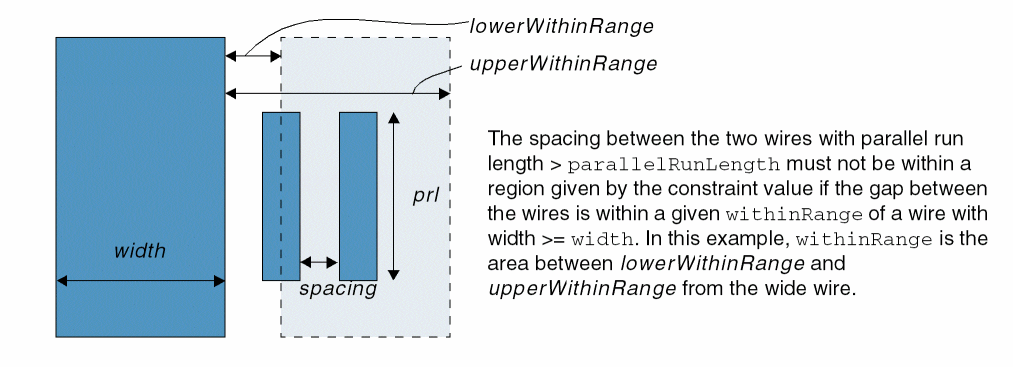
In addition, both wires are within a given distance from a wide wire shape on the same layer whose width is greater than or equal to a given minimum width and has a parallel run length with the two wires greater than the specified length.
This constraint was formerly known as forbiddenSpacingRange.
forbiddenProximitySpacing Quick Reference
Value Type
Figure -1 forbiddenProximitySpacing Constraint
Required Parameter
|
Specifies that the constraint applies only for a wire with width less than this value in user units.
Type: |
Optional Parameters
|
Specifies that the constraint applies only if the parallel run length (prl) between the two edges is greater than this value, in user units.
Type: |
|
|
Specifies that the constraint applies to the spacing between two wires if the distance from the wide wire to the gap between the two wires lies in the range specified by this range value, in user units. For example, if RangeValue is
Type: |
Example
set_constraint_parameter -name width -Value 0.2
set_constraint_parameter -name parallelRunLength -Value 0.1
set_constraint_parameter -name withinRange -RangeValue {"<=0.4"}
set_layer_constraint -constraint forbiddenProximitySpacing \
  -layer m1 -RangeValue {"[0.07 0.09]"}
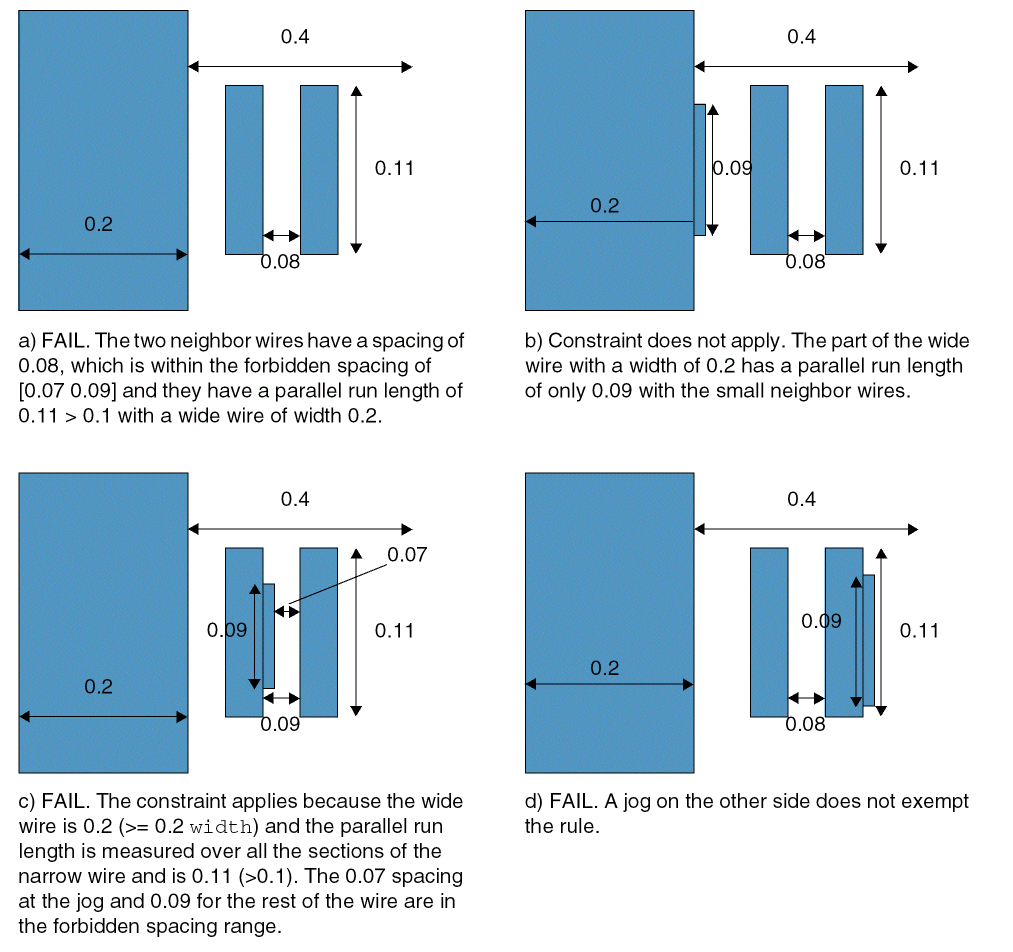
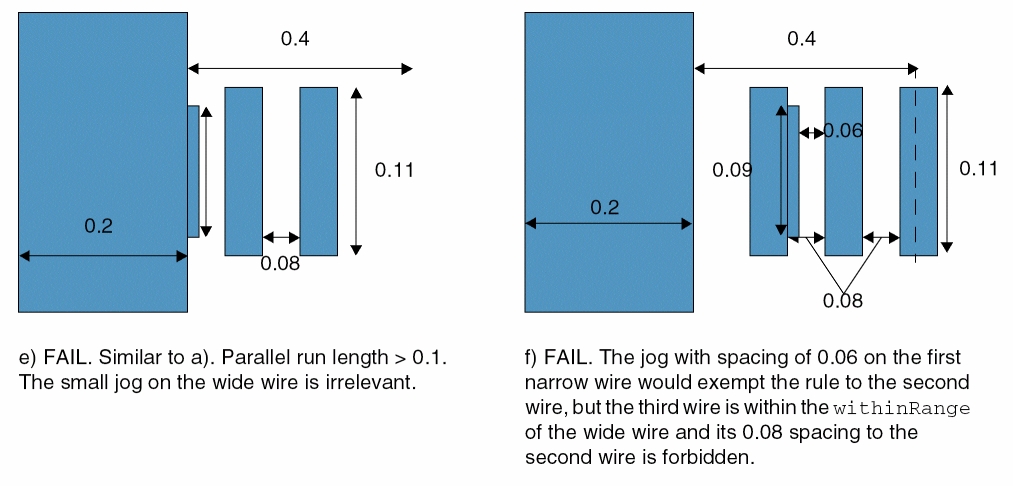
Specifies that two wires that are within 0.4 user units of a wire with width >= 0.2 user units and have a parallel run length > 0.1, must be < 0.07 or > 0.09 user units from each other.
Related Topics
Return to top