
minExtensionSpacing
Specifies the minimum spacing for an edge with enclosure that is less than the specified enclosure. Optionally, the constraint only applies for:
Spacing Quick Reference
Value Type
minExtensionSpacing constraints have a OneDTblValue. The lookup key for the table is the enclosure and the table value is the required spacing. An edge with enclosure less than the given enclosure must have spacing greater than or equal to the given spacing.
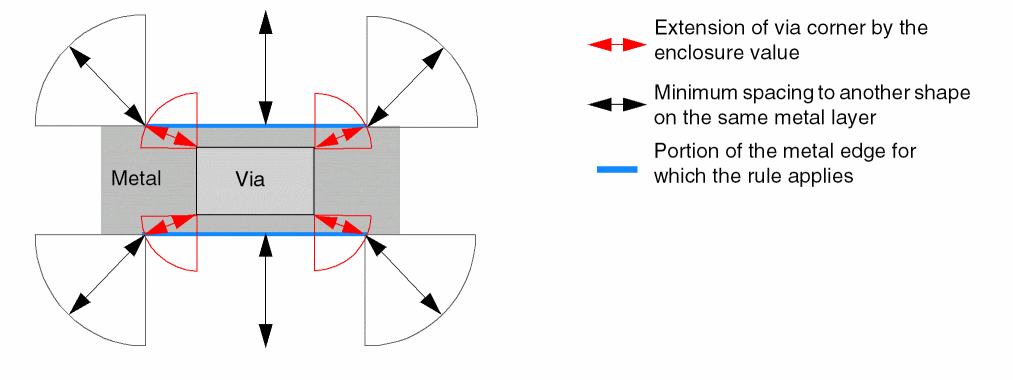
If the enclosure is less than the constraint enclosure value, the portion of the metal edge that applies to the constraint is determined by extending the via corner by the enclosure value in Euclidean style to intersect the metal edge, as shown by the blue lines in the following figure.
Parameters
-
layer(LayerValue, required) is the cut layer to which the constraint applies. -
cutClass(DualValue, optional) specifies the cut class width and length, in user units. Specifies the spacing applies only to an edge with a cut of the given cutClass. If a cut layer has more than one cut class, then this parameter must be specified. You can specify individual rules for each cut class, if required. -
longEdgeOnly(BoolValue, optional) if set totrue, specifies that the constraint only applies to a metal edge containing a long/side edge of a rectangular cut with enclosure less than the specified constraint enclosure.
Examples
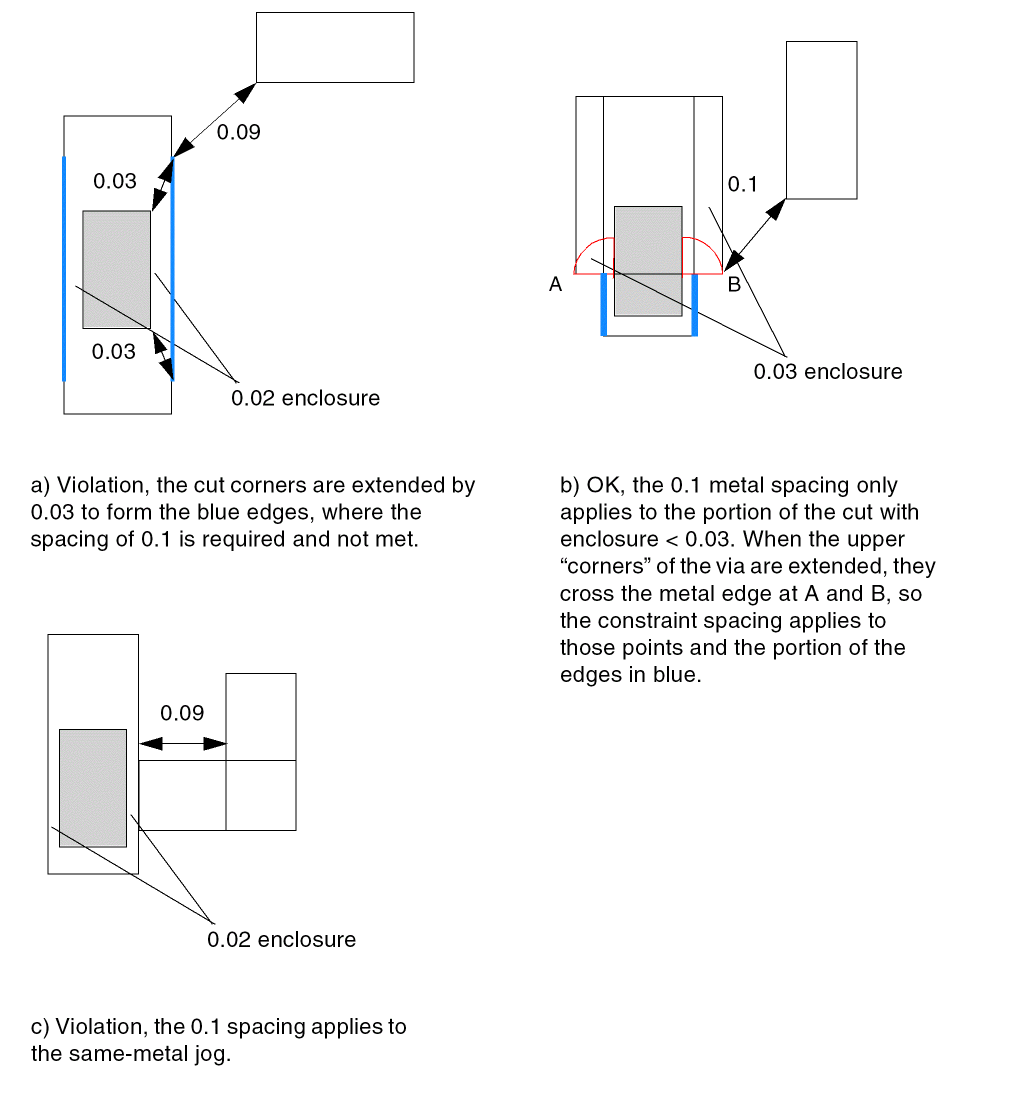
In the following example, Metal2 edges with enclosure less than 0.03 user units on the long edge of V2 vias that are 0.06 user units wide and 0.12 user units in length must have spacing greater than or equal to 0.1 user units.
set_constraint_parameter -name layer -LayerValue V2
set_constraint_parameter -name cutClass -DualValue {0.06 0.12}
set_constraint_parameter -name longEdgeOnly -BoolValue true
set_layer_constraint -layer Metal2 -constraint Spacing \
 -OneDTblValue {0.03 0.1}
Related Topics
Return to top