
6
The Confidence Interval - Autostop Method
The Confidence Interval - Autostop method automatically stops Monte Carlo analysis when the confidence interval for the output standard deviation divided by the output value range falls below the Stop Percentage value. The default Stop Percentage value is 5%.
In this method, you need not define number of sample points to run, target yield value, and specification targets because Monte Carlo run stops automatically when the stopping criteria is met, where stopping criteria is defined as follows:
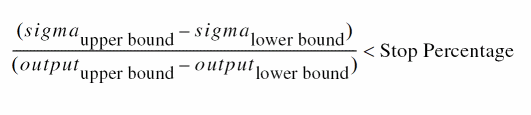
The Monte Carlo run stops automatically after simulating all outputs satisfy the stopping criteria or after simulating the number of sample points specified in the Max Points field on the Monte Carlo form.
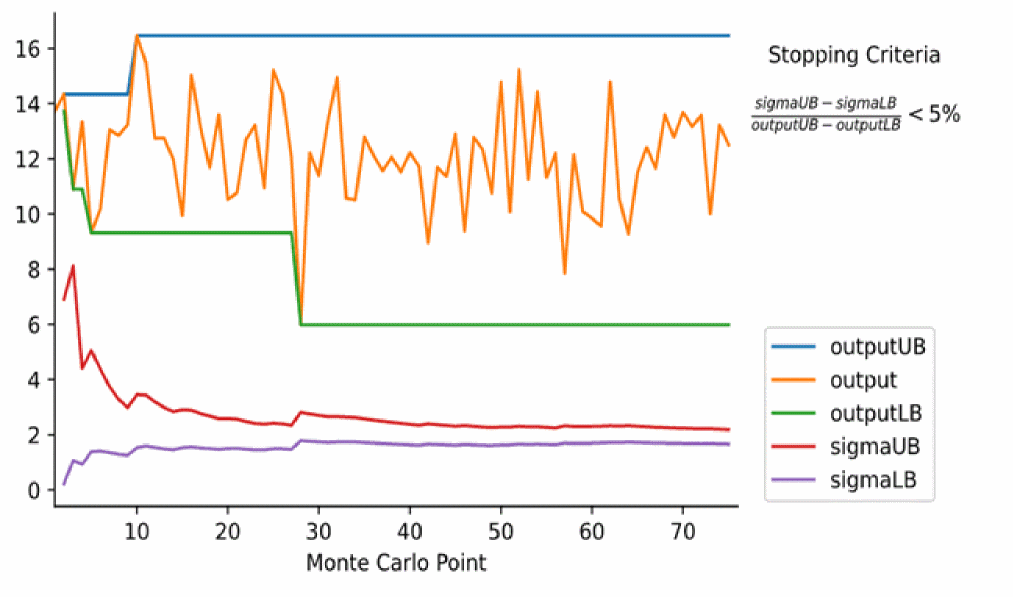
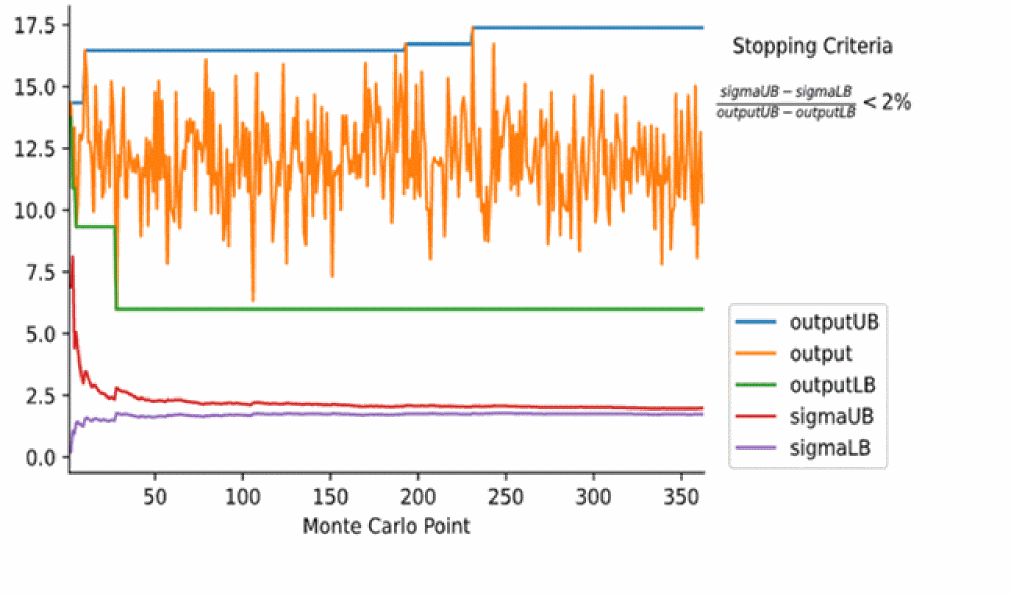
Decreasing Stop Percentage value results in increased number of points simulated.
The following figure shows that for Stop Percentage = 5%, the Monte Carlo run stops automatically after completing simulation of 75 sample points.
The following figure shows that for Stop Percentage = 2%, the Monte Carlo run stops automatically after simulating 362 sample points.
Related Topics
Advanced Options of the Confidence Interval - Autostop Method
Outputs Supported by the Confidence Interval - Autostop Method
Running the Confidence Interval - Autostop Method
Return to top