
How to Ignore Components in Physical Hierarchy
You can use Configure Physical Hierarchy to specify ignore properties at the cell-level, in which case all the instances of that cell are ignored, or you can override the cell-level setting for one or more instances or individual occurrences of instances in your design.
The value of the propsUsedToIgnoreObjs property set on a device in the schematic design is used as the default value for the Ignore for generation and Ignore for check attributes in the Configure Physical Hierarchy window.
If you do not change the value of these properties in the Configure Physical Hierarchy window, the Generate All From Source command honors the value set for the propsUsedToIgnoreObjs in the schematic design and any changes made to the value of that property in the schematic design.
If you change a value in the Configure Physical Hierarchy window to specify that certain components are to be ignored either during layout generation and/or check, Generate All From Source respects the changed value and disregards any changes made to the propsUsedToIgnoreObjs property in the schematic design.
To restore the default, select the value and click the Revert to default button on the right.
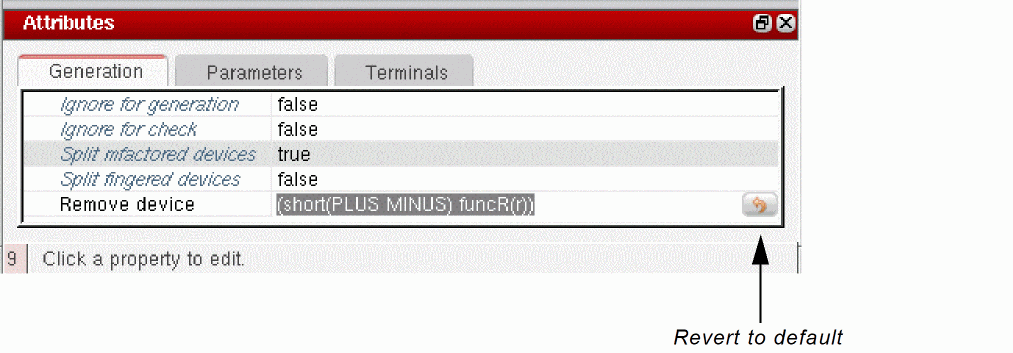
Generate All From Source again honors the value on the propsUsedToIgnoreObjs property in the schematic design and any changes made to the value of that property in the schematic design.
The table below shows the inheritance rules for ignore values on cells and instances.
Inheritance Rules for Ignore Properties
Related Topics
Ignoring an Instance or Occurrence for Generation or Check
Return to top