
Snapping All Pins to Grid
To snap all soft block pins to the appropriate grid:
-
From the layout window menu bar, choose Connectivity – Pins – Snap Pins.
The Snap Pins form appears.
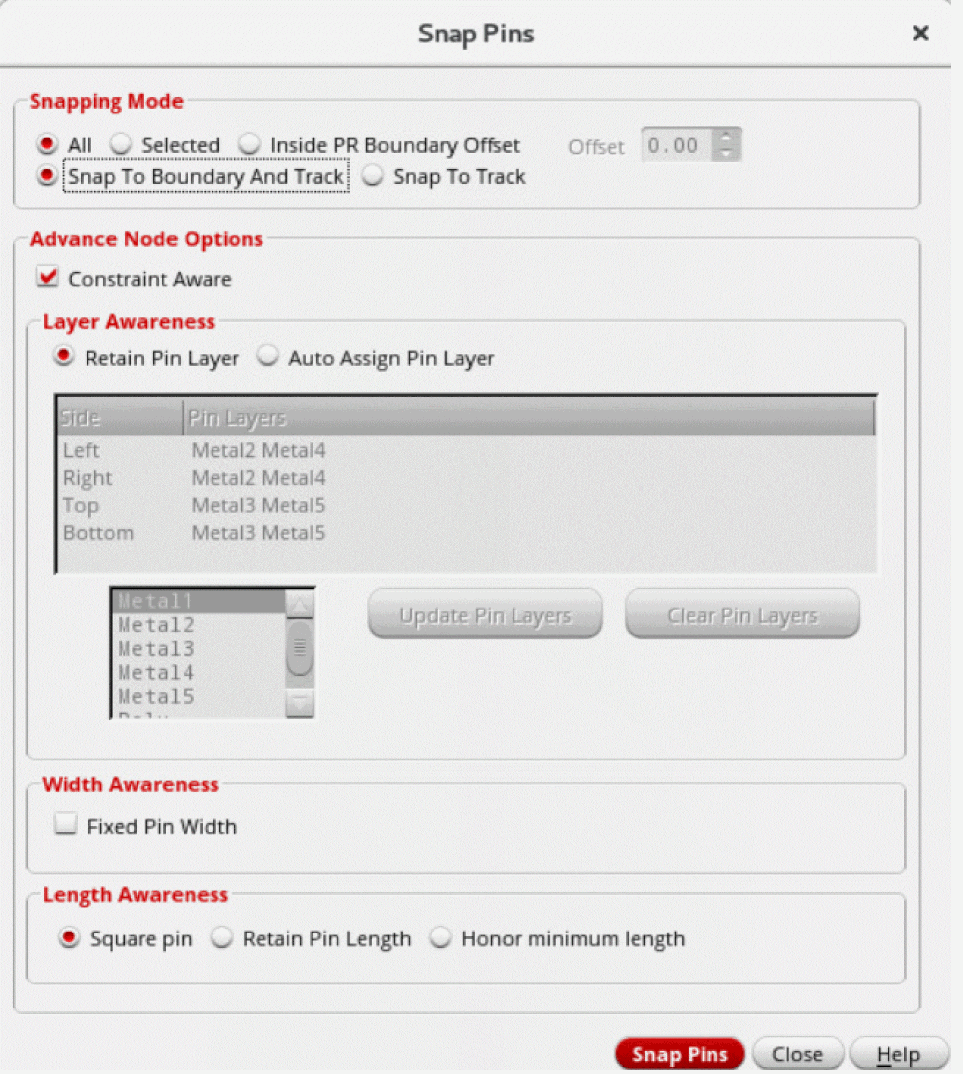
- Ensure that Snapping Mode is set to All.
-
Click Snap Pins.
All the top-level and level-1 pins are snapped to the appropriate grid.
The pins with placement status asFixedare also snapped and the status is retained asFixed.
Related Topics
Return to top