
Deleting a Device Correspondence
To delete a schematic to layout device correspondence:
-
From the layout window menu bar, choose Connectivity – Define Device Correspondence.
The Define Device Correspondence form appears. - Choose either All Instances or All Terminals from the Filter cyclic field, depending on the type of object that you want to unbind.
-
From the Schematic or Layout tree, select the schematic or the layout device that you want to unbind.
The single device or the devices to which the selected device is bound are selected in the other tree.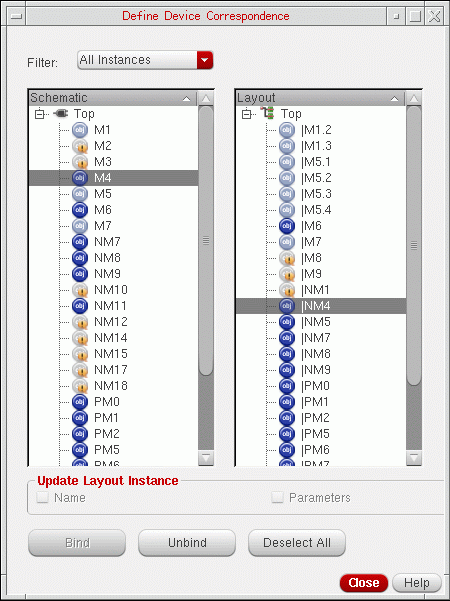
-
Click Unbind.
All the devices that formed the selected device correspondence are unbound—have their instance terminal connectivity removed—and the binding has been updated. The unbound devices display an orange icon ( ) next to their name, as shown in the figure below.
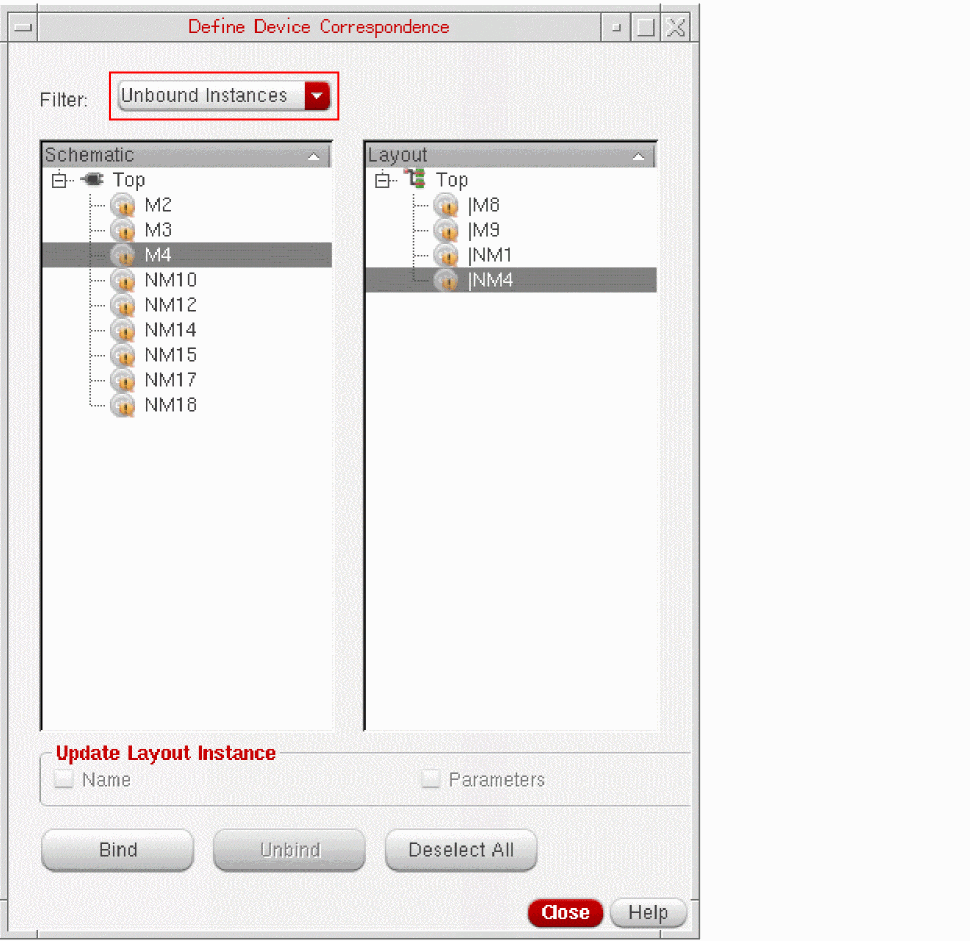
Also, the devices that you have just unbound now appear in the Unbound Instances list.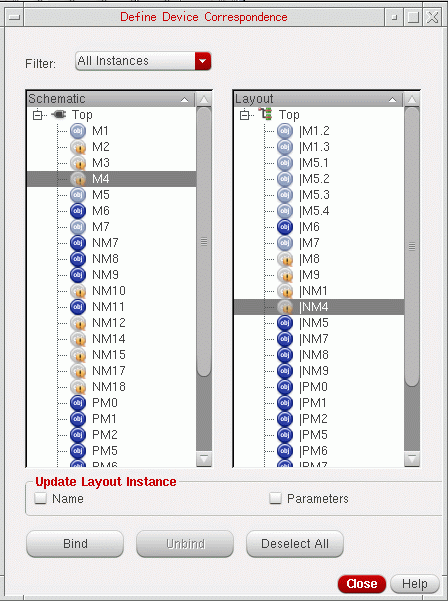
Related Topics
Define Device Correspondence Form
Return to top