
Editing an Environment Variable in Cdsenv Editor
To edit an environment variable in Cdsenv Editor perform the following steps:
-
Navigate to the environment variable you want to edit in the Cdsenv Editor table or use search to locate it.
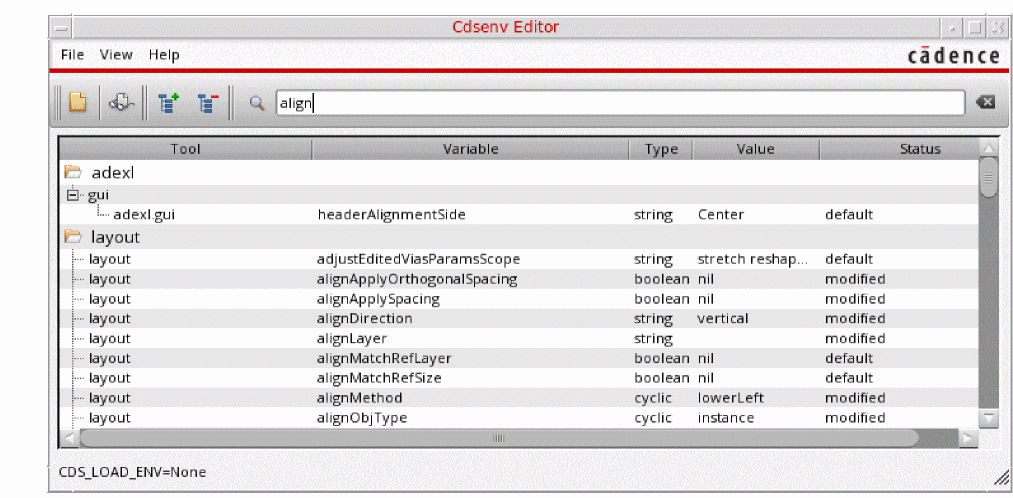
- Click the value field of the selected environment variable and set the new value.
- If you change to a non-default value, status is shown as modified from default, otherwise the status is modified.
To set the value of an environment variable back to its default value, right-click on the variable you want to change and select Set to default value.
If an environment variable value is modified in the Cdsenv Editor, the variable row gets highlighted in blue. However, the color stays black if the value is modified using the SKILL command envSetVal in the CIW. Environment variable values are synced between Virtuoso and the Cdsenv Editor. Value changes using one tool are instantly reflected on the other tool.
To view a list of all the environment variables, which are modified from their default value, type modified from default in the Search field.
Additionally, to copy the environment variables to clipboard, right-click on the variable you want to copy and select Copy, you can paste these values directly on CIW. You can copy multiple variables at a time.
Related Topics
Environment Settings in Virtuoso
Return to top