
Accessing a Design Editor Plugin
To access existing Virtuoso DE plugins from the schematic or layout windows:
-
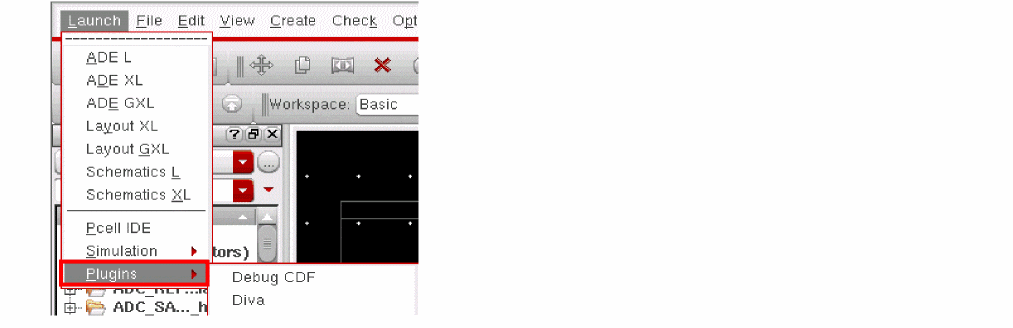
Choose Launch – Plugins.
The Plugins submenu is displayed.
-
From the Plugins submenu, choose the name of the plugin you want to install.
When the plugin is installed, the plugin is displayed and its name appears with a check mark in the submenu as shown in the figure below.
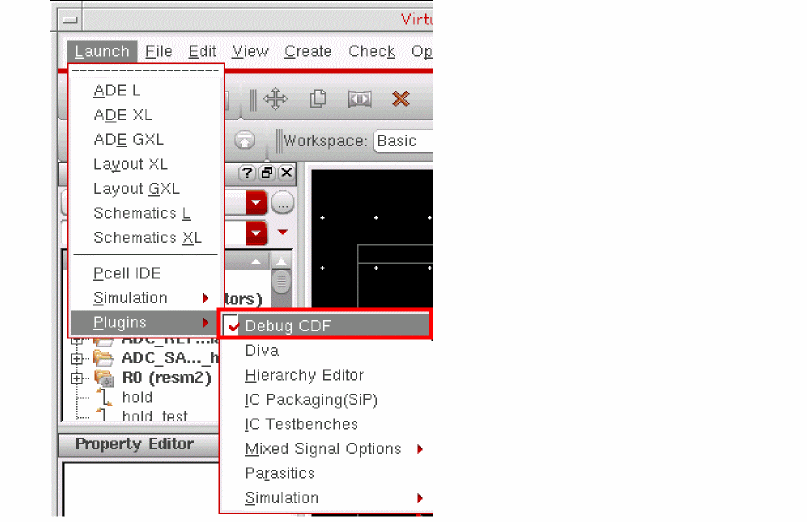
To remove an installed plugin from the current window, select the active plugin menu item. The plugin is removed. Choose Launch – Plugins to see that the check mark no longer appears next to the Plugins submenu item.
Related Topics
Registering a Design Editor Plugin
Installing and Removing a Design Editor Plugin
Return to top