
Setting the Default Workspace for an Application
To select a current workspace as the default for a particular application:
-
Choose Window – Workspaces – Set Default.
The Set Default Workspace form is displayed.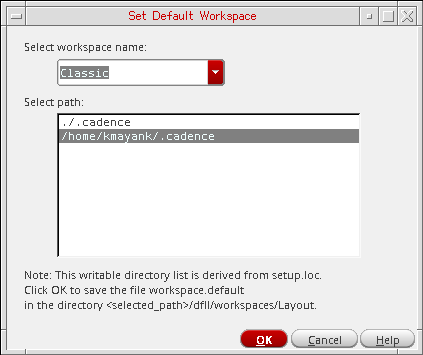
-
From the Select workspace name drop-down combo box, select the workspace you want to use as the new default.
This workspace appears for each subsequent invocation of the current application or view type. -
Optionally, select the path where you want to save the default workspace specifications.
All writable locations in your CSF (Cadence Search File) gets listed. - Click the OK button to set the new default workspace for the current application.
Related Topics
Return to top