
Saving and Deleting Column Visibility Preset File
A preset is a set of predefined settings, which can be saved to a file. The presets can be used to reuse the column visibility settings that you had specified in the Routing Constraint Manager.
Saving Column Visibility Preset
The Save Column Visibility Preset button in the Routing Constraint Manager lets you save the columns settings, which should be displayed in each tab of the Routing Constraint Manager, to a file. When saving column presets, you can modify columns of all the tabs and save them to a single preset file or create different preset files for each.
To save the column visibility preset:
- Modify the column visibility in each tab as required by your design objectives.
-
Click Save Table Content
 on the Routing Constraint Manager toolbar.
The Save Presets form appears.
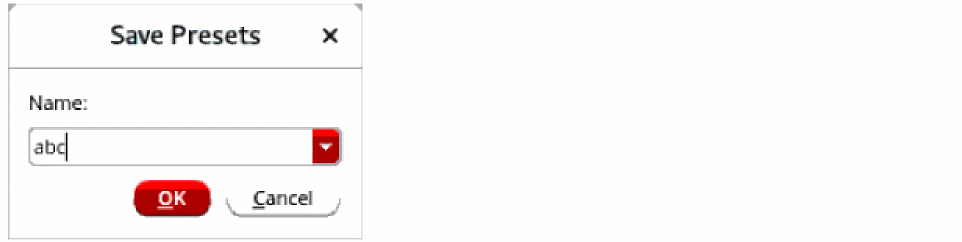
- Select the file to which you want to save the existing column visibility settings or specify a new file name.
-
Click OK.
The preset file is saved and appears in the Column Visibility Presets list on the Routing Constraint Manager toolbar.
Deleting a Column Visibility Preset
The Delete Column Visibility Preset button lets you delete an existing column visibility preset. To delete an existing preset:
-
Click Delete Column Visibility
Preset
 on the Routing Constraint Manager toolbar.
The Delete Presets form appears.

- Select the preset that you want to delete.
-
Click OK.
The selected preset file is deleted and is no longer displayed in the Column Visibility Presets list on the Routing Constraint Manager toolbar
Related Topics
Viewing and Hiding Columns in Routing Constraint Manager
Return to top