
Design Intent Annotations
On creating a design intent, in addition to the features added in the Navigator, a design intent annotation is created on the canvas as an easily identifiable name, glyph, and shape. Each annotation holds key design goals, instructions, implementation plans and statuses of associated objects.
An annotation on the canvas is displayed as a glyph, annotation label, and shape in Schematics XL and as a glyph in Layout XL:
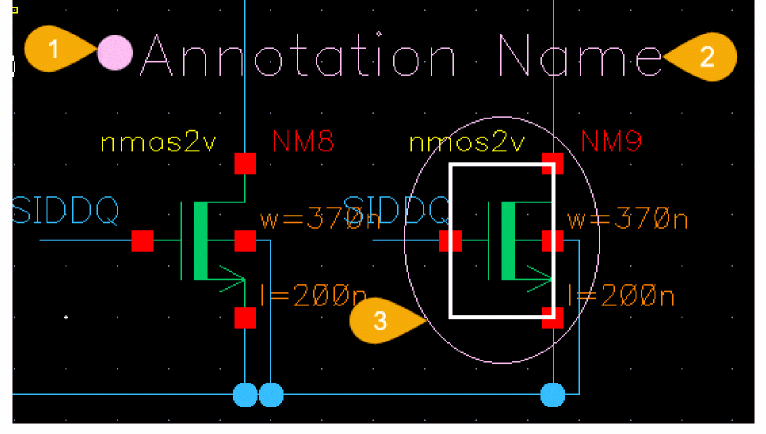
The display of annotation items can be toggled using the relevant button on the Design Intent toolbar.
Design intent annotations have customizable style options to make them distinguishable from other design intents on the canvas. The style options are set and edited on the Create Design Intent Form and the color selected is used for each element of the design intent across the schematic and layout canvases. The design intent name, font, and font size of each annotation label can also be amended using the Property Editor or the Edit Object Properties form. This excludes annotation labels for design intent categories HighCurrent or MaxVoltageDrop which display the object name rather than the design intent name so they cannot be amended in this way.
In Schematics XL, the position of the glyph and label can be moved as required to improve visibility on the canvas.
Related Topics
Return to top