
Design Intent Haloing
Selecting a design intent or object in the Navigator or on the canvas or hovering on a glyph halos its members in the Navigator and on the canvas in Schematics XL and Layout XL, and in the Constraint Manager assistant in Layout XL.
Selecting multiple items in the Constraint Manager results in multiple design intent members being haloed in the canvas simultaneously. A different color is used for each design intent.
Haloing is controlled by toggling the button  on the design intent toolbar for each application.
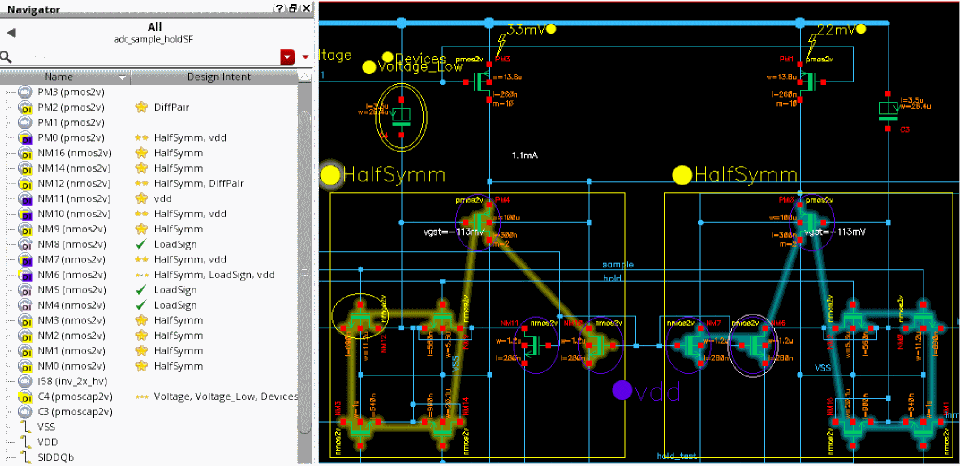
Hovering on a design intent glyph continues to halo the design intent members even if the halo visibility has been switched off.
Related Topics
Interacting with Design Intent on the Canvas
Return to top