
Square and Non-Square Boundary Pins
The Create boundary pins option exists at two locations on the Adjust tab — Signal Nets and Power Nets groups. By default, this option is off for all bins except the Block bin and is disabled and off for Core bin.
Square Boundary Pins
The Create boundary pins option lets you adjust the pin shapes created during extraction to be square and on the cell boundary. This can be useful when processing blocks where pin geometry extends deep inside the block after extraction. If the Create boundary pins option is turned off, the pin will retain the shape generated by the Extract step, which can still be modified using the Layer Assignment for Signal Extraction table options.
The method used by Innovus to check width-dependent spacing rules might lead to false violations, so you should restrict the pin geometry to be a square near the boundary of the block by using the Create boundary pins option.
Consider the following net inside a block.
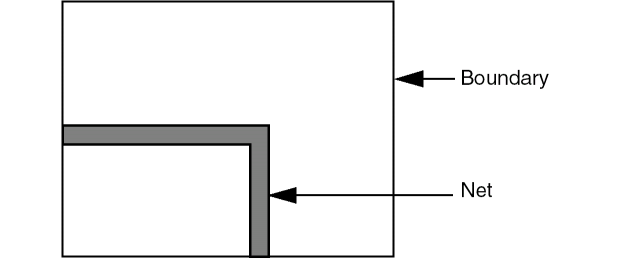
With the Create boundary pins option turned on, this becomes:
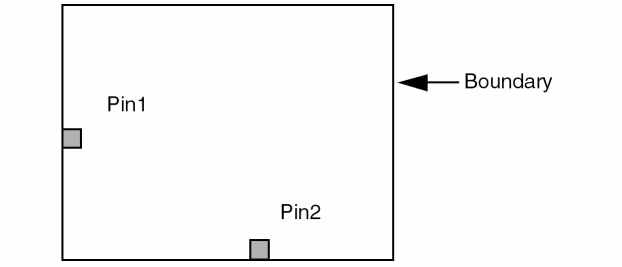
The pins that originally extended inside the block are transformed into squares of the same dimension as the original width of the pin.
If the area of the metal wire from which a boundary pin is cut is less than the minArea constraint defined in the technology file for that layer, a warning message indicating the minimum area rule violation is displayed.
When verifying the boundary pin size, Abstract Generator does not calculate the metal area of the square boundary pin generated in the abstract. Instead, it calculates the area of the metal wire from which the boundary pin is cut. If the area of the metal wire is less than the minArea constraint, a warning message is generated indicating that the minimum area rule is violated.
Non-Square Boundary Pins
Sometimes, the resultant pin shape might not be square even when Create boundary pins is turned on. This can happen when you do not run any extraction but instead use preset pins. Abstract Generator might need to stretch the pin because it might not be positioned right at the edge of the underlying geometry. Abstract Generator stretches pins only up to the PR boundary and not beyond it.
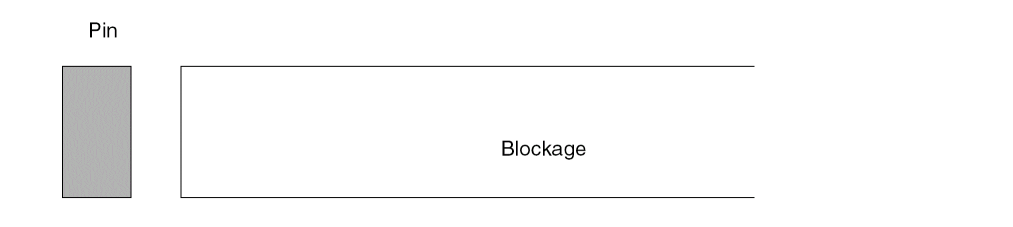
Consider the following figure.
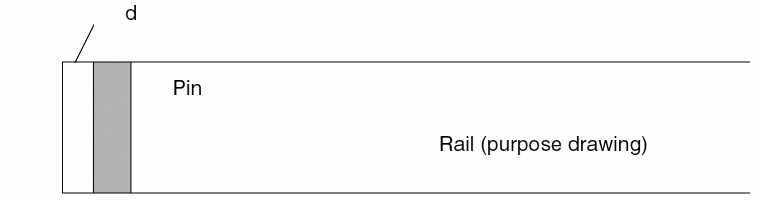
The pin does not extend right to the edge of the underlying geometry but the distance ‘d’ is less than the minimum allowed: a separation plus the minimum wire width.
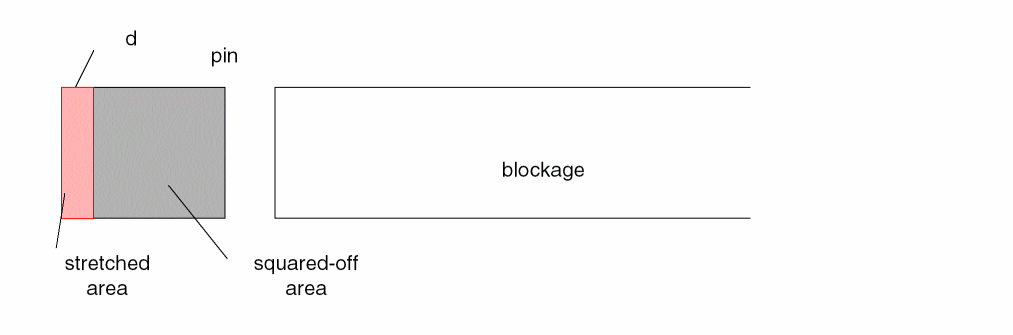
When the Create boundary pins option is selected, Abstract Generator first squares off the pin to the right, maintaining the existing left boundary and adjusting the right boundary (the darker hatched area). Then, because distance ‘d’ is too small to accommodate a visible spaced blockage, Abstract Generator stretches the pin back to the boundary (the lighter hatched area).
When the Create boundary pins option is not selected, the pin is not squared off first, and the right-most edge is the same as that of the original pin shape. Abstract Generator stretches the pin to the left edge of the underlying geometry as shown in the figure below.
Related Topics
Return to top