
Modifying Blockage Geometry in the Abstract View
You can modify the blockage geometries in the abstract view using the Blockage tab in the Running step Abstract form.
-
Choose Flow – Abstract and click the Blockage tab in the Running step Abstract form.
The options on this tab control the final blockage geometry in the abstract view. Any blockage geometry already existing in the view is preserved and added to the final calculated blockages.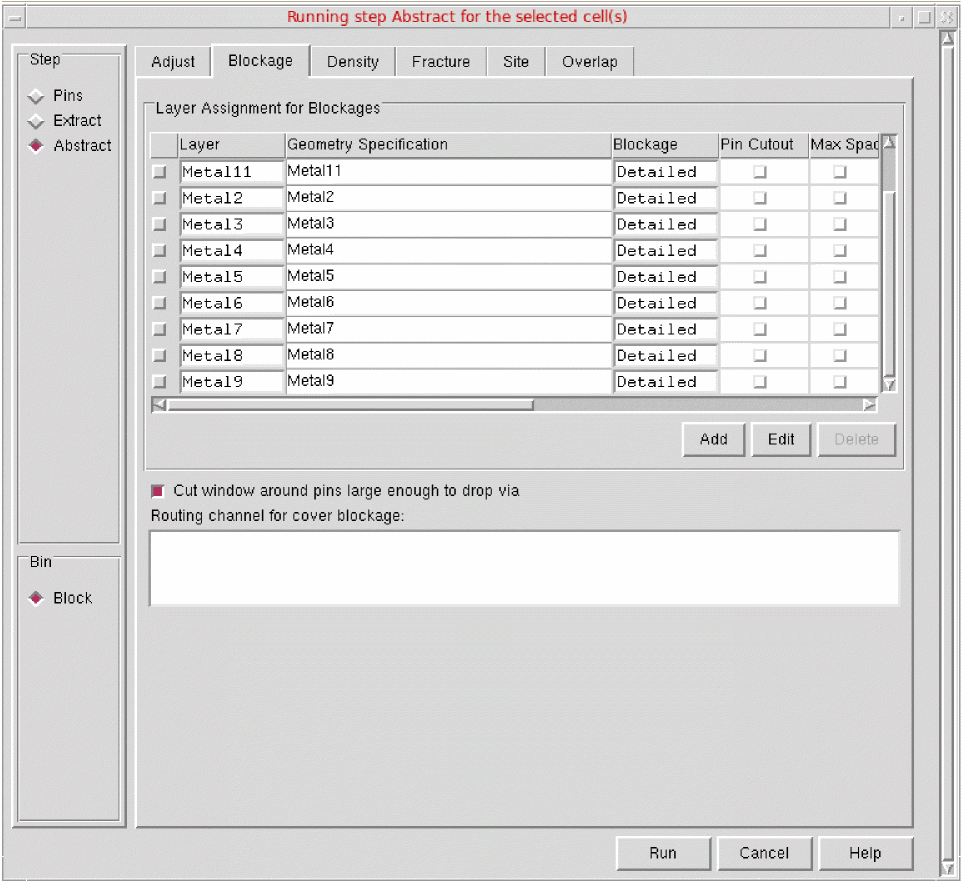
- Use the Layer Assignment for Blockages table to specify how blockages are to be modeled in the abstract.
- Select Cut window around pins large enough to drop via to control the size of the window cut into a blockage around a pin.
-
Use Routing channel for cover blockage to create a routing channel when generating a cover blockage.

- Click Run.
Related Topics
Return to top