
Abstracting Pcells
To generate an abstract of a Pcell in the layout window:
-
Choose Tools – Dynamic Abstract Generation For Pcells – Abstract Pcells.
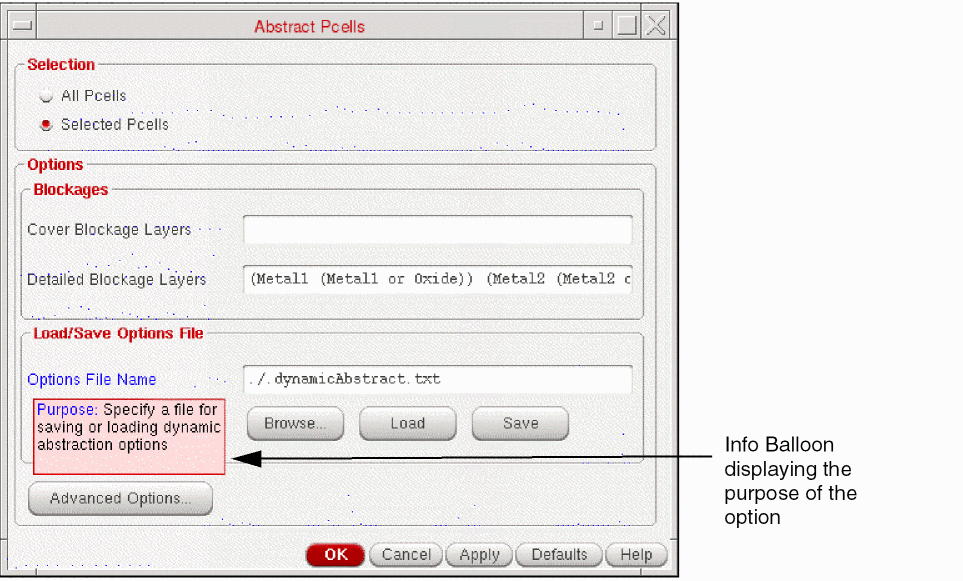
The Abstract Pcells form is displayed as shown in the figure below. When you point to an option in the Abstract Pcells form, an info balloon is displayed that describes the purpose of the option.
-
In the Selection section, choose All Pcells to create abstracts for all the Pcells in the design. If you do not want to create the abstracts for all the Pcells, you can select the required Pcells in the layout canvas or from the Navigator assistant and ensure that the Selected Pcells option is selected. After you have run the command, you can select additional Pcells for abstraction, if required, and run the command again.
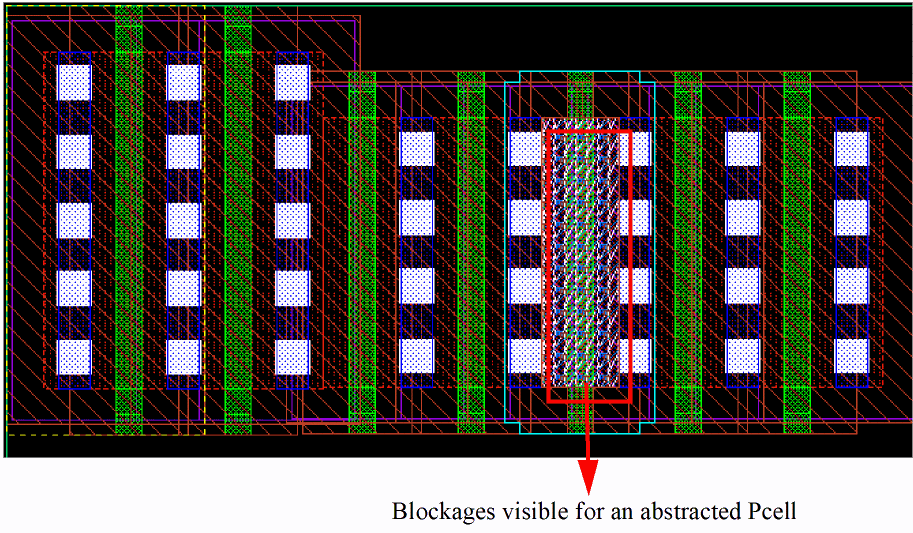
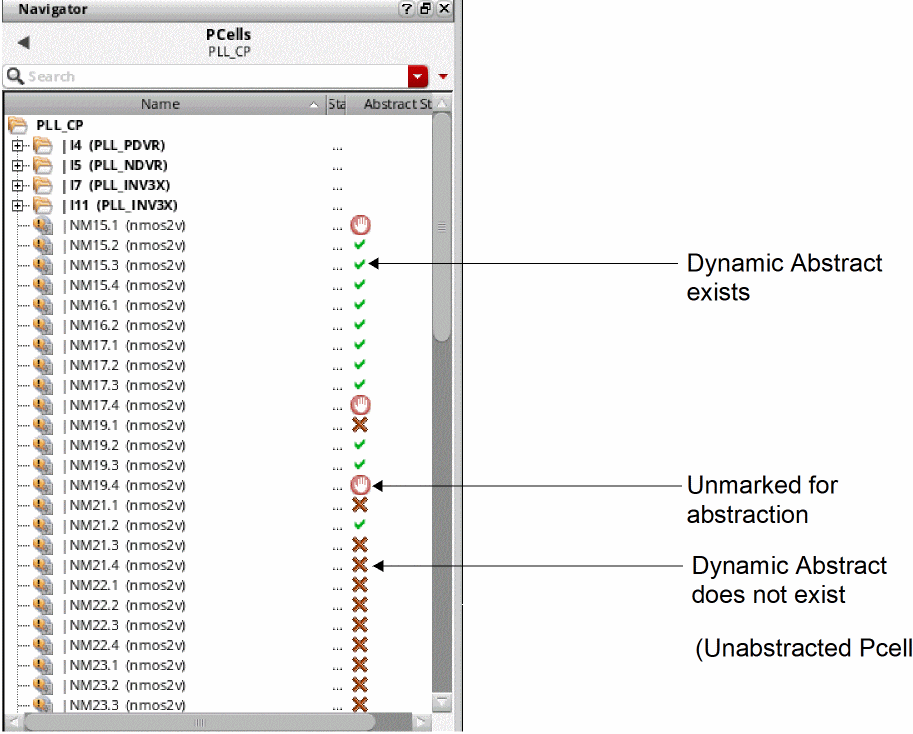
The abstracts are created for all Pcells that are selected, except the ones that are unmarked for abstraction. - Check whether the abstracts were created successfully using one of the following methods:
- In Options – Blockages section, you can specify the settings for blockage generation and for loading or saving an options file.
- Use Cover Blockage Layers to specify layers and choose Detailed Blockage Layers to specify a layer-geometry specification.
- Select Load/Save Options File to load or save the options file. You can use the following methods to load and save an options file:
Related Topics
Dynamic Abstract Generation Use Model
Loading and Saving an Options File for Dynamic Abstract Generation
Return to top