
Dynamic Abstract Generator Context-Sensitive Menu
When the Pcells filter is selected from the Show drop-down list in the Navigator assistant, the Abstract Status column is displayed in the Navigator assistant. This column displays the dynamic abstract status for each Pcell by using an appropriate status icon.
The following table describes the dynamic abstract status icons.


You can right-click a Pcell in the Navigator Assistant and choose from the context-sensitive menu the required Dynamic Abstract Generation commands.
Depending on the abstract status of a Pcell, the context-sensitive menu provides the Dynamic Abstract commands for Dynamic Abstract Generation. For example, if a Pcell displays the abstract status as Dynamic Abstract does not exist, the context-sensitive menu for the Pcell contains commands for to unmark the Pcell for abstraction, abstract the Pcell, and unabstract the Pcell, as shown in the figure below.
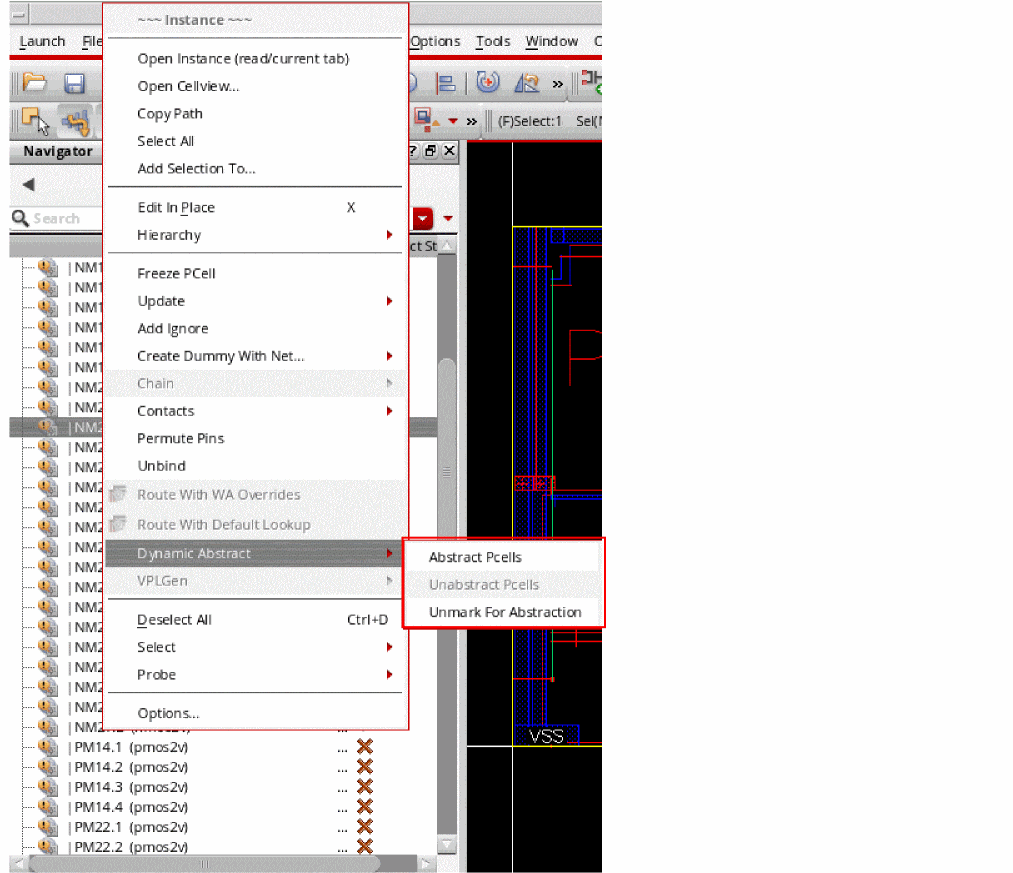
Selecting the Abstract Pcells command from the context-sensitive menu does not display the Abstract Pcells form. The abstract is created automatically based on the abstraction rules specified in the options file.
Return to top