
Adding a User Bin in Abstract Generator
Bins are like buckets for placing cells. Each cell in a library is always contained in one bin. Each bin is associated with certain options, which allows the cells in a library to be distributed into mutually exclusive sets for processing.
To add a new user bin to the list of existing bins:
-
Choose Bins – Add option.
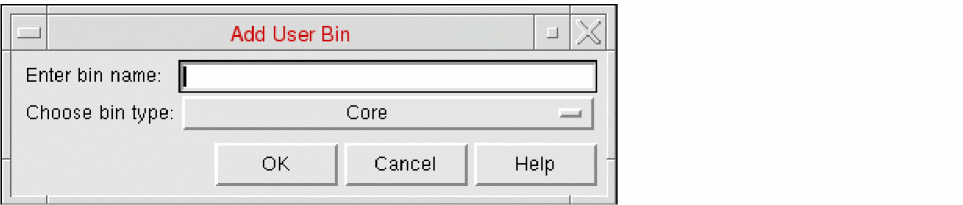
- Type the name of the new bin in Enter bin name. The bin name should not contain any spaces.
- In Choose bin type, select a bin from the drop-down list. The bin type determines the default options settings for the new bin. Therefore, for example, if you create a new user bin of type Core, the user bin options will be identical to those currently set for the default Core bin.
- Click OK.
Abstract Generator adds the new bin and displays it at the bottom of the list in the Bins pane.
Related Topics
Bin Preferences for Abstract Generation
Return to top