
The Browse Currents sidebar lets you view all the current values at instance ports or terminals connected to the selected net at various hierarchical levels of the design.
The following figure shows the default settings used by the tool to define the scope for the display of current values:
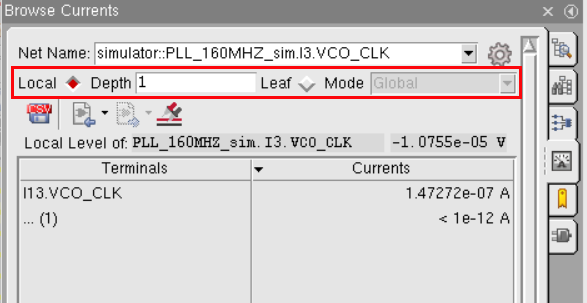
By default, Depth is set to 1, which implies that SimVisionMS displays currents for the hierarchy level displayed in the schematic.
You can check current distributions at different levels in the hierarchy in the following ways:
- By changing the depth in the Depth field. Increasing the depth value displays currents from the specified levels down in the design hierarchy.
The following example shows the current values displayed from 3 levels down in the hierarchy: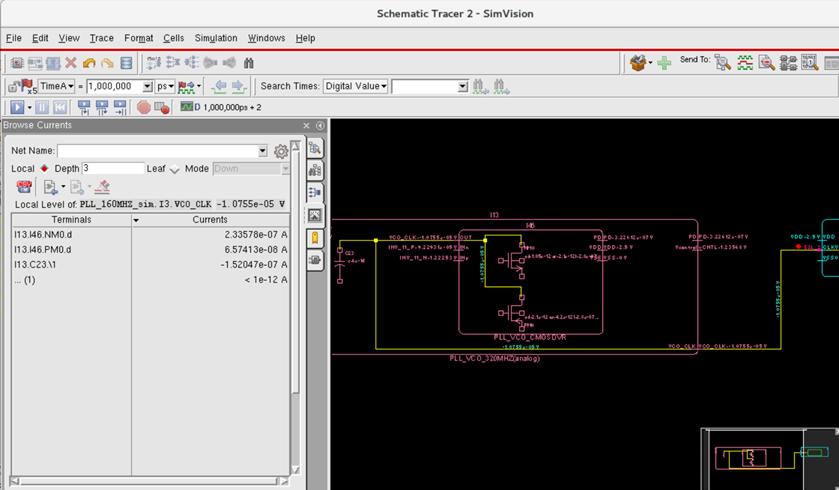
- By enabling the Leaf option to view currents at the leaf level of the selected net. Along with this option, you can also choose a mode from the Mode drop-down list to either check the net globally at all hierarchy levels or only below the current hierarchy level.
Leaf Modes
The Browse Currents sidebar provides two modes for leaf-level checking:
- Down: In this mode, the current distribution to the leaf level is checked below the current level in the hierarchy.
In the following example, currents are checked for netinh_vdddown to the leaf level inside the current instance only.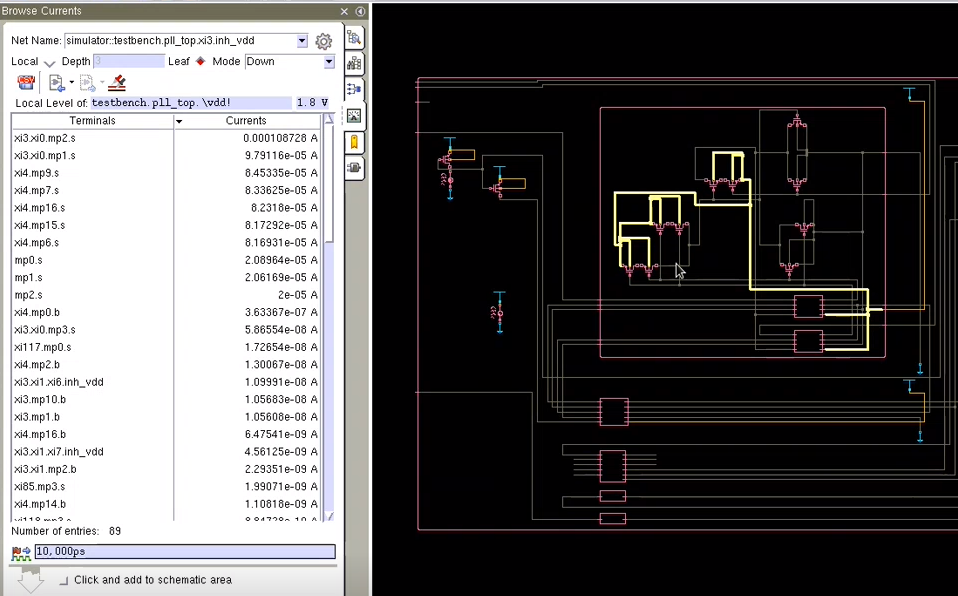
- Global: In this mode, the current distribution to the leaf level of the selected net is checked globally in all instances at all hierarchy levels, up or down, in the complete design.
In the following example, currents are checked for netvddto the leaf level globally in the design.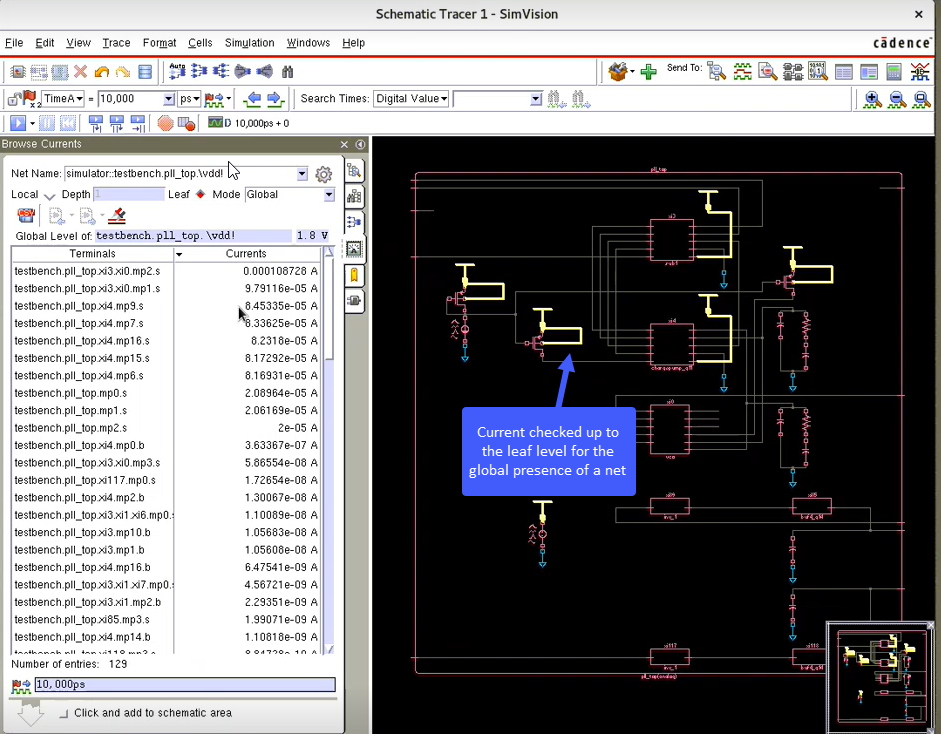
For a clear visual identification of a net in the schematic, choose Format – Color Through Hierarchy and choose a color from the palette.