
You can save the terminal and current details for the selected net in a .csv file for further analysis and comparison to be done later.
To export the terminal and current details displayed in the Browse Currents sidebar of Schematic Tracer:
1. Click Export displayed current values to .csv file in the Browse Currents sidebar.
The Select .csv file to export data form is displayed.
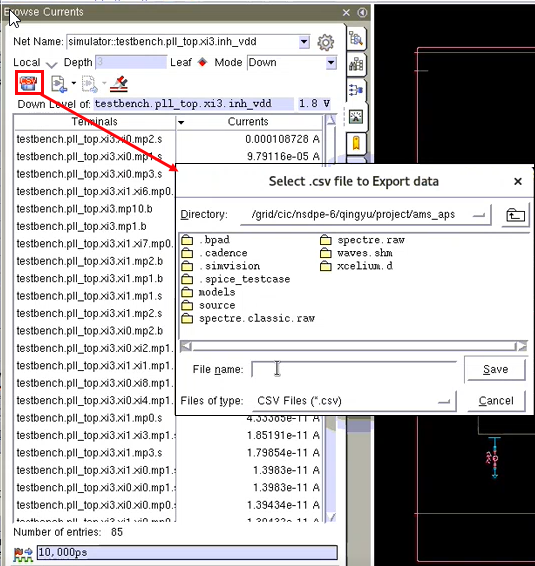
2. Browse to the directory where you want to save data.
3. Specify a file name and click OK.
The terminals and their current values are exported from the table to the specified .csv file. The header of the CSV file also contains information about the data source .