
In AMS Designer, the applications that support cross-selecting instances are SimVision, the Cadence , and the Virtuoso® Schematic Editor. To enable cross-selecting in the hierarchy editor and the schematic editor, do the following:
-
In the Cadence hierarchy editor window, choose View - Tree.
Instances in the design appear on the Tree View tab.You can view cell bindings instead of instances by choosing View - Parts Table.
- In the Virtuoso®Schematic Editor window, choose Options - Editor.
The Editor Options form appears.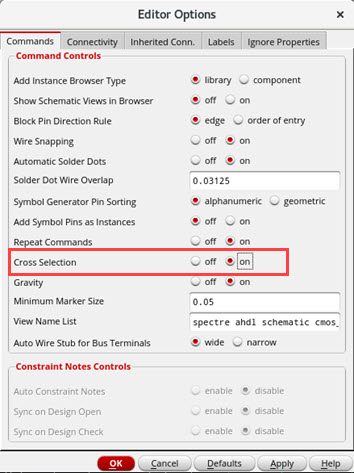
- Turn on Cross Selection.
- Click OK.