By setting cross-selection options in the Editor Options form, you can cross-probe module instances as summarized in the following table. The first entry in each cell, marked withp, refers to probing primitives. The second entry, marked withm, refers to probing modules.
|
|
Responding Application | |||
|---|---|---|---|---|
|
Hierarchy Editor |
Schematic Editor |
SimVision |
||
|
Initiating Application |
Hierarchy Editor |
|
Yesp Yesm |
Nop Yesm |
|
Schematic Editor |
Yesp Yesm |
|
Nop Yesm |
|
|
SimVision |
Nop Yesm |
Nop Yesm |
|
|
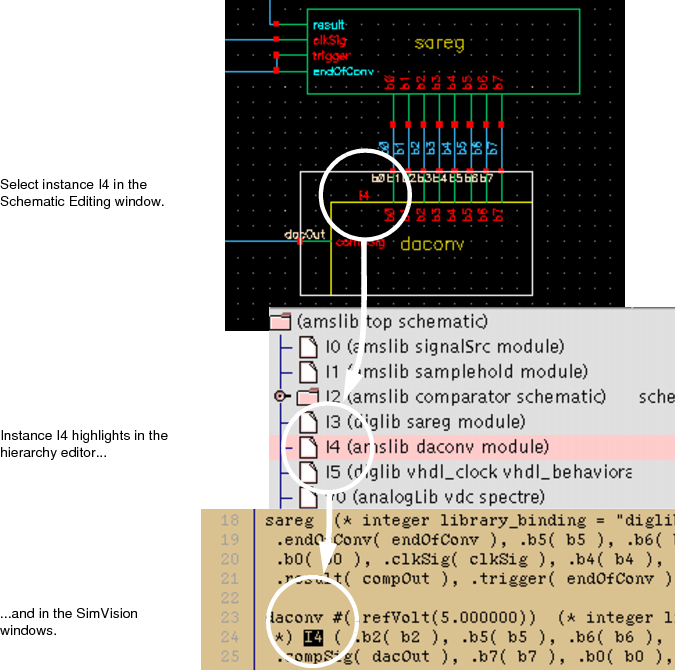
For example, if you select an instance in the schematic editor, the same instance is automatically selected in SimVision. Similarly, if you highlight a primitive in the hierarchy editor, the corresponding primitive in the schematic editor appears highlighted as well, and vice versa.
The following illustrates the cross-selecting that occurs when the daconv component (instance I4) is selected in the Schematic Editing window.