
To define breakpoint for step-by-step debugging, right-click the required line in Source Browser and select Break at line.
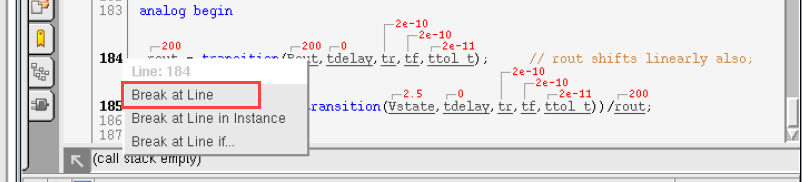
A red dot is displayed on the left of the line number to indicate that the breakpoint is applied:

Breakpoints can be defined only on line numbers that are in bold font.
All the defined breakpoints can be viewed by clicking the Show Breakpoints Page ( ) button.