
vi is the default editor for editing source files. However, you can set any graphical text editor as your default editor. To specify the command to start the source file editor and specify a default editor, do the following:
- In any SimVision MS window, choose Edit - Preferences.
- On the Preferences form, select in the list on the left side of the window.
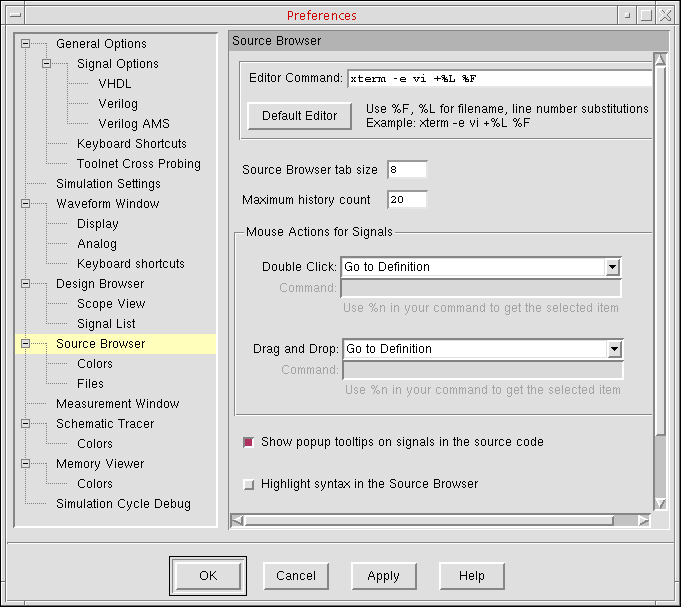
- In the Editor Command field, type the command to start the text editor.
You can also specify an editor other than the default vi editor. - Click OK.
To start the editor to edit the current file in the Source Browser, do the following:
In the Source Browser window, click the Edit Source ( ) button on the toolbar:
The source file appears in your editor.
See also in the Using the Source Browser book.