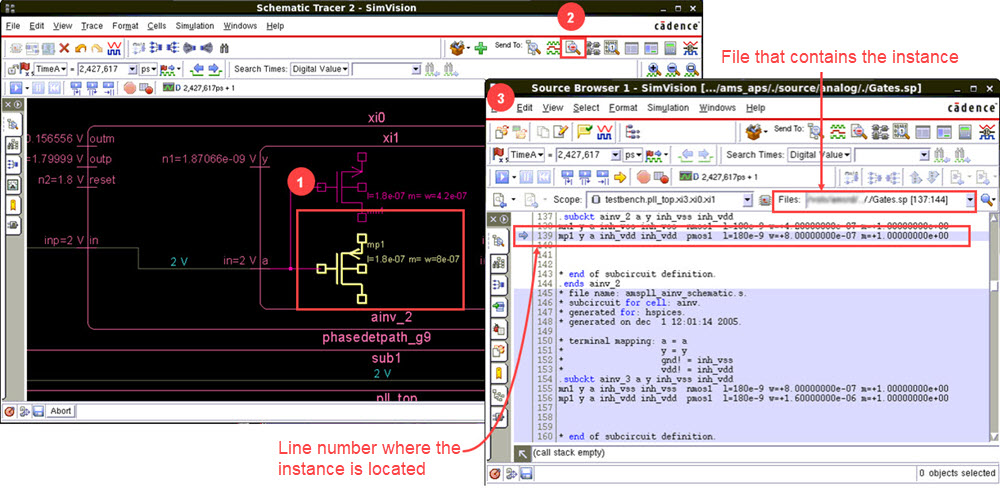
To view the analog source, select an analog instance in the any of the SimVision MS windows and click  icon on the toolbar. Source Browser will display the source of the selected instance.
Having information about the file that contains the selected instance and line number where it lies in the code gives you a powerful debugging ability.