
To specify the command to start the source file editor, do the following:
- In any SimVision window, choose Edit - Preferences.
- On the Preferences form, select in the list on the left side of the window.
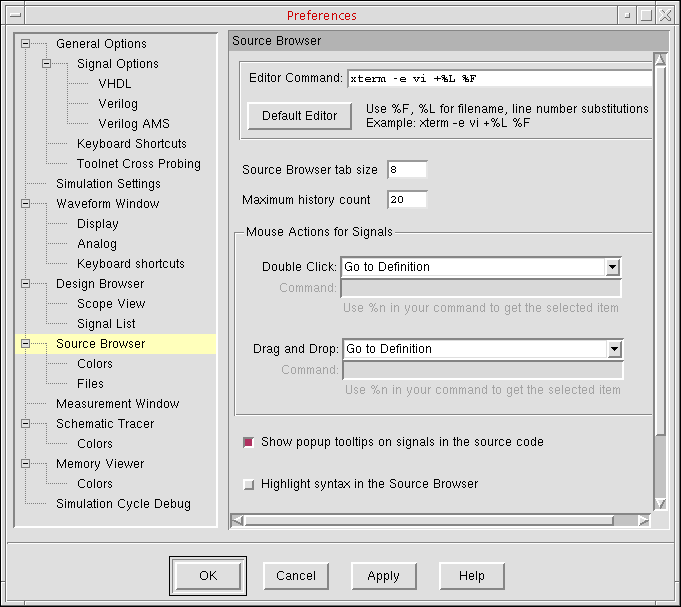
- In the Editor Command field, type the command to start the text editor.
- Click OK.
To start the editor to edit the current file in the Source Browser, do the following:
In the Source Browser window, click the Edit Source button on the toolbar:

The source file appears in your editor.