
3
Analysis Specific Components
Symbol: cmdmprobe
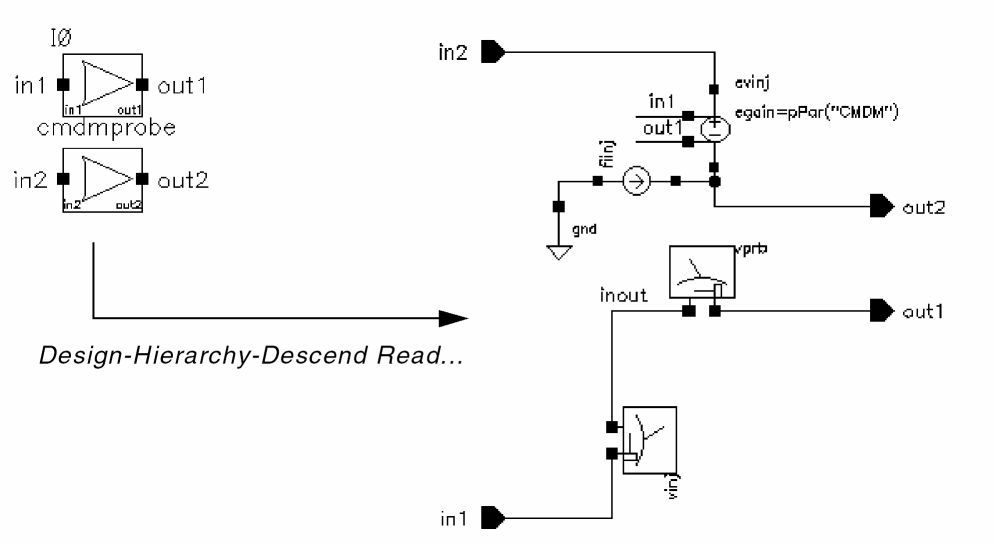
Common Model Differential Model Probe
This is a Spectre subcircuit component used in Spectre stability analysis for measuring differential stability. It measures the common-mode stability when CMDM is set to 1 and differential-mode stability when CMDM is set to -1.
The subcircuit consists of two iprobes and two controlled sources that can be viewed by:
- Selecting Design->Hierarchy->Descend Read or Descend Edit from the Virtuoso Schematic Reading window.
The above illustration shows the cmdmprobe subcircuit.
The subcircuit has two probes, Vinj and Iinj, designated for stability analysis. Their values are set to zero in a normal circuit simulation. To perform a stability analysis, specify the vinj probe in the Probe Instance field of the Choosing Analysis form. The process and the calculation is automated in Spectre’s stability (stb) analysis. Iinj is internally placed to simplify the use model.
The steps to perform stability analysis in Spectre are as follows:
- Add the cmdmprobe instance to the design.
- Select the Tools->Analog Environment menu option.
- Select Analyses->Choose... to display the Choosing Analyses form.
- Select the stb radio button.
- Specify the Start Sweep Range and the Stop Sweep Range.
-
Click Select and then select the cmdmprobe instance from the design.
The<Inst_id>/vinjautomatically appears in the Probe Instance field.
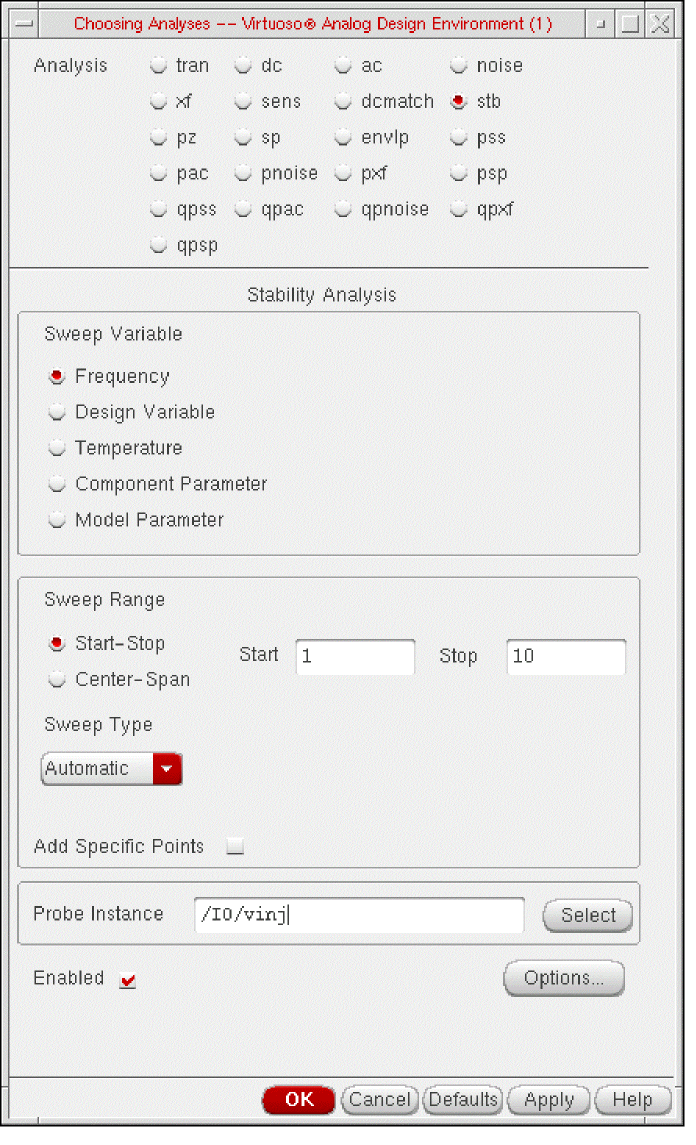
- Click OK.
- Select the Simulation->Netlist and Run menu option to generate the netlist in Spectre Direct.
Example
For the instance I107 and Sweep Range between 1 and 10, the netlist is as follows:
stb stb start=1 stop=10 probe=I107.vinj annotate=status
// Library name: analogLib
// Cell name: cmdmprobe
// View name: schematic
subckt cmdmprobe in1 in2 out1 out2
parameters CMDM=1
evinj (in2 out2 in1 out1) vcvs gain=CMDM
vprb (inout out1) iprobe
vinj (inout in1) iprobe
fiinj (0 out2) pcccs gain=CMDM probes=[ vprb vinj ] coeffs=[ 0 1 1 ]
ends cmdmprobe
// End of subcircuit definition.
// Library name: testLib
// Cell name: testCell
// View name: schematic
I107 (net048 net047 net046 net045) cmdmprobe CMDM=1
I111 (net080 net079 net078 net077) cmdmprobe CMDM=-1
Component Parameters
| CDF Parameter Label | CDF Parameter | spectre | auCdl | auLvs | hspiceD | UltraSim |
|---|---|---|---|---|---|---|
Symbol: diffstbprobe
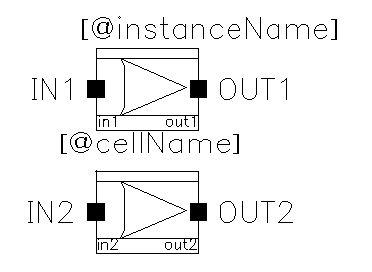
Differential Stability Probe
This is a Spectre subcircuit component used in Spectre stability analysis for measuring differential stability for multi-loop circuits, such as differential feedback circuit.
Component Parameters
| CDF Parameter Label | CDF Parameter | spectre | auCdl | auLvs | hspiceD | UltraSim |
|---|---|---|---|---|---|---|
Symbol: fourier
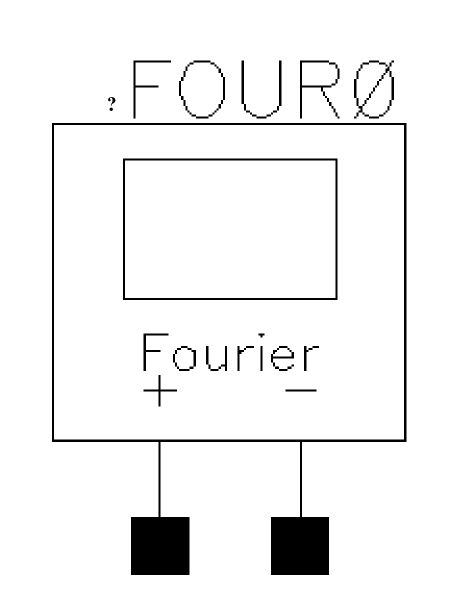
It measures the Fourier coefficients of two different signals at a specified fundamental frequency without loading the circuit.
Command-line help
Component Parameters
| CDF Parameter Label | CDF Parameter | spectre | auCdl | auLvs | hspiceD | UltraSim |
|---|---|---|---|---|---|---|
Syntax/Synopsis
Name ( [p] [n] [pr] [nr] ) ModelName <parameter=value> ...
Name ( [p] [n] [pr] [nr] ) fourier <parameter=value> ...
The signal between terminals ‘p’ and ‘n’ is the test or numerator signal. The signal between terminals ‘pr’ and ‘nr’ is the reference or denominator signal. Fourier analysis is performed on terminal currents by specifying the ‘term’ or ‘refterm’ parameters. If both ‘term’ and ‘p’ or ‘n’ are specified, then the terminal current becomes the numerator and the node voltages become the denominator. By mixing voltages and currents, it is possible to compute large signal immittances.
Following is the model synopsis:
model ModelName fourier <parameter=value> ...
Example
four1 (1 0) fourmod harms=50
Following is the sample model statement:
model fourmod fourier fund=900M points=2500 order=2
Additional Information
This device is not supported within the altergroups.
Symbol: fourier2ch
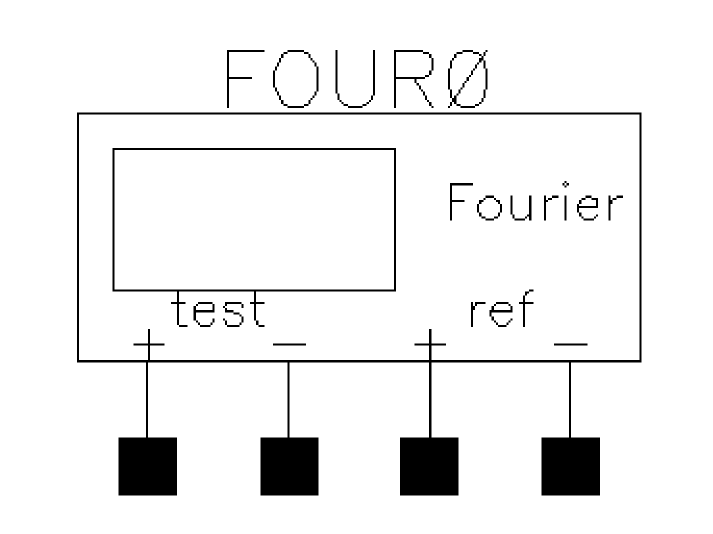
Ratiometric Fourier Analyzer With Reference Terminals
Command-line help
CDF Parameters
| CDF Parameter Label | CDF Parameter | spectre | auCdl | auLvs | hspiceD | UltraSim |
|---|---|---|---|---|---|---|
Symbol: iprobe
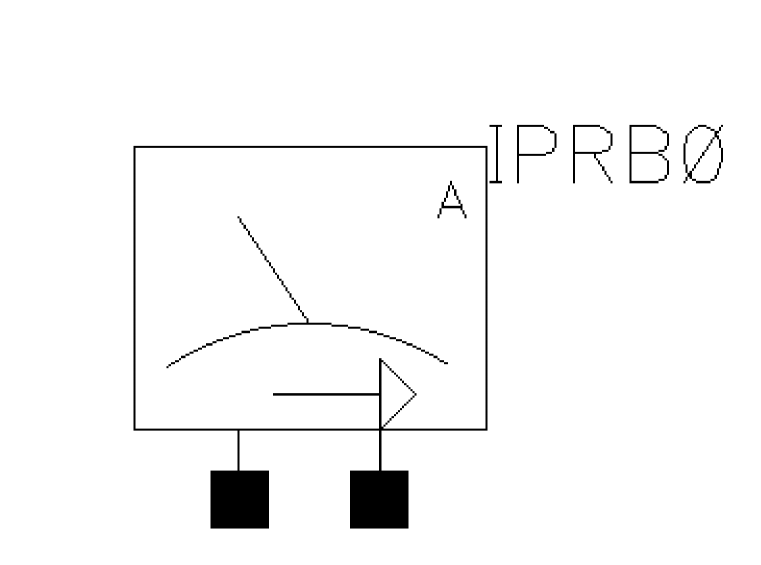
Current through the probe is computed and is defined as positive if it flows from the input node, through the probe, to the output node. Since the current variable gets the name of the ‘iprobe’ instance, you cannot create an ‘iprobe’ with the same name as a circuit node.
Command-line help
CDF Parameters
| CDF Parameter Label | CDF Parameter | spectre | auCdl | auLvs | hspiceD | UltraSim |
|---|---|---|---|---|---|---|
Syntax/Synopsis
Name ( in out ) iprobe
Example
ip (1 0) iprobe
Additional Information
This device is not supported within the altergroups.
Symbol: sprobe
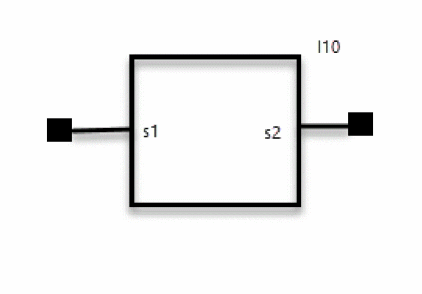
A special testbench that enables in-situ probing of bi-directional impedances, without breaking the circuit.
Command-line help
CDF Parameters
| CDF Parameter Label | CDF Parameter | spectre | auCdl | auLvs | hspiceD | UltraSim |
|---|---|---|---|---|---|---|
Syntax/Synopsis
Name ( in out ) sprobe
Example
I1 (net7 net4) sprobe rs=0.01 rfeed=1e8 r0=50
sprobe analysis in one sp analysis
sp sp sprobes=[I1 I0] …
sprobe and normal sp analysis in one sp analysis.
sp sp ports=[PORT0] sprobes=[I1 I0]
Symbol: deepprobe
It is a single pin device connected to an internal hierarchy net that lets you probe down through the design hierarchy. You can make a connection from the top-level testbench to an internal net within a sub-block inside the hierarchy by connecting a named wire to a deepprobe terminal. With this component, you can also short internal nets, connect two internal nets, or inject pulses on any internal net in the design.
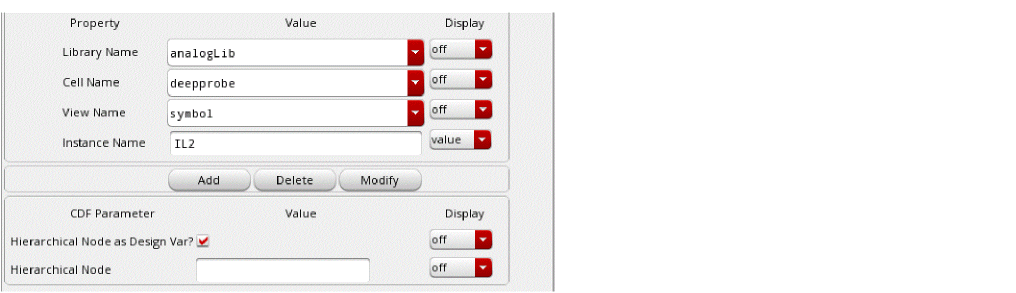
If you select the Hierarchical Node as Design Var? check box in the Edit Object Properties form, the value in the Hierarchical Node field is considered a variable and netlisted accordingly. Otherwise, the value for Hierarchical Node is considered a string value and netlisted directly.
Command-line help
CDF Parameters
| CDF Parameter Label | CDF Parameter | spectre | spectreS | cdsSpice | auCdl | auLvs | hspiceS | hspiceD | UltraSim |
|---|---|---|---|---|---|---|---|---|---|
Syntax/Synopsis
Name ( in out ) iprobe
Example
The following example shows the netlist syntax of a deepprobe element.
Here I1.b is the name of the hierarchical net and c is the name of the net connected to the deepprobe element.
The net name must be the same as it appears in the netlist. For example a member of a bussed net (bus<5>) may appear in the netlist as bus\<5\>. So if that is within the I1 instance at the top level, you should enter I1.bus\<5\>.
The following example shows two deepprobe elements being used to short two internal nets.
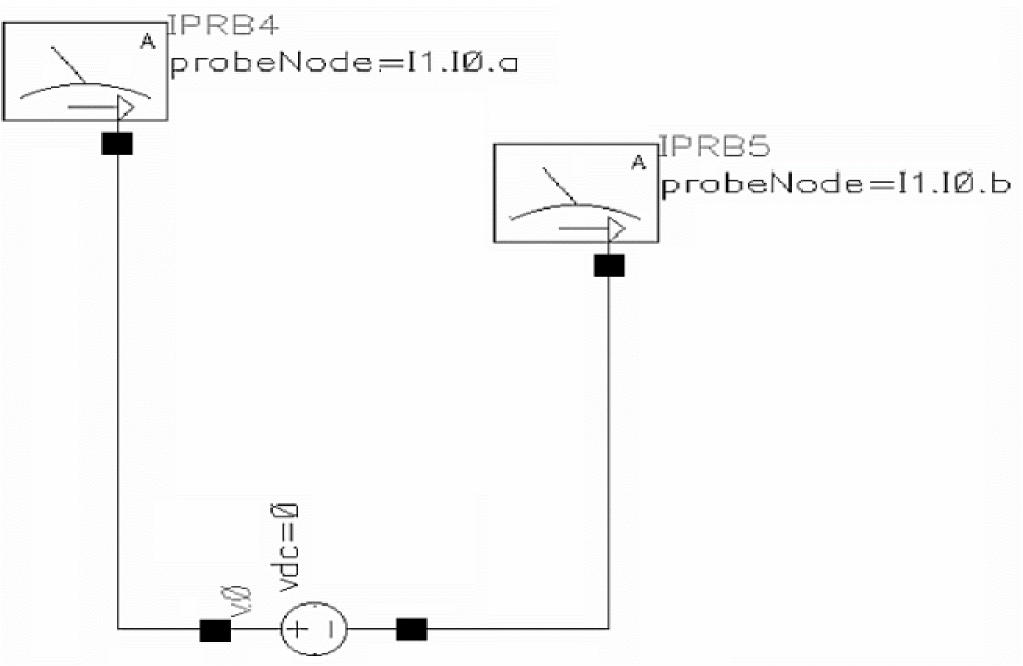
IPRB5 (I1.I0.b net7) iprobe
IPRB4 (I1.I0.a net6) iprobe
v0 (net6 net7) vsource dc=0 type=dc
The following example shows a deepprobe element being used to inject pulses on an internal net.
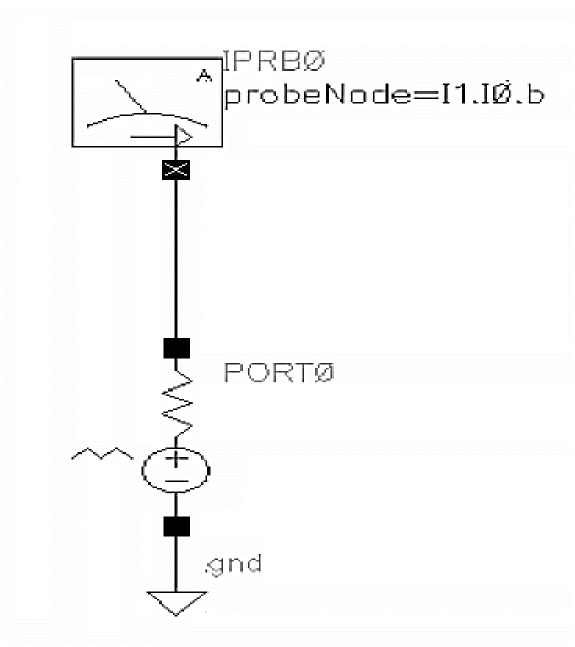
IPRB0 (I1.I0.b net8) iprobe
PORT0 (net8 0) port r=50 type=pwl wave=[ 0 0 5n 0 ]
Symbol: nodeQuantity
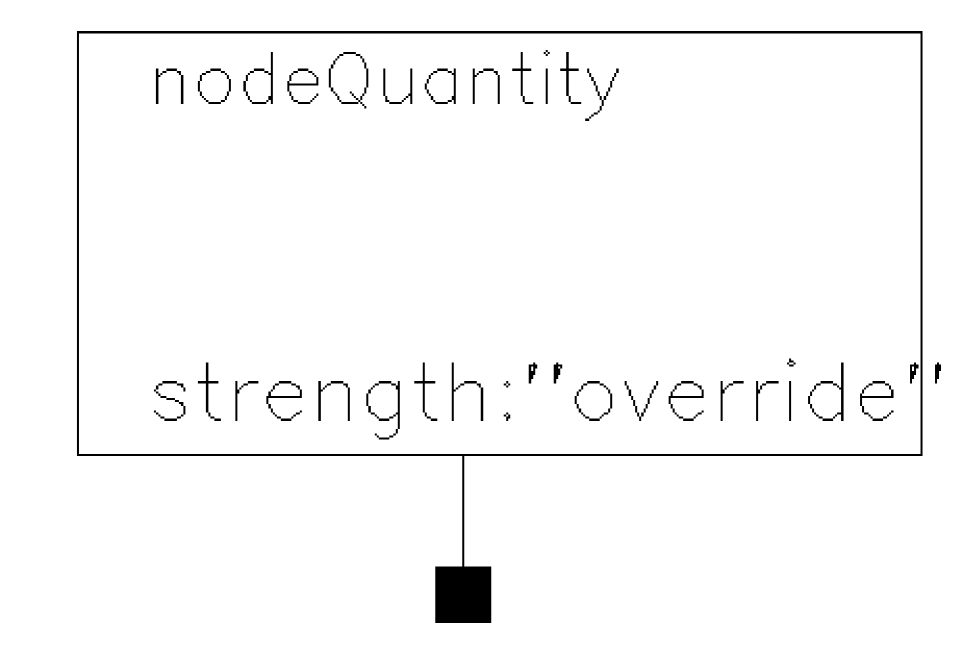
Quantities contain information about specific types of signals, such as their units, absolute tolerances, and maximum allowed change per Newton iteration. Use the ‘quantity’ statement to create new quantities or to redefine properties of an existing quantity. Use this statement to set the quantities for a particular node.
For example, to indicate that the node ‘net1’ is used for thermal signals, you could use the following node statement.
i17 (net1) node value=Temp flow=Pwr
‘Temp’ and ‘Pwr’ are predefined quantities.
Command-line help
CDF Parameters
| CDF Parameter Label | CDF Parameter | spectre | auCdl | auLvs | hspiceD | UltraSim |
|---|---|---|---|---|---|---|
Syntax/Synopsis
Name ( 1 [2] ... ) node <parameter=value> ...
Example
node1 (1 2 3) node value="T" flow="W" strength=override //Must define T and W with quantity statement.
Additional Information
This device is not supported within the altergroups.
Symbol: simulinkCoupler
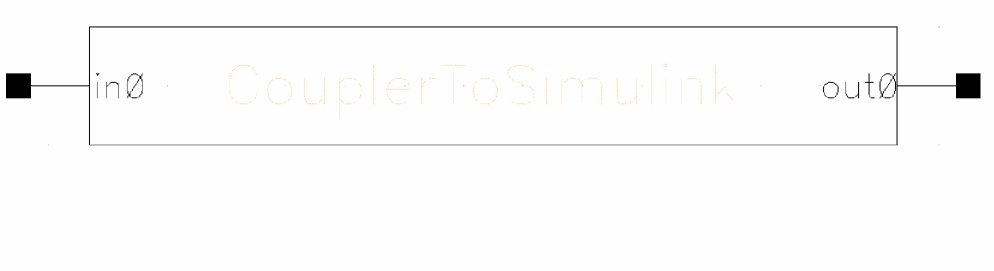
simulinkCoupler is a Pcell. In order to cosimulate between AMS and simulink, two types of couplers are required. The Pcell is the coupler which is used on AMS side. On simulink side, simulinkCoupler will be used. The couplers communicate to each other through a TCP/IP network socket connection.
CDF Parameters
| CDF Parameter Label | CDF Parameter |
|---|---|
Return to top