
forbiddenProximitySpacing
spacings( ( forbiddenProximitySpacingtx_layer'widthf_width'prlf_prl'withinRange (g_withinRange)g_range)
) ;spacings
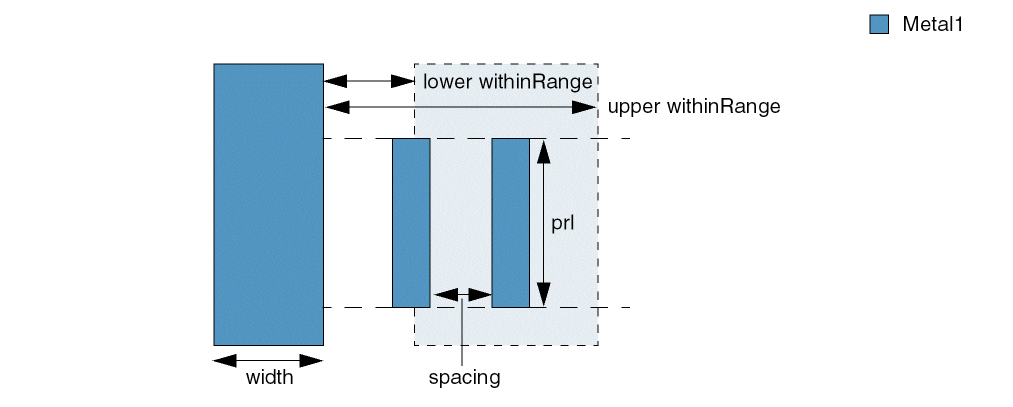
(Virtuoso Advanced Node for Layout Standard) Restricts the spacing between two shapes on a layer. The constraint applies only if the two shapes are within withinRange of a shape with width greater than or equal to width and the parallel run length common between the three neighboring shapes is greater than prl. A violation occurs if spacing between the two shapes falls in the forbidden spacing range.
Values
|
The layer on which the constraint is applied. Type: String (layer and purpose names) or Integer (layer number) |
|
|
The forbidden spacing range, that is, the spacing between edges must not fall in this range. The forbidden spacing range is specified using the format: where, f_min <= spacing <= f_max
Type: Floating-point values specifying a |
Parameters
|
The constraint applies to shapes that are within a distance specified using withinRange from a shape with width greater than or equal to this value. |
|
|
The constraint applies only if the parallel run length common between the three neighboring shapes is greater than this value. |
|
|
The constraint applies to shapes if their distance from a shape with width greater than or equal to width falls in this range.
Type: Floating-point values specifying a |
|
Example
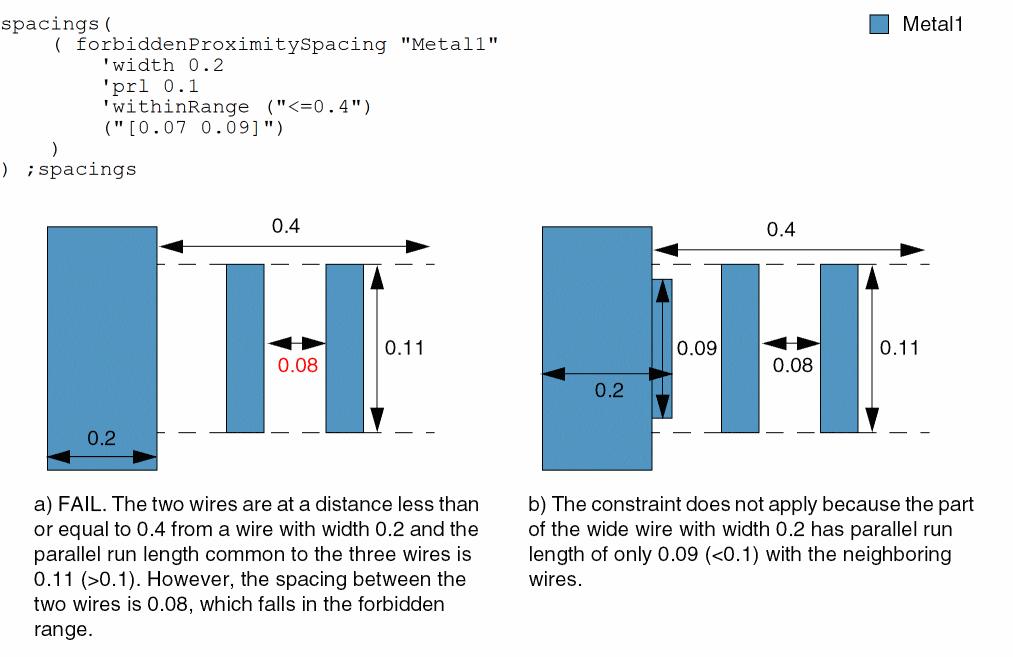
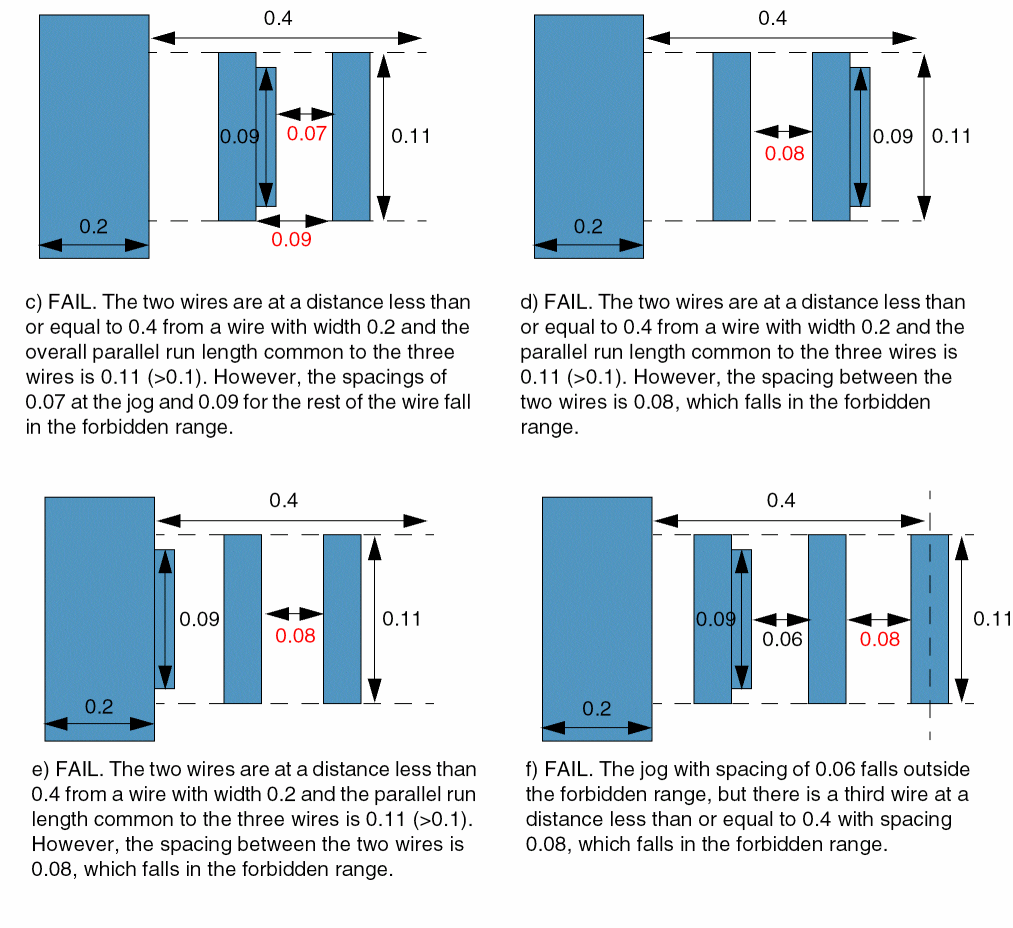
The spacing between two wires must not be greater than or equal to 0.07 and less than or equal to 0.09 if the following conditions are met:
- The two wires are at a distance less than or equal to 0.4 from a wire with width greater than or equal to 0.2.
-
The parallel run length common between the three neighboring wires is greater than 0.1.
Return to top