minCutEdgeSpacing
orderedSpacings(
( minCutEdgeSpacing tx_layer1 tx_layer2
 'prl f_prl
 'exceptEdgeExtension f_exceptEdgeExtension
 ['horizontal | 'vertical]
 ['otherLayer tx_otherLayer
  ['otherLayerWidth g_otherLayerWidthRange]
 ]
 f_spacing
)
) ;orderedSpacings
(Virtuoso Advanced Node for Layout Standard) Specifies the minimum orthogonal spacing between a shape on a cut layer (layer1) and a shape on a metal layer (layer2).
Values
|
tx_layer1
|
The first layer (cut layer) on which the constraint is applied.
Type: String (layer name) or Integer (layer number)
|
|
tx_layer2
|
The second layer (metal layer) on which the constraint is applied.
Type: String (layer name) or Integer (layer number)
|
|
f_spacing
|
The minimum required spacing.
|
Parameters
|
'prl f_prl
|
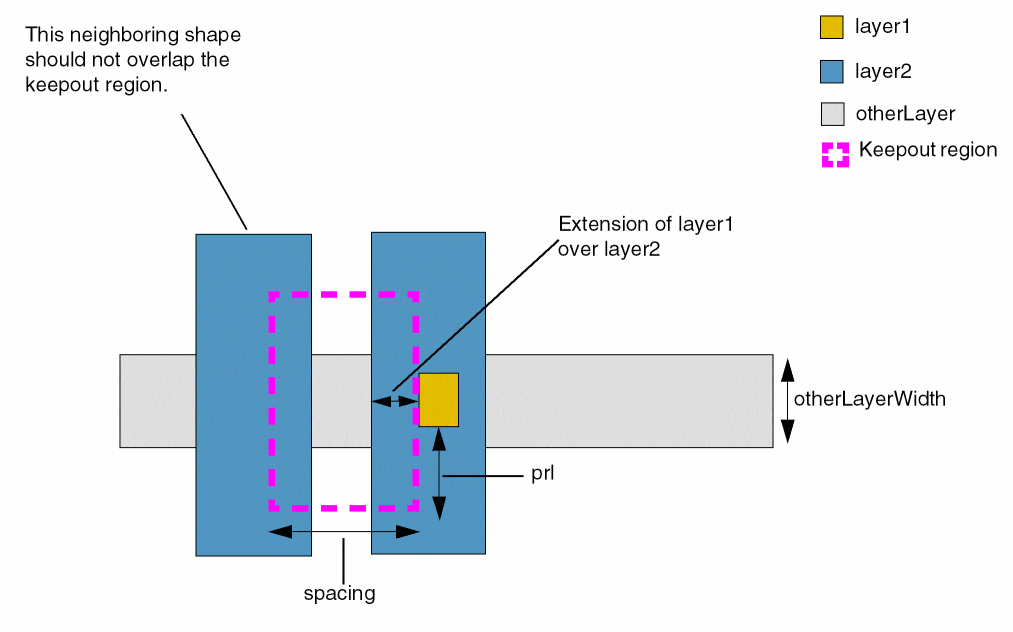
The constraint applies only if a neighboring shape on layer2 has a parallel run length greater than the specified value from a shape on layer1. The direction of parallel run length is orthogonal to the spacing direction.
|
|
'exceptEdgeExtension f_exceptEdgeExtension
|
|
|
The spacing value of the constraint does not apply if the layer1 edge facing the layer2 shape has an extension by layer2 that is greater than or equal to this parameter. The extension is measured in the spacing direction.
|
|
'horizontal | 'vertical
|
|
|
The direction in which spacing is measured. If not specified, spacing is measured in both directions.
Type: Boolean
|
|
'otherLayer tx_otherLayer
|
|
|
The constraint applies if the layer1 shape intersects with or touches a shape on this layer.
|
|
'otherLayerWidth g_otherLayerWidthRange
|
|
|
The constraint applies if the layer1 shape touches a shape on the tx_otherLayer with the specified width range.
|
Example
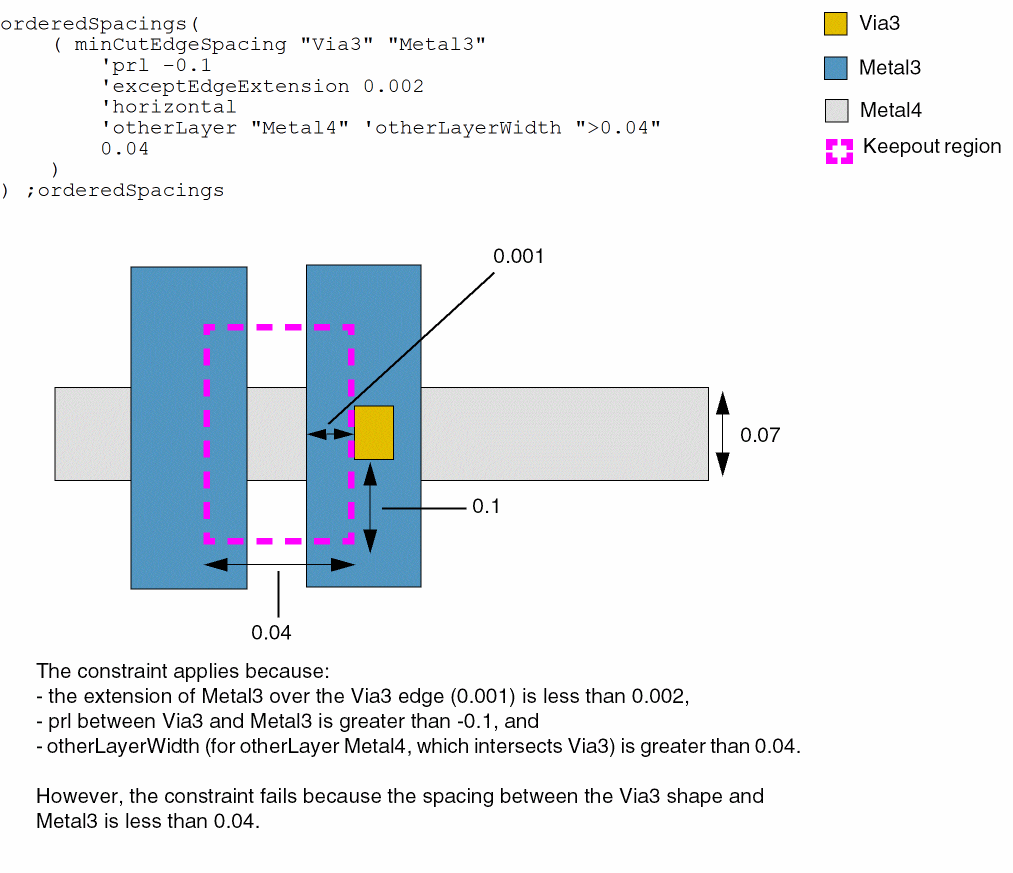
The constraint applies only if:
-
the extension of Metal3 over Via3 edge is less than 0.002
-
prl between Via3 and Metal3 is greater than -0.1
-
the spacing between Via3 and Metal3 is less than or equal to 0.04
-
the Metal4 shape, which intersects Via3, has width greater than 0.04
Return to top