
minLargeViaArrayCutSpacing
spacings( ( minLargeViaArrayCutSpacingtx_cutLayer['minNumCutsx_minNumCuts] ['maxNumCutsx_maxNumCuts] ['applyPerDirection]f_spacing)
) ;spacings
Specifies the minimum spacing between via cuts in a large via cut array. Optionally, the constraint applies only within via cut arrays that satisfy the specified minimum and maximum requirements for via cuts.
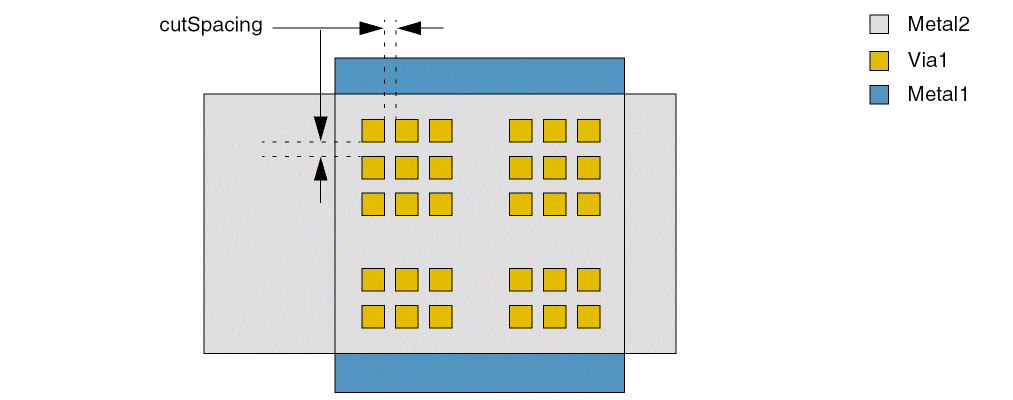
Values
Parameters
Examples
- Example 1a: minLargeViaArrayCutSpacing with minNumCuts and maxNumCuts
- Example 1b: minLargeViaArrayCutSpacing with minNumCuts and maxNumCuts
- Example 2: minLargeViaArrayCutSpacing with applyPerDirection
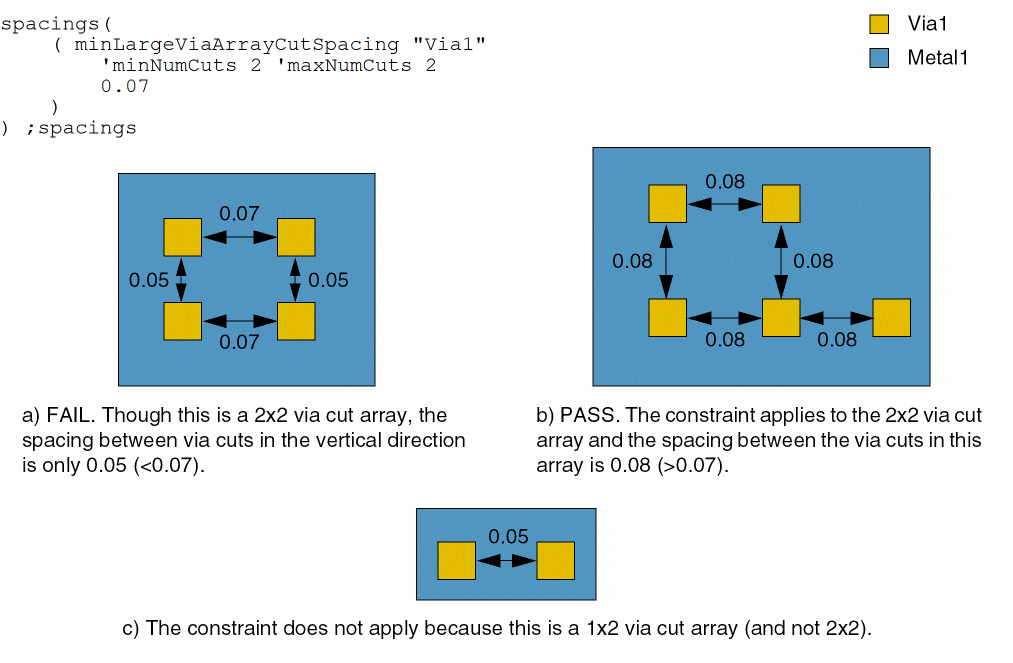
Example 1a: minLargeViaArrayCutSpacing with minNumCuts and maxNumCuts
The spacing between the via cuts in a 2x2 via cut array must be greater than or equal to 0.07.
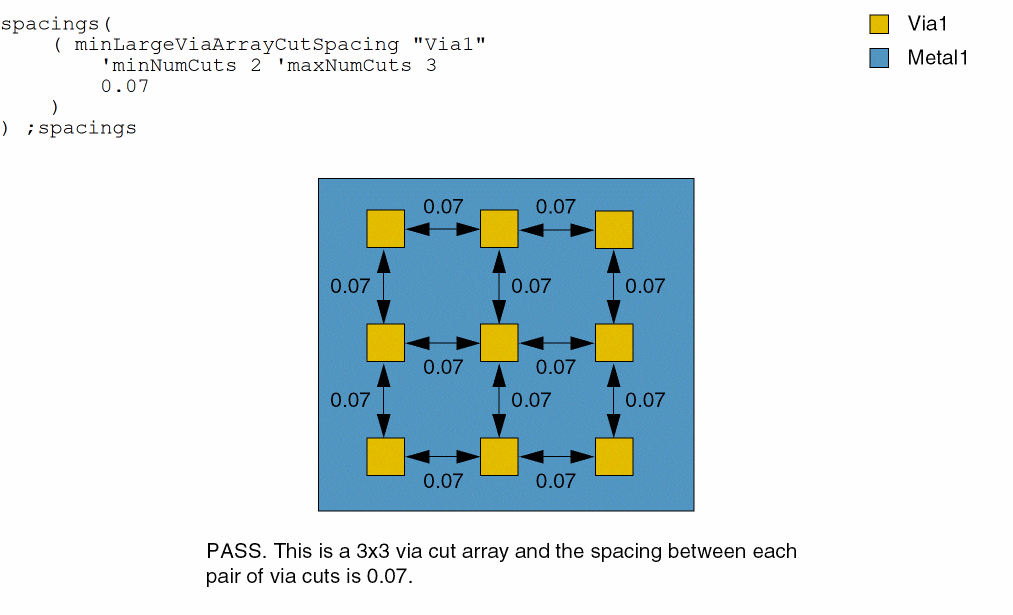
Example 1b: minLargeViaArrayCutSpacing with minNumCuts and maxNumCuts
The spacing between the via cuts in 2x2 and 3x3 via cut arrays must be greater than or equal to 0.07.
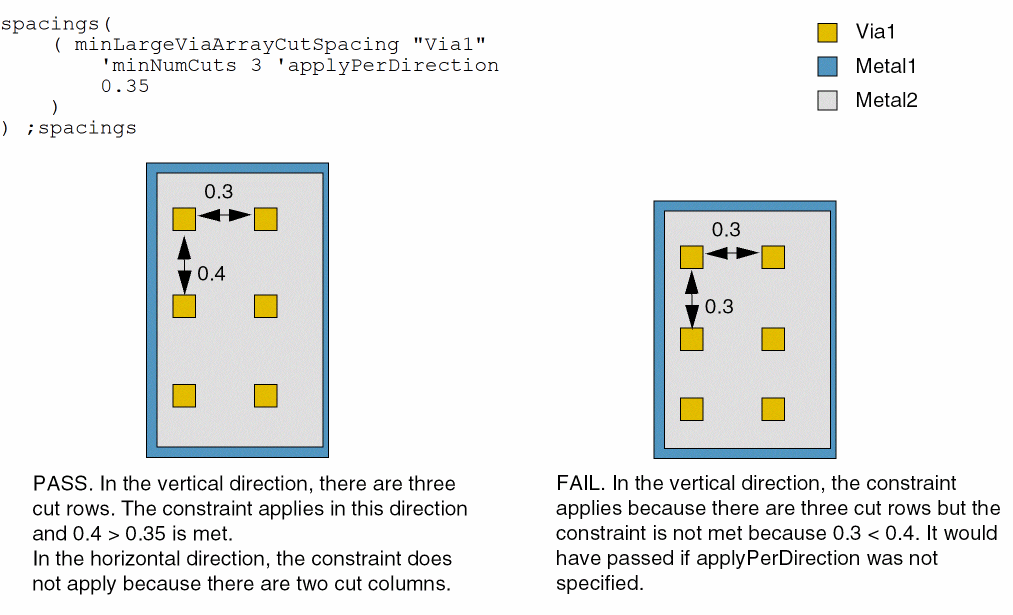
Example 2: minLargeViaArrayCutSpacing with applyPerDirection
The spacing between the via cuts in 3x3 via cut arrays must be greater than or equal to 0.35, and the constraint applies separately in each direction.
Return to top