
D
Preset File
This chapter describes the information about the VSR Preset file.
A preset file helps you to change the DFII environment variables quickly and with ease. The format of the preset file is similar to the .cdsenv file in the $HOME directory. You can use a text editor to manually edit the preset file. The new VSR Preset file lets you save and restore the router-related environment variables not only for Pin to Trunk routing, but also for other automatic routing commands. The following figure shows the beginning section of a sample VSR Preset file.
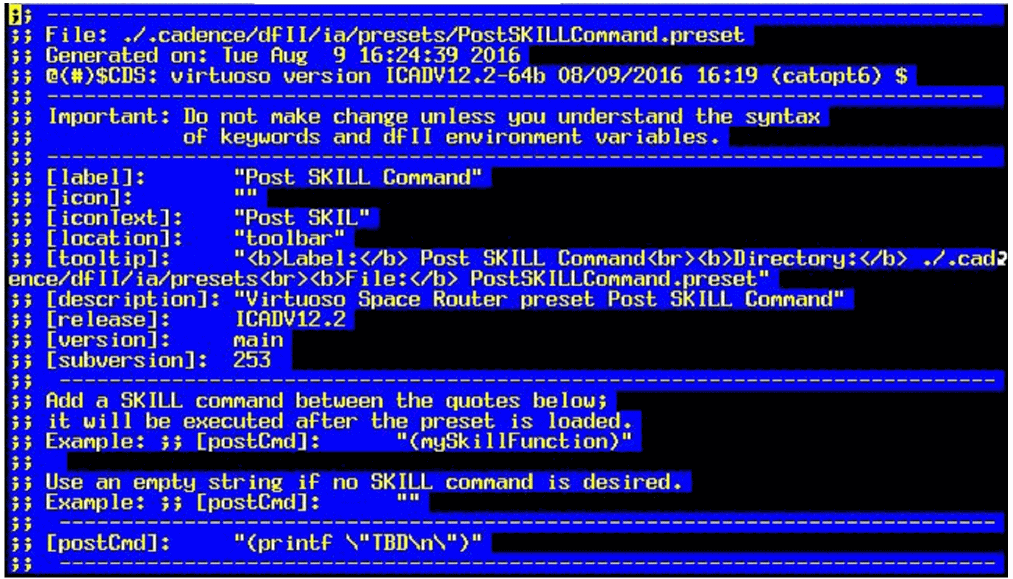
A preset file begins with comments that provide information about the path, filename, time, and the Virtuoso version for which this file has been generated. The comment that has the second token begins with "[" , ends with "]:", and the text enclosed within "[" and "]:" constitutes a keyword. These keywords are mainly used by the VSR Preset feature to add the menu item or the toolbar icon for a particular preset file.
-
[label]:
Used to identify a particular preset file. The value specified for this keyword is used as a menu item in the VSR Load Preset drop-down menu of the VSR Preset toolbar.
This label also helps to identify the preset file that has been loaded in the log file, that is, instead of usingiaVSRPreset_<number>to identify the menu item, it now usesiaVSRPreset_<[label]:>as a menu item. For example:[label]: = "Optimization and Fix Violation"
When this particular preset file is loaded, the VSR Preset generates"iaVSRPreset_Optimization_and_Fix_Violation"in the log file instead of"iaVSRPreset_<number>". This helps you to identify the preset file that has been loaded when the log file is analyzed.
Thelabelkeyword only accepts alpha-numeric value and white-space characters. Any other character, such as'/','-','*','+', is interpreted as a mathematical operation by the SKILL function. If a label has any of the following characters: "*,/,+,-,‘,~,!,@,#,$,%,^,&,(,),=,[,],{,},|,\,/,;,:,<,>,.,?, the character is interpreted as an underscore. Therefore, a labelM3+M2=M32is interpreted asM3_M2_M32. -
[icons]:
Lets you specify the already existing icon file. It can also be an empty string. If VSR Preset can find the specified icon file and the[location]:keyword is defined astoolbar, then VSR Preset uses the specified icon file to create the icon and place it next to the VSR Load Preset icon. You can then click the icon to load the particular preset. -
[iconText]:
Lets you specify the text for the icon if the[icon]:keyword is an empty string and the[location]:is defined astoolbar. If the[location]:is also an empty string, VSR Preset uses the value of the[label]:keyword to generate the text for the icon. If the value specified for the[iconText]:keyword is a single word, the VSR Preset specifies text of maximum five characters in one line. However, if the value of this keyword is more than a single word, then VSR Preset specifies the text in two lines with maximum of five characters on each line. -
[location]:
Defines where the preset is added. The location can be either the VSR Preset toolbar or the VSR Load Preset drop-down menu. If the location is defined astoolbar, the preset is added as an icon to the toolbar; and if the location is defined asmenu, the preset is added to the VSR Load Preset drop-down menu. -
[tooltip]:
Lets you specify the text that should get displayed as a tooltip when you place the mouse pointer on the preset icon. -
[description]:
The value of this keyword is used when the preset file is loaded and the keyword value is displayed in CIW. The value of this keyword is automatically specified if the preset is saved using the VSR Save Preset form. -
[release]:
Indicates the Virtuoso release for which the preset file is created. -
[version]:
Indicates the Virtuoso version for which the preset file is created. -
[subversion]:
Indicates the Virtuoso sub-version for which the preset file is created. -
[postCmd]:
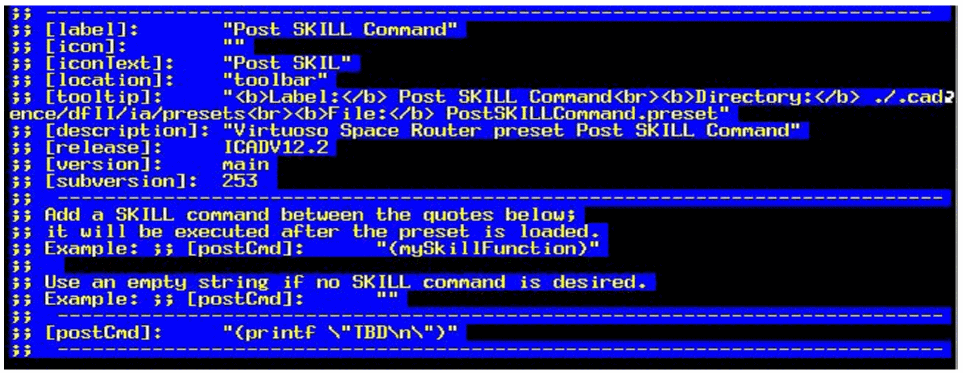
This is either an empty string or a SKILL command. The SKILL command is run after the VSR Preset executes all the entries on the preset file. You can manually edit this value.
If a preset file has[postCmd]:keyword as a non-empty string, VSR Preset specifies the icon text with cyan as the text color. In addition, in the drop-down menu, an asterisk (*) appears to the right of the menu item. These indicators help you distinguish between the presets that have[postCmd]:and the presets that do not have[postCmd]:.
If a preset file has the[postCmd]: keyword as an empty string, the value of this keyword is preserved when the preset file is overwritten by the settings specified in the VSR Save Preset form. The following figure displays an example of the[postCmd]:keyword in a preset file.
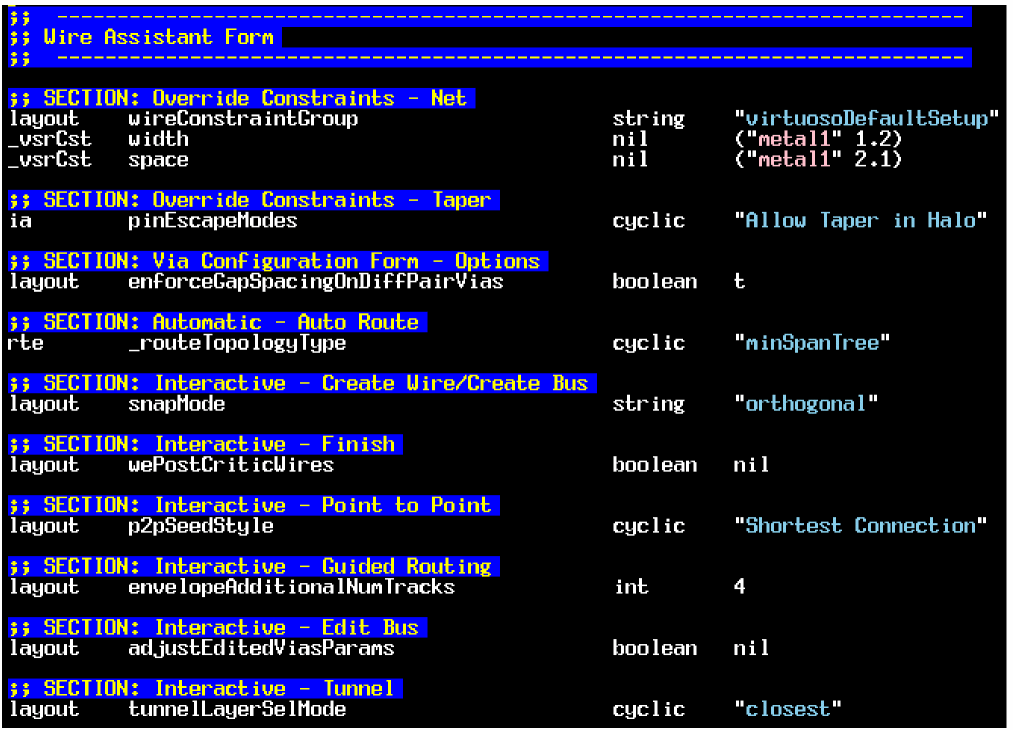
The other sections of the preset file consist of the entries for constraint override values and environment variables in the Wire Assistant, Virtuoso Space-based Router Options form, and Via Configuration form. The middle section of the preset file is for both Wire Assistant and Via Configuration form. The entries in this section of the preset file are arranged based on how the various sections of the Wire Assistant are arranged. The following figure shows a sample of the middle sections of the preset file.
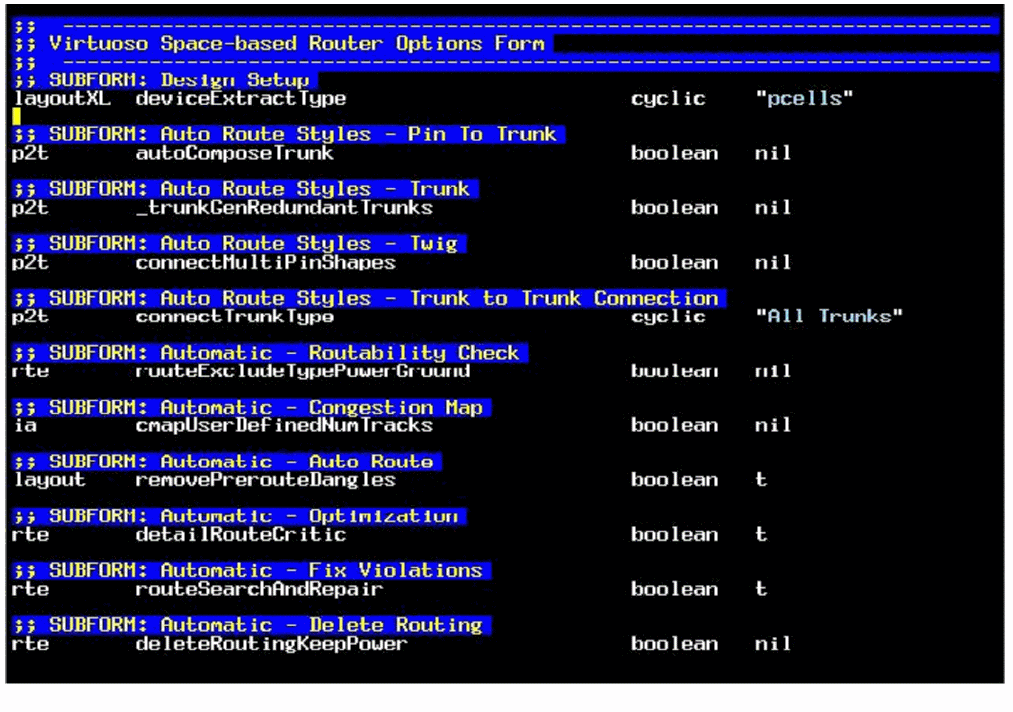
The last section of the preset file consists of the entries for the Virtuoso Space-based Router Options form. The entries in this section of the preset file are arranged based on how the various sections in the form are arranged. The following figure shows a sample of the last section of the preset file.
Return to top