
The Filters options let you narrow down the search results. These filter options are available on the Product Manuals and Reference Guide tabs of the Doc Assistant.
In Online mode, all the available filter options are updated dynamically based on the currently selected filter. For example, if select a Content Type filter, the other filters, Product, Product Feature, and Document Types, change accordingly.
The selected filter is displayed on top of the search result page with a cross icon so that you can easily remove the filter to display all search results. The number displayed in the brackets next to every filter option indicates the number of search results available if the filter is applied.
The following content filters let you filter search results:
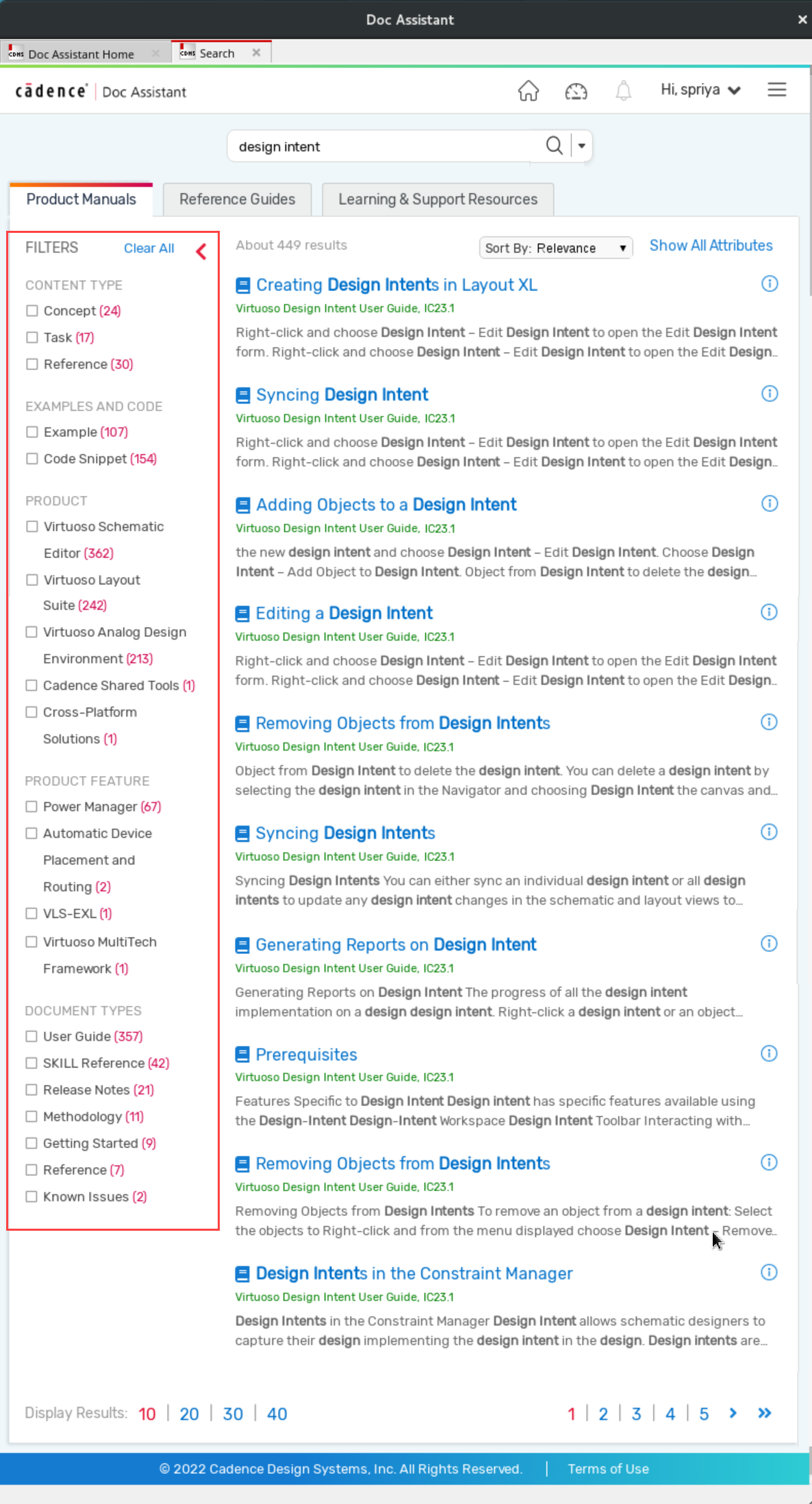
Content Type
You can filter search results based on their type of content, Concept, Task, and Reference. Selecting the Reference filter, for example, lists all reference-related topics, such as API documentation, description of environment variables, description of options in a form, dialog box, menu, or toolbar. Selecting the Task filter, lists all How-To topics. The Concept filter lists all conceptual topics, for example the features and benefits of a tool, a product flow, or the prerequisites for using a tool.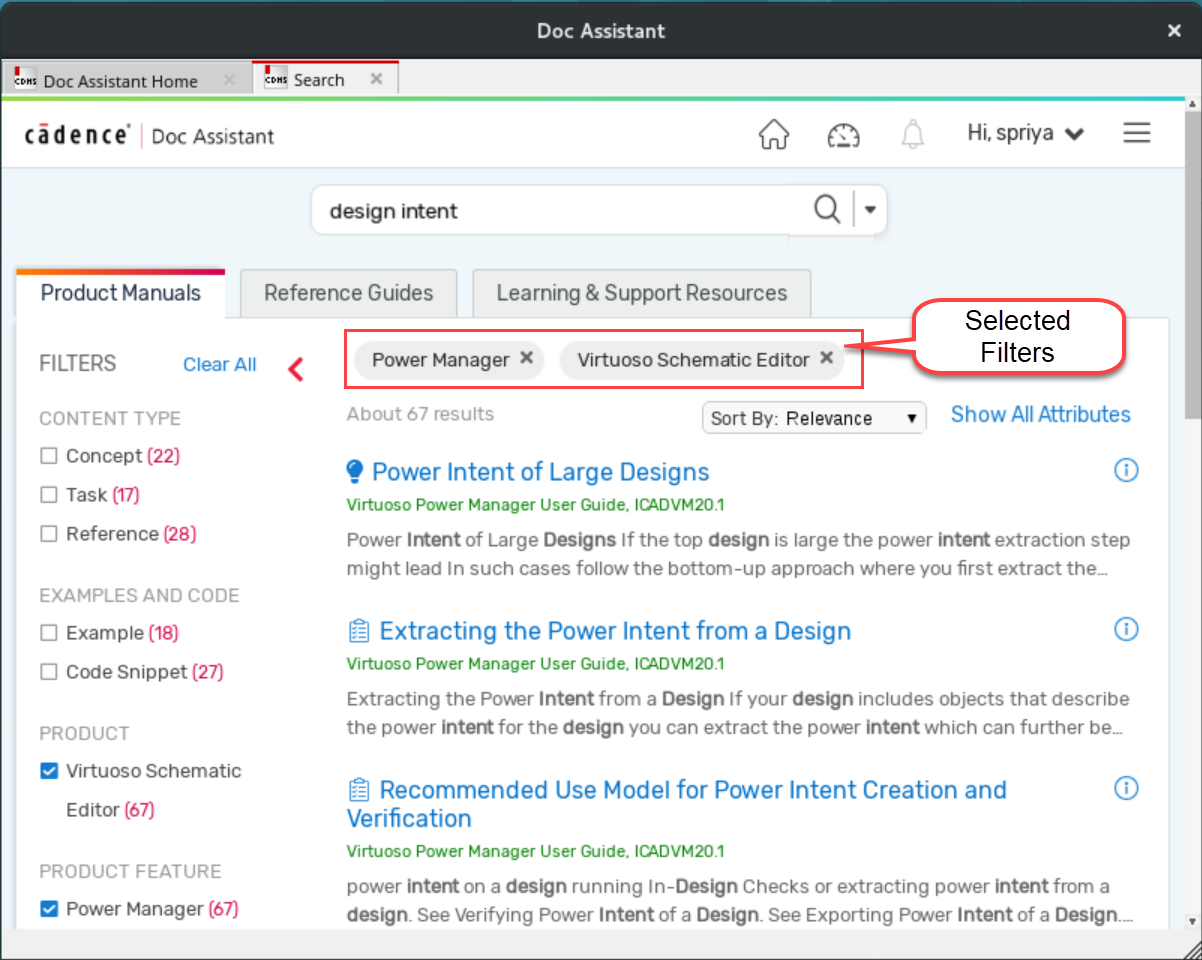
Click Clear All to remove all the selected filters at once.
Examples and Code
Filters out documents that contain examples and code snippets. The search result count may include multiple instances from the same page.
Product
Displays documents that are associated with the selected products, for example, Virtuoso Schematic Editor, and Virtuoso Layout Suite.
Product Feature
Filter search results according to product features. For example, selecting Power Manager lists only those topics that have reference to Power Manager.
Document Types
Filter documents according to the type of document, for example, User Guides, SKILL Reference, and Release Notes.
Category
This filter is available only on the Learning & Support Resources tab. You can filter content according to their content categories, such as Troubleshooting, Videos, and What's New.