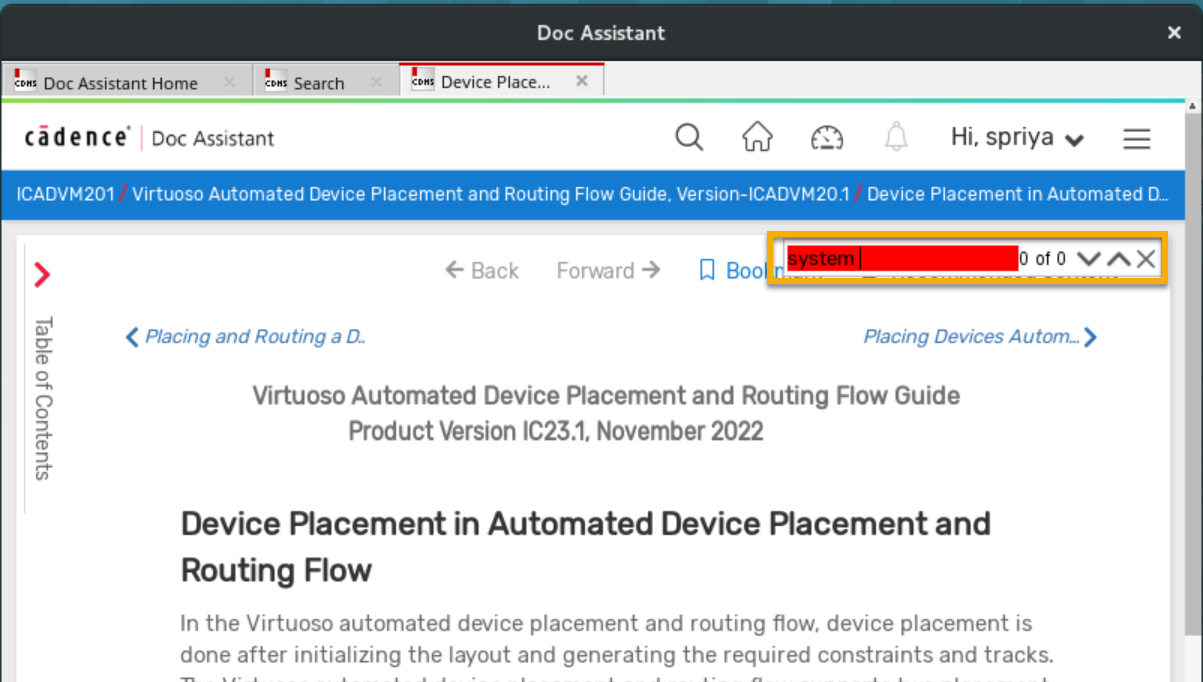
Use the Find feature to search for a word or a sentence in a page.
To find a word within a page in the Doc Assistant:
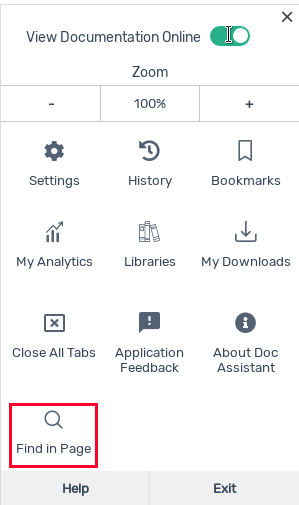
- Press Ctrl + F or select Find In Page from the hamburger menu to display the Find box.
- Type the search term in the Find box and press
Enter. All instances of the searched keyword in the page are highlighted. - Use the
 and
and  arrows to navigate through these matching terms within the page.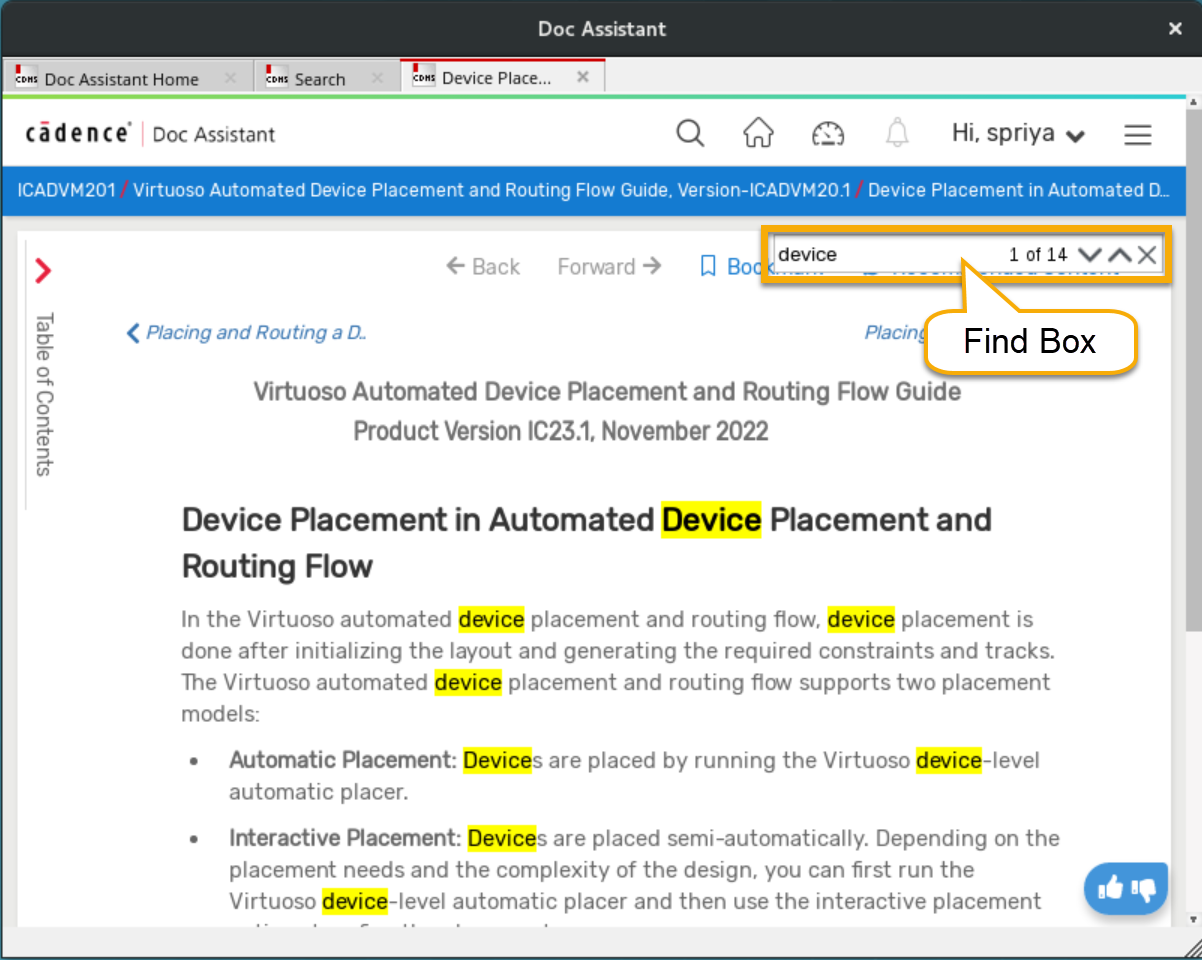
If the search term is not found, the background of the Find box turns red.