
Performing a Cell Instantiation Pin Check
You can perform pin checking on a particular cell at all the places where it is instantiated in a design. To do this, in the Table view of the Virtuoso Hierarchy Editor window,
-
Right-click the Cell Bindings row and select Pin Check Cell Instantiations from the context-sensitive menu.
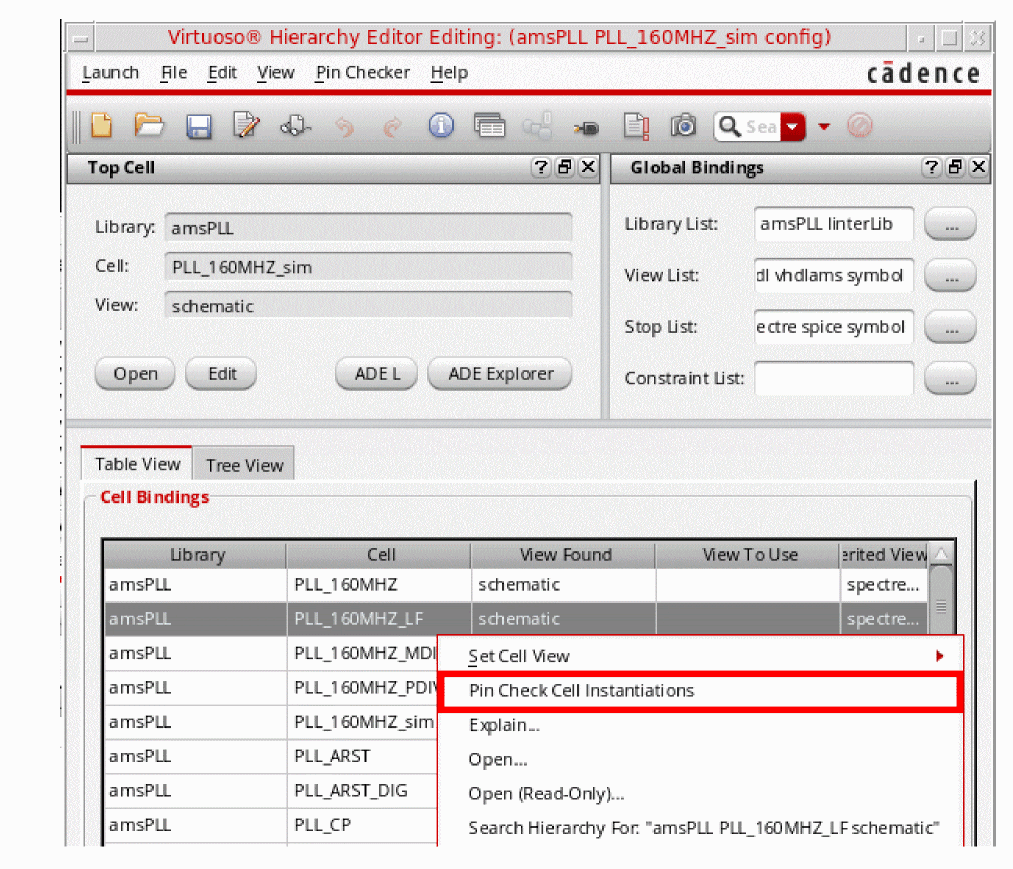
After cell instantiation is successfully completed without any error or warning on all the instances, the successful pin check message is displayed in CIW.
If there is any error or warning in the design, the unsuccessful pin check message is displayed in CIW and the Pin Check log file is displayed.
Multiple Cell Instantiations Pin Check
You can perform pin checking on multiple cells at all the places where they are instantiated in a design. To do this, you need to perform the following steps:
-
In the Table view of the Virtuoso Hierarchy Editor window, select multiple cells from the Cell Bindings section by using the
CtrlorShiftkey with the left mouse button. -
Right-click the selected cells and select Pin Check Multiple Cell Instantiations from the context-sensitive menu
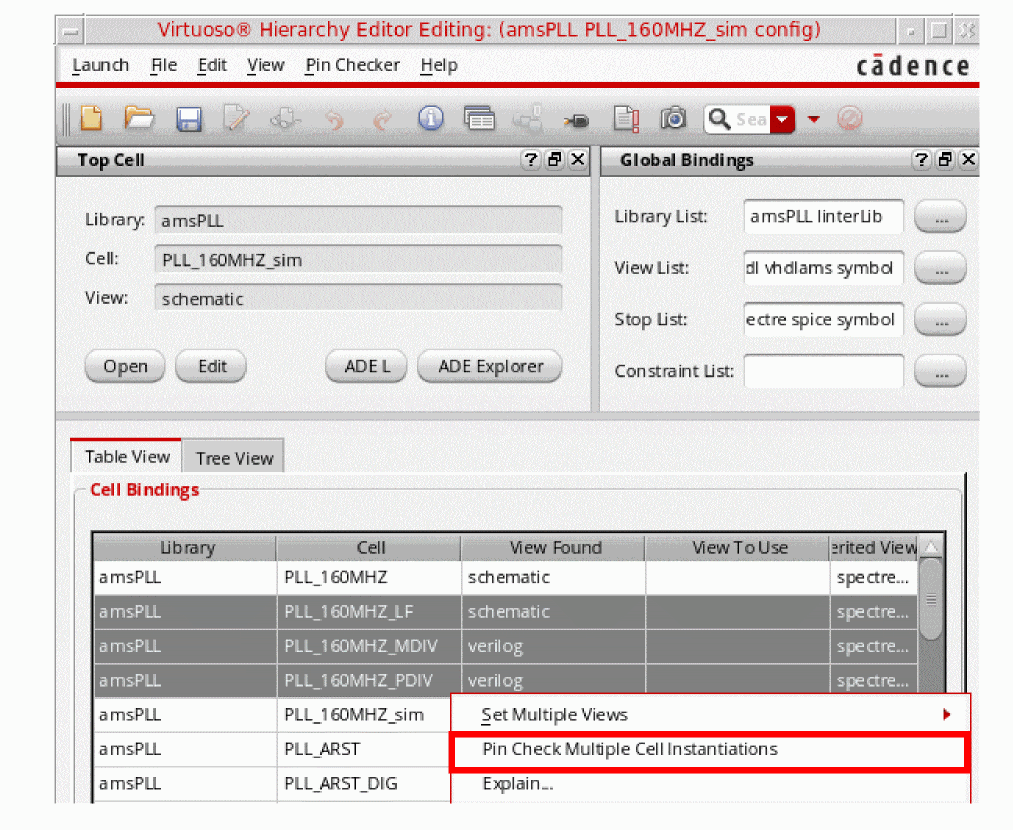
After Pin Check for instantiations of multiple cells is successfully completed without any error or warning, the successful pin check message is displayed in CIW.
If there is any error or warning in the design, the unsuccessful pin check message is displayed in CIW and the Pin Check log file is displayed.
Related Topics
Return to top