
Split Crossing Objects Options Form
Specifies how to split the objects that are part of single or multiple design partitions. All settings implemented in this form are also applied to hierarchical editing.
| Field | Description |
|---|---|
|
Splits all objects crossing single or multiple partitions by object type. You can select one or more of the following objects: Environment Variable: autoSplitObjTypes |
|
|
Sets the criteria for splitting the objects. Environment Variable: autoSplitObjCrossingPartition |
|
|
Specifies which objects need to be split across partitions.
Diagonal objects and the objects that have been edited in a design partition are not split. |
|
|
Objects are not split if the crossing part is inside the halo of design partition area. For example, in the following screenshot, the upper path is not split because the crossing part of the path is not larger than the design partition area halo. 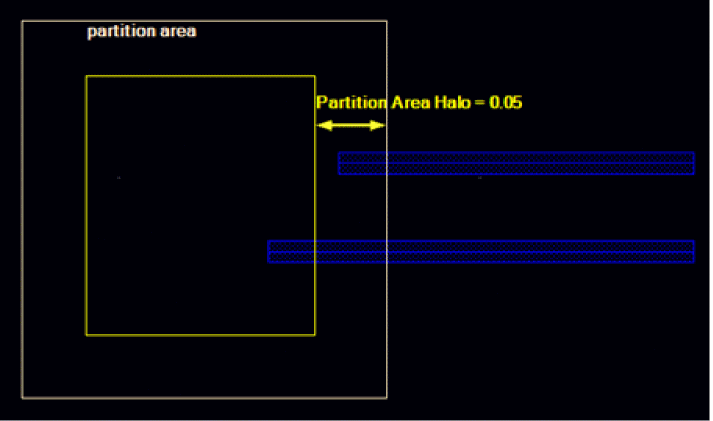 |
Related Topic
Return to top