
Associating an Instance with an ADE State
If you switch the original binding of an instance with a Virtuoso config or schematic view, you need to associate the instance with an ADE state for providing the information required for the netlisting. However, in case the ADE state provides only model files for netlisting and simulation, you can directly add the model files in CLIPS.
To associate an instance with an ADE state:
-
Right-click the row of the instance for which you have overridden the binding and choose Add/Edit ADE Cellview.
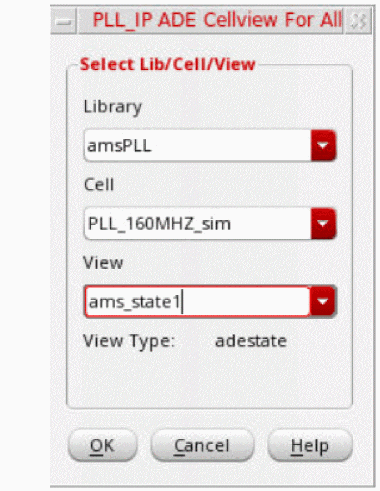
- In the View drop-down list, select the name of the ADE state to be associated with the instance and click OK.
- Click the Update command on the toolbar to update the hierarchy.
Return to top