
Searching a Library
CLIPS searches the specified Virtuoso directories to look for the Virtuoso config files that can override the corresponding digital block in your design. By default, all the directories specified in the Virtuoso Directories section can be searched for config files. This is indicated by the * symbol shown in the Libraries column of this section. However, you can choose the libraries to be searched while finding the schematic or config files that can be overridden, that is, switchable IP configurations. Other Virtuoso directories are excluded from the search. This helps improve the searching and matching performance.
To select the libraries to be searched, perform the following steps:
-
Double-click the Libraries column in the Virtuoso Directories section.
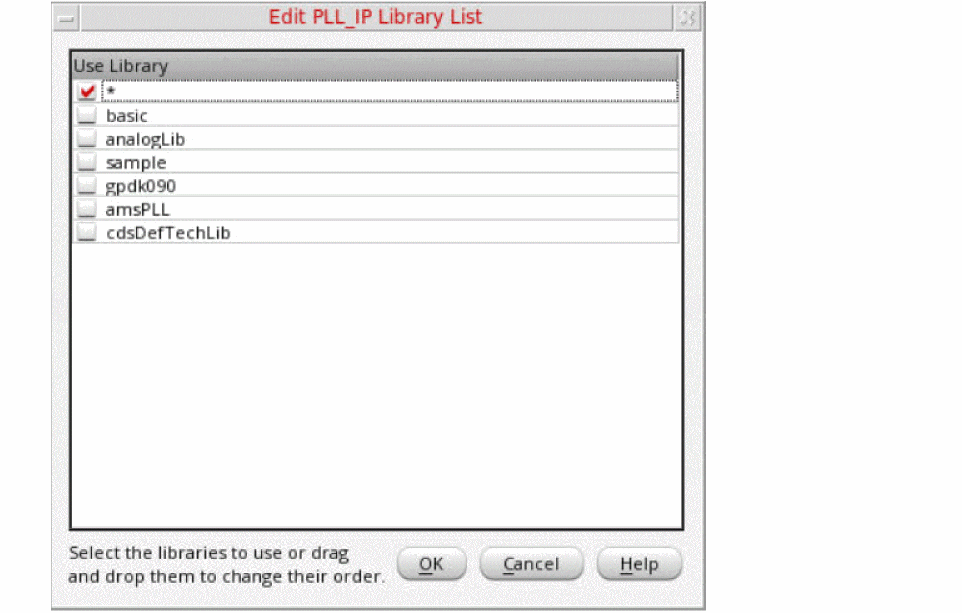
The Edit <Library_name> Library List form appears.
-
Select the check box next to the libraries you want to use in search.
Alternatively, you can drag and drop the library names in this list to specify the search order. -
Click OK to close the form.
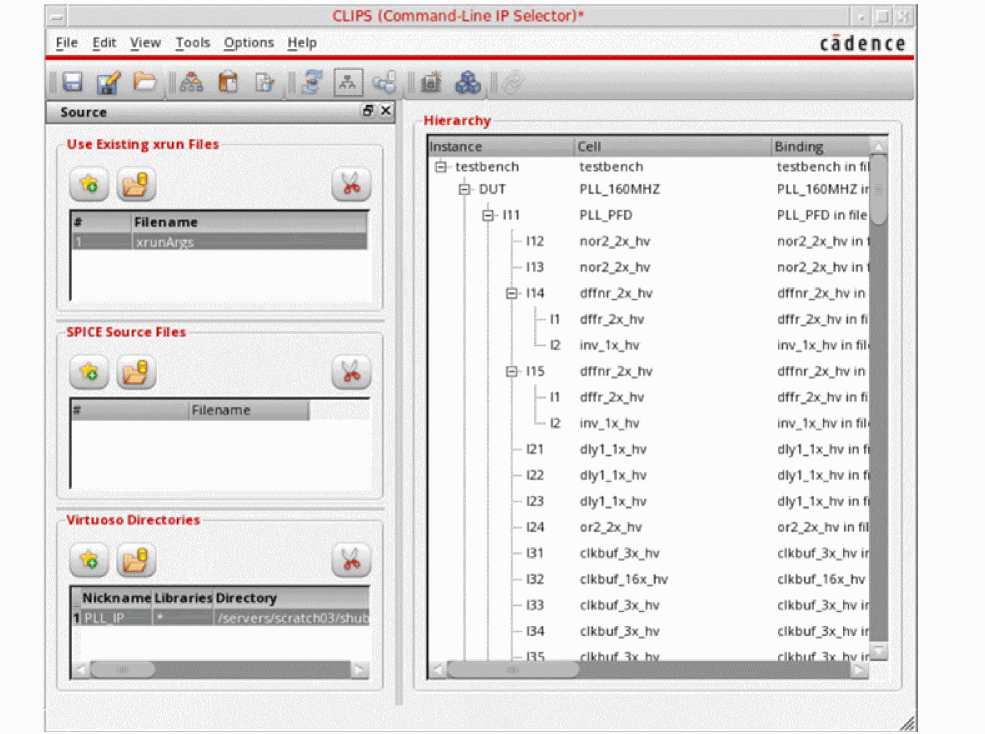
ThexrunArgsfiles are elaborated and the digital hierarchy is represented in a tree in the Hierarchy section.
Return to top