
Specifying Options to Change Instance Masters
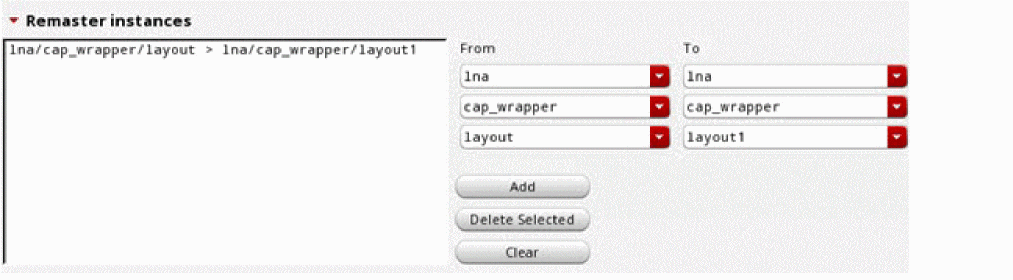
If you want to modify the master layout cellview for all instances of a particular layout cellview during the simulation run, you can specify rules to remaster instances in the Remaster instances section of the Simplify layout for EM simulation form.
To add a new rule to remaster instances:
- Choose the library, cell, and view name of the existing layout from the drop-down lists given below From.
- Choose the library, cell, and view name of the new master layout from the drop-down lists given below To.
-
Click Add.
A new simplification rule is added to the list in the Remaster instances section. An example is shown below.
Related Topics
Specifying Shape Simplification Options for IC Layouts
Specifying Options to Skip Shapes on Selected LPPs
Specifying Options to Remove Dangling Shapes
Specifying Options to Merge Shapes
Specifying Options to Smooth Shape Steps
Return to top