
Specifying Options to Merge Shapes
If the layout contains various shapes on the same layer or on the layers above or below a specific LPP, you can specify rules to merge shapes if they are within the given distance.
To add a new rule in the Merge shapes section of the Simplify layout for EM simulation form:
- Select a layer-purpose pair on which you want to merge shapes in the Lpp drop-down list.
- Specify the minimum allowed distance between the devices in the Spacing field.
- Click Add.
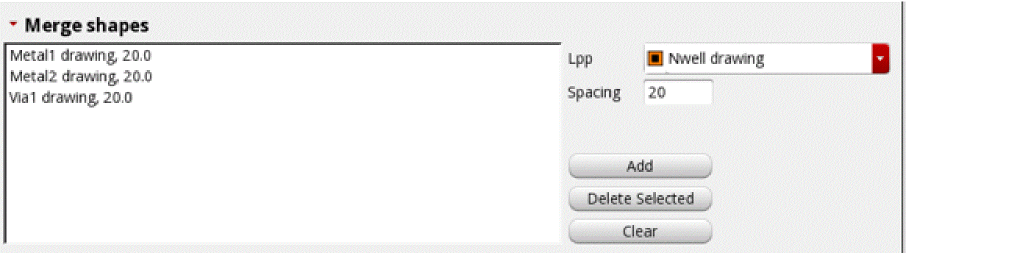
A rule is added to the list in this section. You can create multiple rules like these for different layer-purpose pairs. If the layers are closer than the minimum allowed distance, they are merged.
For example, the following rule set will merge metal1 and metal2 if they are within 20 microns.
Specifying Options to Stripe shapes
By creating rules to convert layers into stripes of the given width, you can convert fine mesh into a coarse mesh that would contain a smaller number of unknowns to be passed to the solver for simulation.
To add a new rule in the Stripe shapes section of the Simplify layout for EM simulation form:
- In the Lpp drop-down list of this section, select a layer-purpose pair that you want to convert into stripes.
- Specify the width for stripes in the Width field.
- Specify the spacing to kept between each stripe in the Spacing field.
- Click Add.
-
(Optional) You can also define a via enclosure value in the Via enclosure field. This value specifies the distance by which the vias must be pulled in from the metal edge.
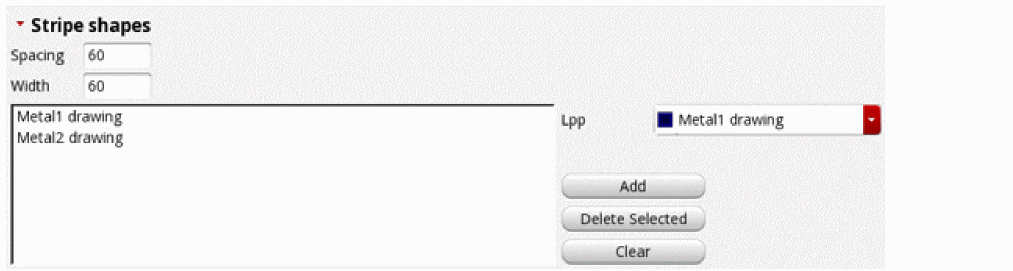
The following example shows a set of rules to create stripes for metal1 and metal2. The stripes are 60 microns in size and placed 60 microns apart.
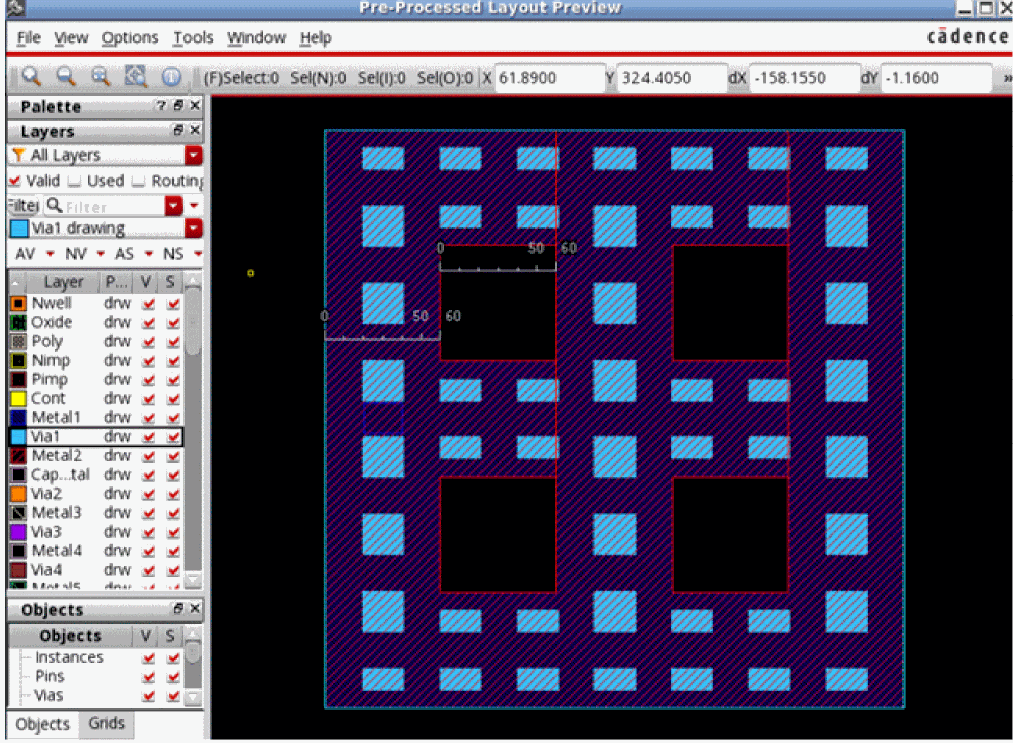
The preview of the pre-processed layout given below shows the stripes created according to the rules mentioned in the example given above. Note the measurements.
Related Topics
Specifying Shape Simplification Options for IC Layouts
Specifying Options to Change Instance Masters
Specifying Options to Remove Dangling Shapes
Specifying Options to Skip Shapes on Selected LPPs
Specifying Options to Smooth Shape Steps
Return to top