
C
Fluid Guard Rings Known Problems and Solutions
This document describes the known issues with Virtuoso® Fluid Guard Ring (FGR) and suggests workarounds for these issues. The issues are identified by a Cadence Change Request (CCR) number, wherever applicable. Unless otherwise stated, the issues described in this document were identified in ICADV12.3 release.
Drag lines do not follow the pitch for both horizontal and vertical direction.
During interactive creation and editing of FGR instances, the drag lines do not coincide with the evaluated shape due to shape data adjustment based on pitch parameters.
CCR 1199564: Provide user registered callback function for snapping enter point of rubber-band (drag-set) line
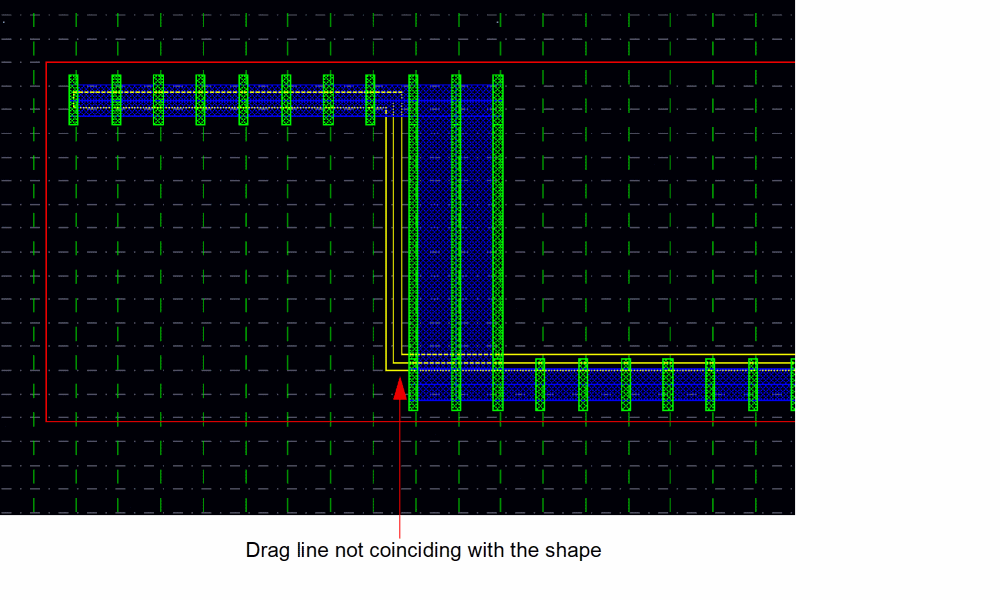
Solution: This issue has been documented for your information only. There is currently no workaround available.
Orthogonal snap mode is supported
During interactive creation and editing of an FGR instance, only orthogonal snap mode is supported.
Solution: Use the SKILL function leSetFormSnapMode for snapping the mouse pointer in the orthogonal direction.
Pitch support has been added only for ‘Path’ type shapeData
Pitch support classes cannot be used for rectangular and polygon type shapeData.
Solution: This issue has been documented for your information only. There is currently no workaround available.
Stretching an FGR sometimes results in DRC violation
Stretching an FGR can result in DRC violations when a horizontal/vertical segment length is less than half of the vertical/horizontal segment width.
CCR 1325427: Stretching an FGR sometimes creates contacts out of active area leading to DRC violation
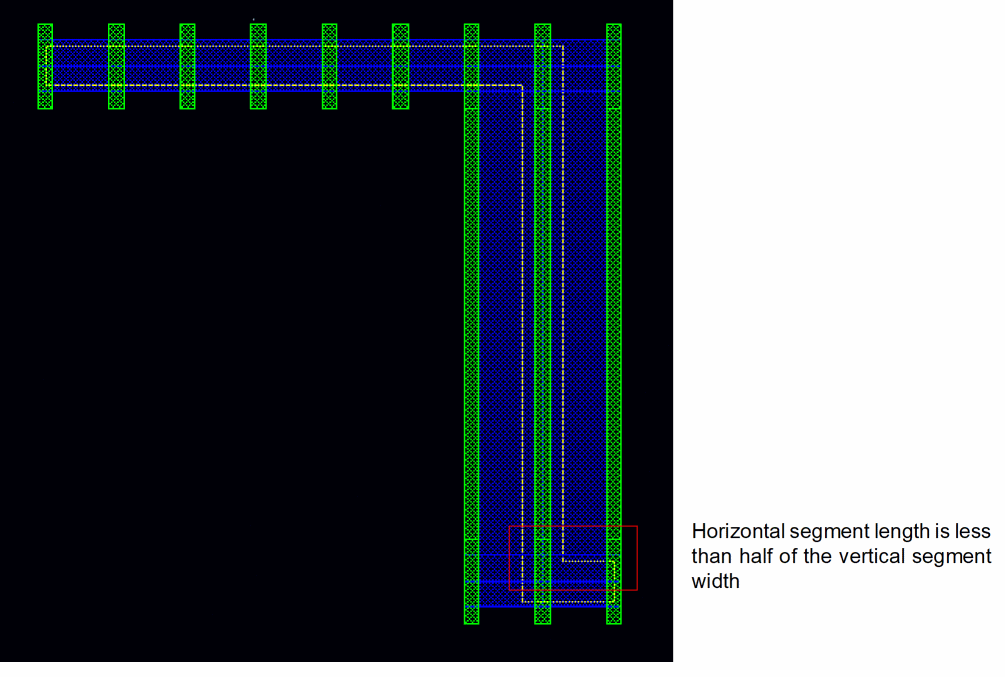
Solution: This issue has been documented for your information only. There is currently no workaround available.
Ring structure is defied during the merge operation
If two FGR instances are merged such that the resultant FGR is a ring type structure, the merged FGR is not created as a ring. This is because the centerline of the paths do not coincide, as shown in the figure below.
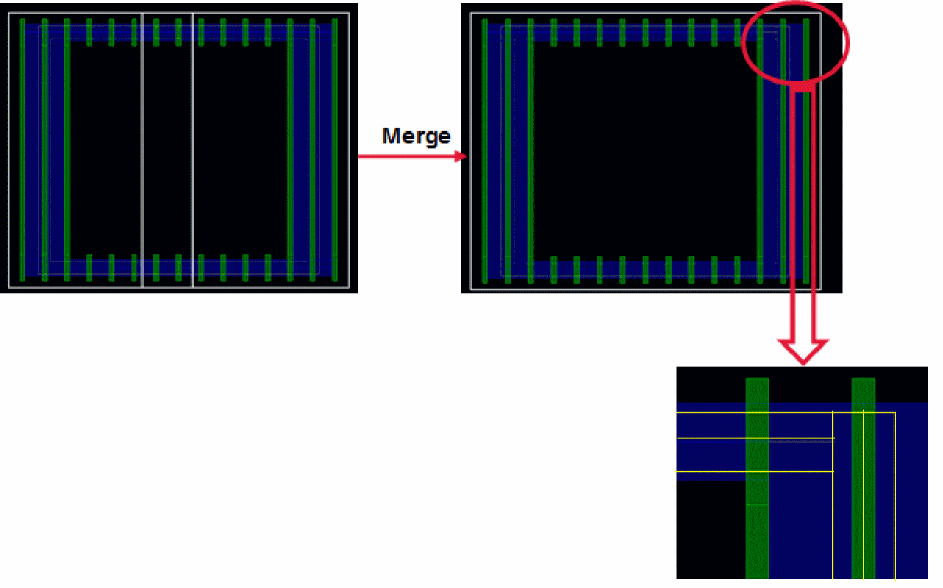
Solution: This issue has been documented for your information only. There is currently no workaround available.
During the Merge operation, minimum segment length and inner corner spacing can cause DRC errors.
Contact overlap DRC errors are caused because of small segment length, as shown in the figure below.
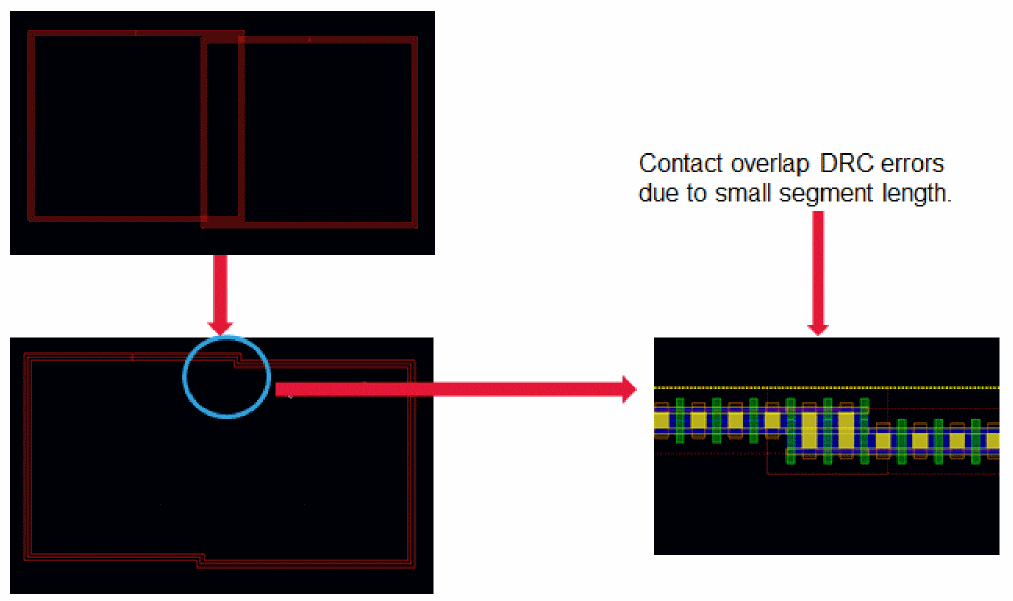
Contact overlap DRC errors are caused because of inner corner spacing, as shown in the figure below.
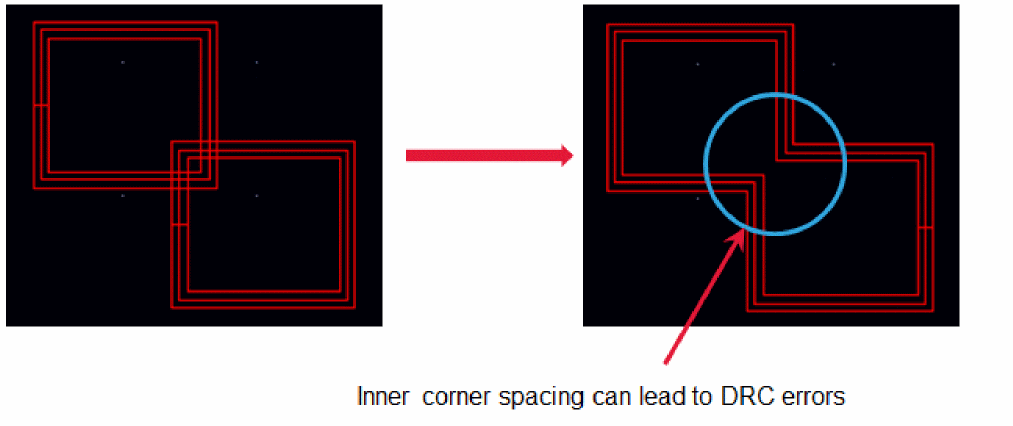
Solution: This issue has been documented for your information only. There is currently no solution available. As a workaround, you should use the Stretch command to increase the segment length or to correct the inner corner spacing.
Editing an FGR using the Edit Instance Property form is not supported.
Any instance parameters changed through the Edit Object Properties form does not cause re-evaluation of the FGR instance.
Solution: This issue has been documented for your information only. There is currently no workaround available.
The editing commands Reshape and Split do not support pitch parameters.
Solution: This issue has been documented for your information only. There is currently no workaround available.
Return to top