|
Field
|
Description
|
|
Check Two Pin Nets
|
This section lists checks that are applicable only to the nets that are connected to two pins.
|
|
Mis-aligned
|
Checks whether the connected pins are correctly aligned.
|
|
Layer mismatch
|
Checks whether the connected pins are on the same layer.
|
|
Size mismatch
|
Checks whether the dimensions of the connected pins are the same.
|
|
Abut
|
Checks whether the connected pins are abutted to each other.
|
|
Overlap
|
Checks whether the connected pins overlap each other.
|
|
Check All Nets
|
This section lists checks for all nets. Violations are reported in the Pin Check Report displayed in the CIW.
|
|
Multi pin nets
|
Identifies nets that have multiple pins and lists their names in the Pin Check Report.
|
|
Pin Threshold
|
Restricts the check to nets that have the specified number of pins.
|
|
Pin layer direction mismatch with side
|
Identifies the pins for which pin layers do not have tracks in the specified pin side. This option is applicable only to pins that have side layer constraints.
|
|
Layout vs schematic
|
Identifies extra pins that are present either in the schematic view or the layout view. The summary report mentions the number of extra pins, whereas the detailed report provides a list of extra pins.
Violation markers are generated on the CAS tab of the Annotation Browser. Use the commands in the shortcut menu to resolve the violations.
In addition to the above settings, the Pin Checker reports the following violations:
-
Pin count mismatch between layout and schematic
-
Number of pins with layer direction and pin side constraint mismatches
|
|
Pin wire type mismatch with track
|
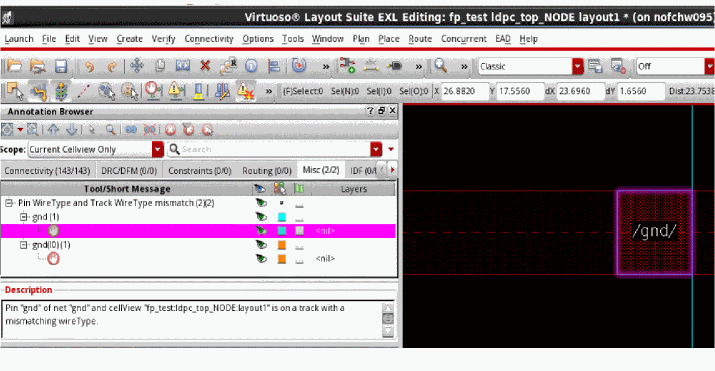
Identifies the pins that are placed on WSP tracks with mismatched wire types, the pins that are not snapped to the WSP tracks, and the pins that are placed on WSP tracks but do not have any wire type constraint.
Violation markers are generated on the Misc tab of the Annotation Browser. The figure below shows violations displayed in the Annotation Browser with highlighted markers.
|
|
Pin to wire overlap
|
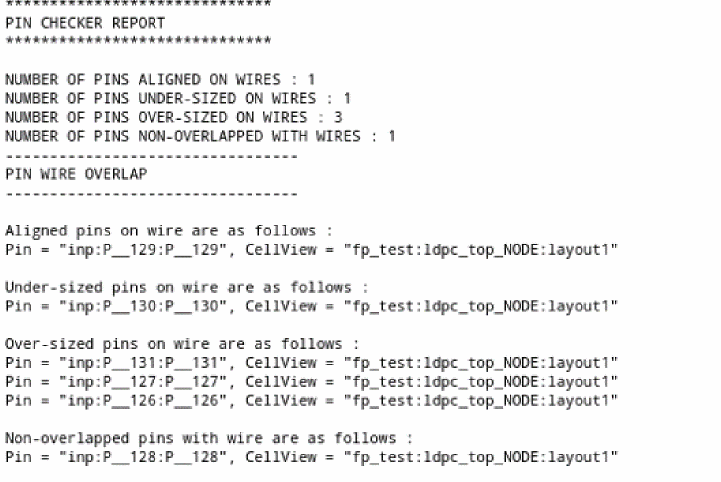
Checks if there is any physical overlap between pins and wires. This functionality can be run on all top-level and level-1 layout pins. You can view the markers generated for violating pins in the Annotation Browser.
The figure below represents a detailed report about pin or wire overlaps.
|
|
Check duplicate pins
|
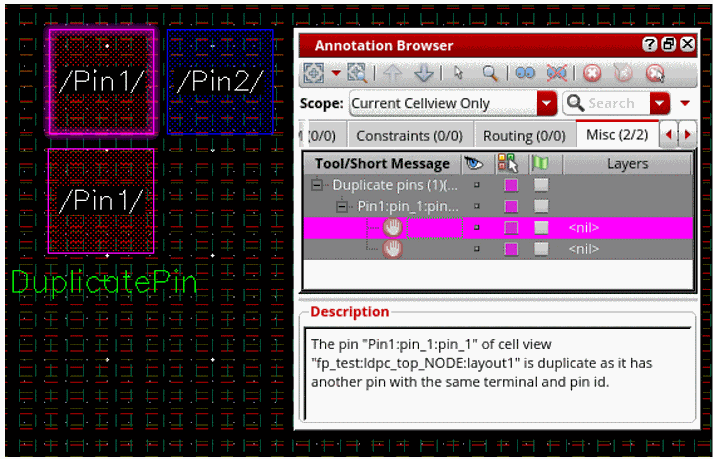
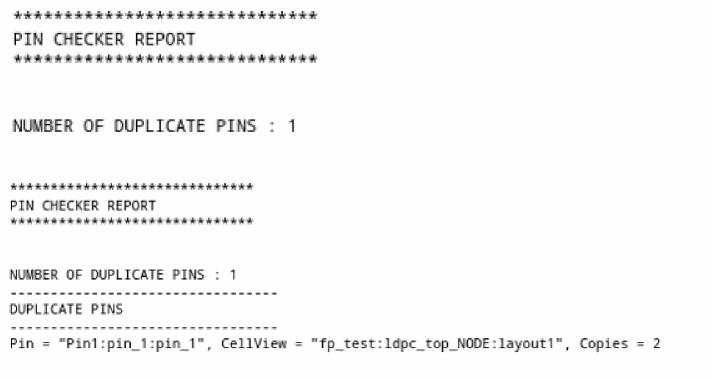
Checks for duplicate pins in the layout. This functionality can be run on all top-level and level-1 layout pins. You can view the markers generated for violating pins in the Annotation Browser.
The figure below shows information about duplicate pins in the summary and detailed reports.
|
|
Pin Check Report
|
This section lets you customize the information displayed in the Pin Check Report.
|
|
Summary
|
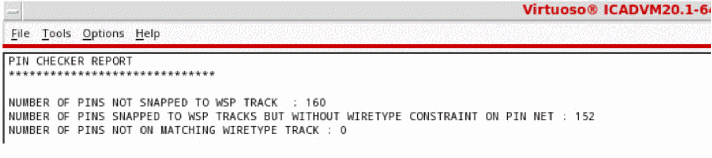
Generates a summary report about the checks performed by the Pin Checker, which includes the following information:
-
Number of pins not snapped to a WSP track.
-
Number of pins snapped to the WSP tracks but without a wire type constraint on the pin net.
-
Number of pins that are not placed on the tracks specified in the wire type constraint.
|
|
Detailed
|
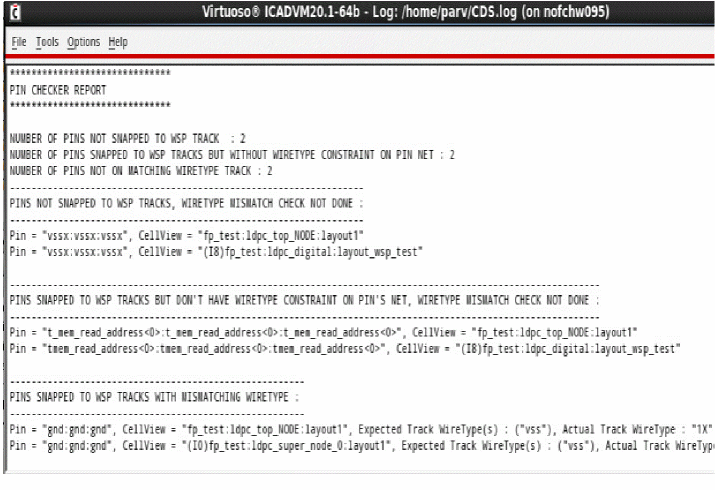
Generates a detailed report with information about nets as per the settings. The violations are also listed on the Misc tab of the Annotation Browser. In addition to the pin statistics displayed in the Summary report, the detailed report includes the following information:
-
Pins that are snapped to the WSP track with mismatching wire types.
-
Pins that are not snapped to WSP tracks and for which the wire type mismatch check has not been performed.
-
Pins that are snapped to the WSP tracks but do not have wire type constraint on the pin's net and for which the wire type mismatch check has not been performed.
The following image shows a detailed report:
|
|
Select In Canvas
|
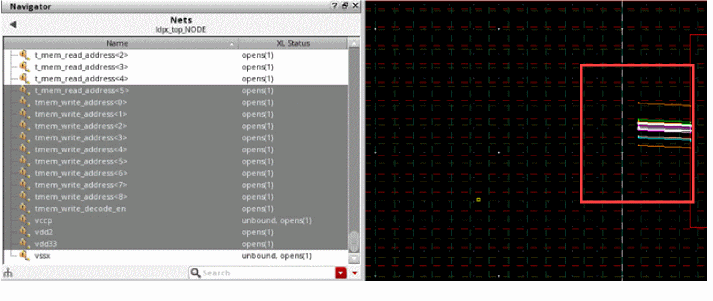
Selects the reported nets in the design canvas after running Pin Checker.
The figure below displays the highlighted nets with violation markers that have mismatched wire types.
|
|
Threshold
|
Specifies the maximum number of nets to be reported.
|