
Snap Pins Form
Use the Snap Pins form to snap top-level and level-1 soft block pins to the nearest grids. This command works on both preselected and post selected pins. At advanced nodes, pins are snapped to nearest WSP tracks. The options in the Layer Awareness, Width Awareness, and Length Awareness sections, available only at advanced nodes, enable you control pin snapping.
| Field | Description |
|---|---|
|
Prevents snapping of pins that are away from the PR boundary offset and edges. |
|
|
Snaps pins to the PR boundary and to the nearest WSP track. This option can be run on all pins, selected pins, or pins within a certain offset from the PR boundary. 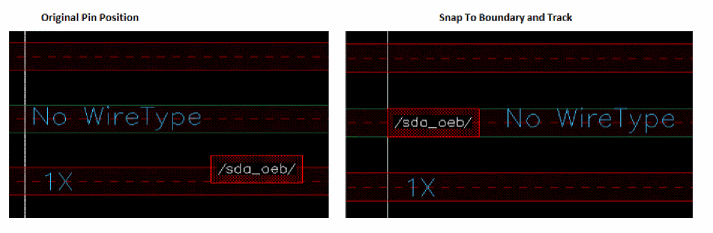 Environment variable: pinSnapModeSnapPins |
|
|
Snaps pins to the nearest WSP track without snapping them to the PR boundary. In this case, Layer Awareness and Width Awareness are disabled. Environment variable: pinSnapModeSnapPins |
|
|
Honors the following constraints during pin snapping: Wire type, width, order, bus, side, edge, pin group guide, layer per side, blockages, and pre placed pins. When this option is selected, pins are snapped to the nearest WSP track honoring the wire type constraints as shown in the following figure. 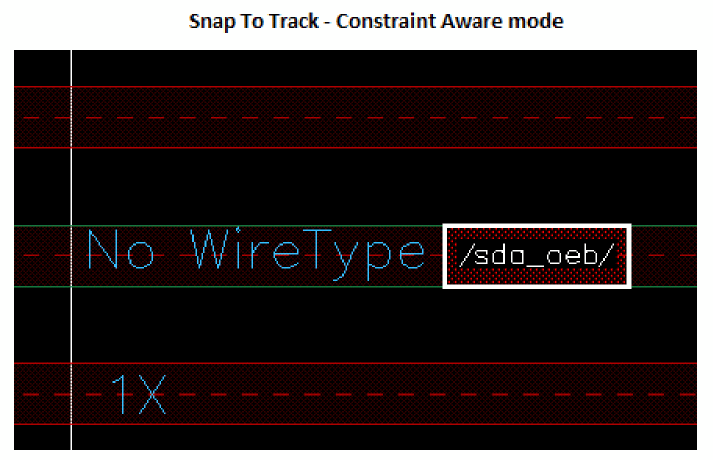 Wire type constraints are read in the following sequence, based on their availability:
These environment variables are valid only in Snap To Track - Constraint Aware mode. |
|
|
In non-constraint-aware mode, pins are snapped to the nearest WSP track. Wire type checking is not done while snapping pins to the nearest track as shown in the following figure. 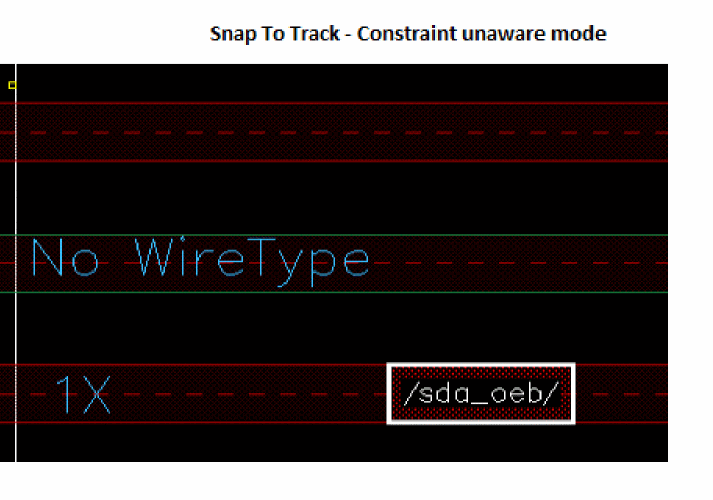 The Length Awareness options are honored in both constraint-aware and non-constraint-aware modes. |
|
|
Specifies the layers on which the pins are to be placed after they are snapped. |
|
|
Snaps pins to the nearest WSP tracks, while retaining the pins in their original layers and honoring all applicable pin constraints. |
|
|
Assigns pin layers to the sides of the block.
During snapping, pins are moved to the nearest soft block edges and are re-layered as per your specifications. Use the two list boxes in this section to make the required pin layer assignments. When this option is selected, the default pin layer and side constraint values are loaded based on the |
|
|
Displays the selected pin layer in the Pin Layers column in the first box. |
|
|
This section lets you control the width of the snapped pins. |
|
|
Snaps pins to the nearest WSP tracks with matching or higher pin widths. |
|
|
This section lets you control the length of the snapped pins. |
|
|
The length of the snapped pins is set to the minimum pin length specified in the technology file. When Snap To Track is selected and the pin length is less than the minimum length specified in the constraint, the pin is resized to a length equal to the specified value while snapping to nearest WSP track. The pin width is the same as the WSP track width. 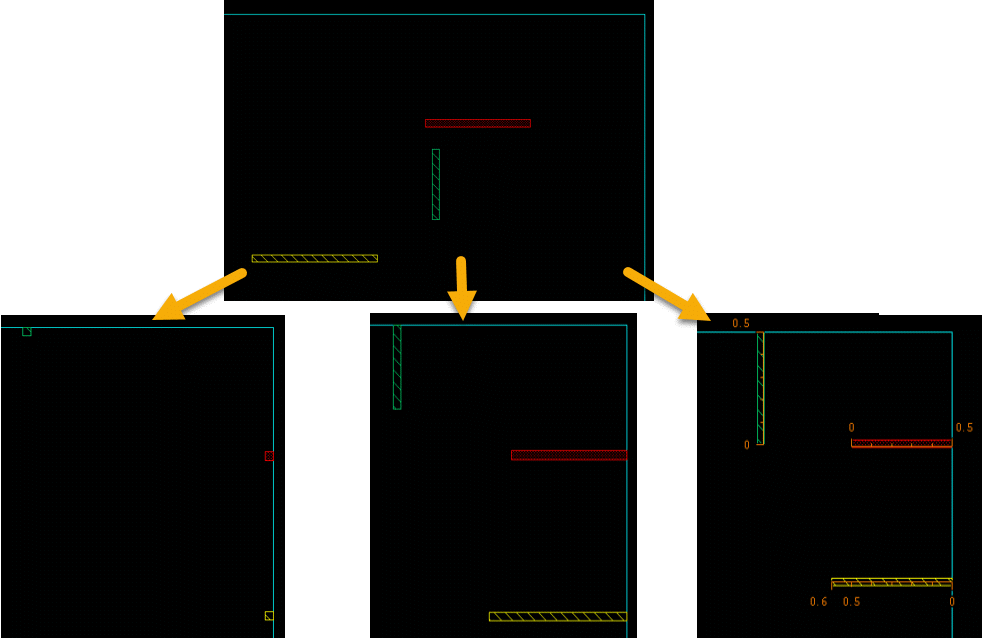 |
|
|
Snaps all the top-level and level-1 pins to appropriate grids. The pins with placement status as |
Related Topics
Return to top