
Cell Insertion
Cell insertion can be performed for corner and filler cells in a layout design.
Filler cells insertion is needed to maintain signal continuity in the IO ring for power and ground distribution and for Electrostatic Discharge (ESD) protection.
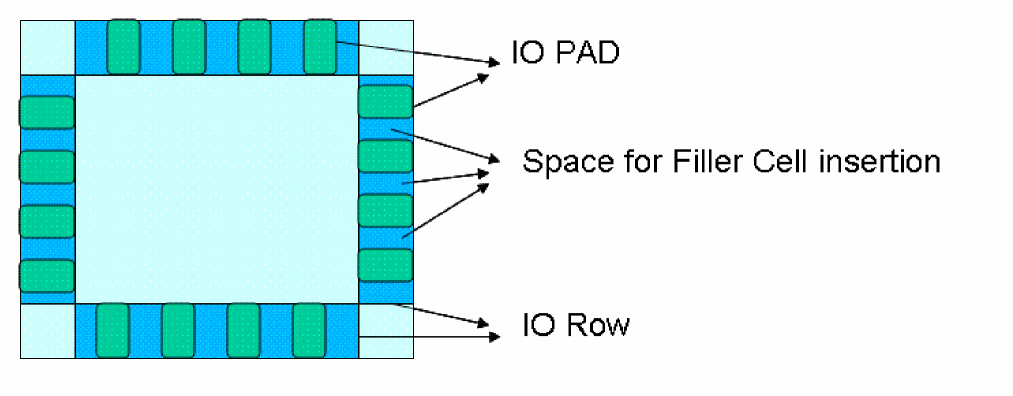
Filler cells insertion is done after PAD placement in the IO rows of the design. Filler cells are inserted in the empty space between PADs in an IO row. To fill a gap, the filler instances with the exact height matching the row site height are chosen. This is done to minimize the number of filler cells that are inserted by the insert filler engine. The filler cells that are to be inserted are used from the Filler Cells table in the Insert Filler Cells form.
Corner cells insertion is needed to maintain signal continuity in the IO ring between the IO row power and ground distribution. Four corner cells are required to be placed at the four corners of the design.
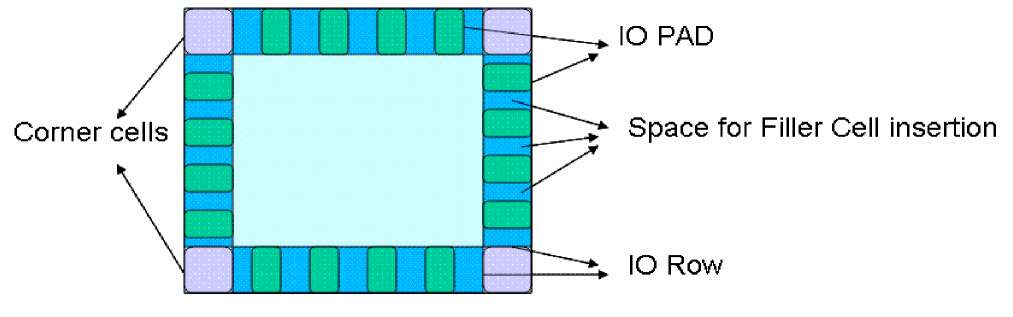
Corner cells insertion and deletion is done after PAD and filler cell placement in the IO rows of the design.
The high-level algorithm for inserting corner cells is as follows:
- The list of the selected instances are filled in the corner UI.
- Engine takes the input instance name and its orientation for each corner from the UI.
- The corner row is created of appropriate site(s) in the design before placing the corner cells.
- Corner cells are placed in appropriate rows as per the orientation specified.
Related Topics
Return to top