
Shorting Terminals using the Pin Connectivity Setting Form
Backside power delivery is the technique of routing power supply lines on the backside of a semiconductor chip or integrated circuit (IC) instead of the traditional front side. When backside power delivery is initiated using feed-through silicon vias, it is required that the signal data that travels from one end point to another end point must be same. To send the signal data from one end point to another end point, two terminals must have the same net. The terminals that have the same net are called shorted terminals.
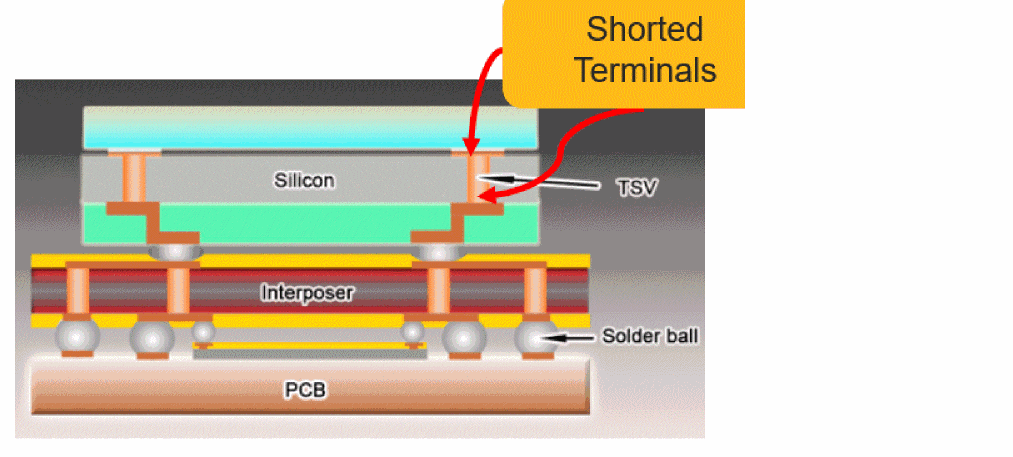
The Pin Connectivity Setting form lets you short terminals in three ways:
- Shorting Terminals using the Drag and Drop Operation
- Shorting Terminals using the Shortcut Menu
- Shorting Terminals by Editing the Net Name
You can also use the form to unshort the shorted terminals. Shorting and unshorting operation cannot be performed on a must-connect groups. If two pins are a part of the must-connect group, then they cannot be shorted together.If you try to short a terminal in a must-connect group, a warning message is displayed stating that the source or destination terminal does not contain a terminal that is inside the must connect group.
Shorting Terminals using the Drag and Drop Operation
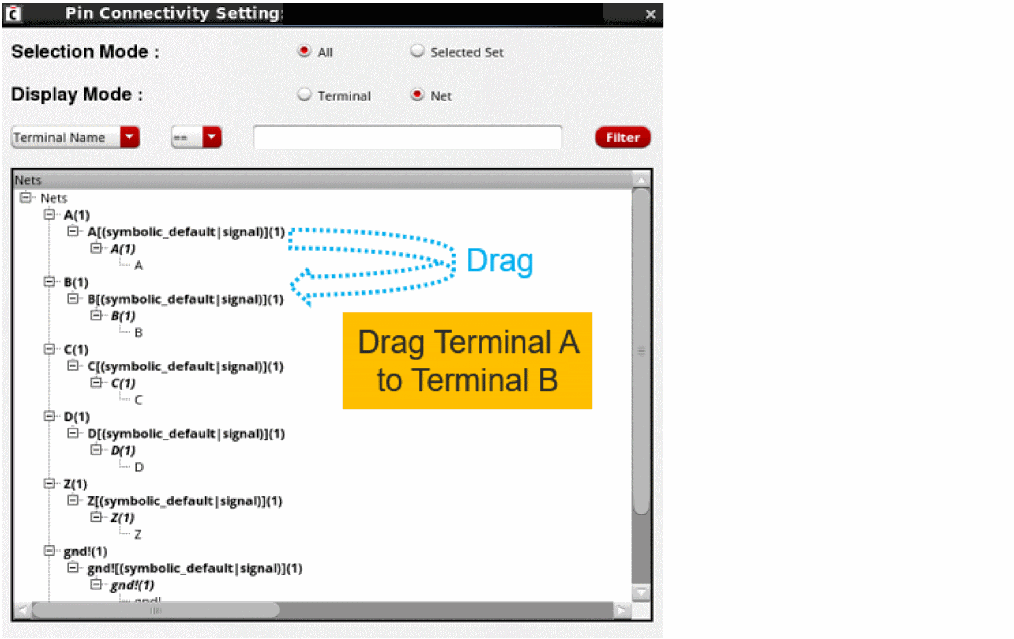
In this method, you drag the source terminal and drop it on the destination terminal or on its associated net. The source terminal is shorted with the destination terminal and it is listed under the destination net. The source net is considered an internal net, and it is not listed in the tree structure.
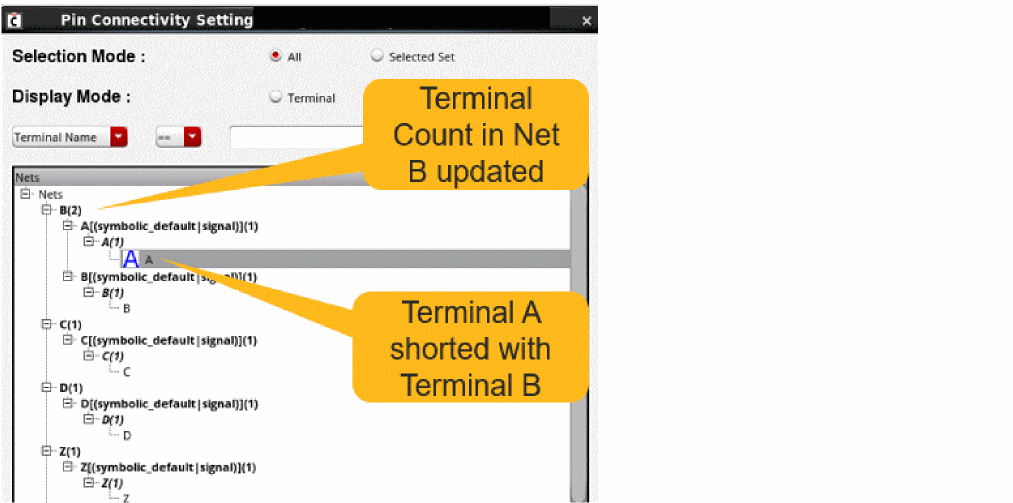
In the following example, when terminal A is dropped on terminal B, both will have the same net B and the terminal count in net B is updated to two.
When terminal A is shorted with terminal B, the net name of terminal A is updated to net B. As a result, net A become an internal net as it contains zero terminals and is not displayed in the tree structure.
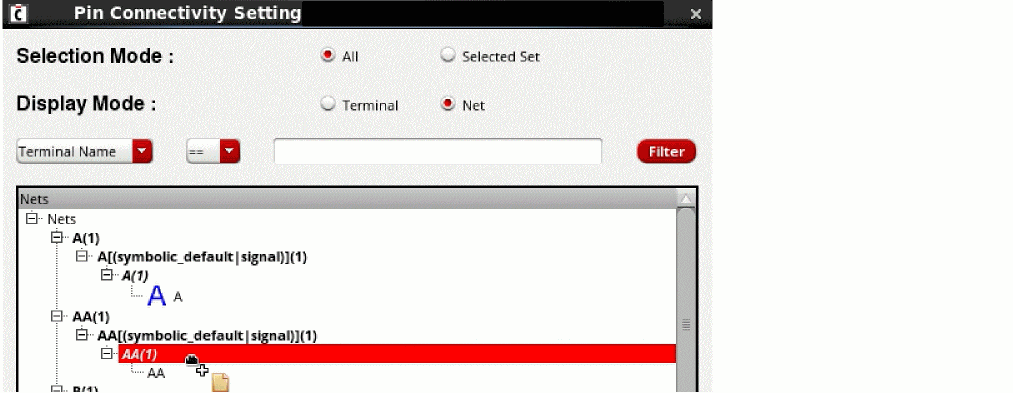
The drag and drop operation is assisted by the visual cues in the Pin Connectivity Setting form. When you start dragging a terminal, all valid destinations to drop it are dynamically highlighted in blue and all invalid destinations are highlighted in red. You can short terminals only at valid positions, which is indicated by blue. The valid position to drop a terminal is at the top of a net or on the top of another terminal. For example, you can drag terminal A and drop it on net B.
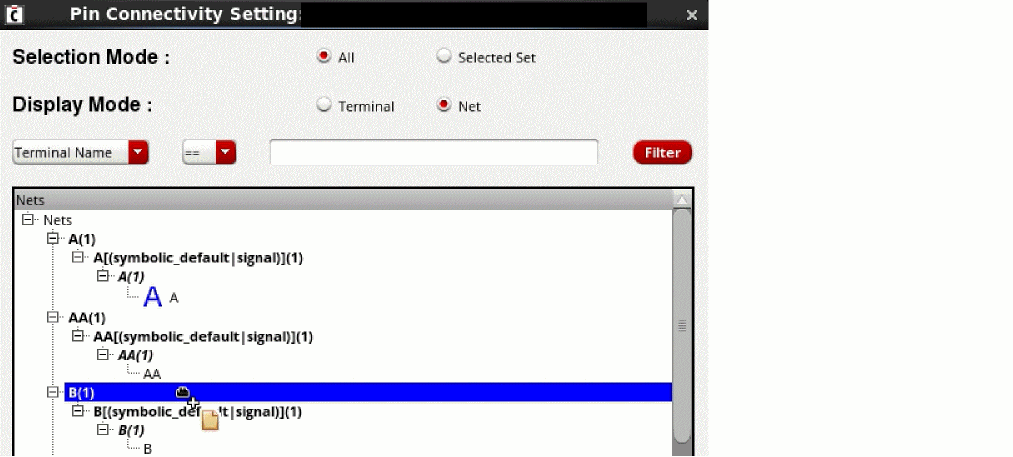
You cannot drop a terminal on any pin or pin figure. If you try to do so, the invalid position is indicated by red. For example, when you try to drop terminal A and drop it on pin figure AA(1), the invalid position is highlighted by red.
Shorting Terminals using the Shortcut Menu
To short terminals using the shortcut menu in the Pin Connectivity Setting form:
-
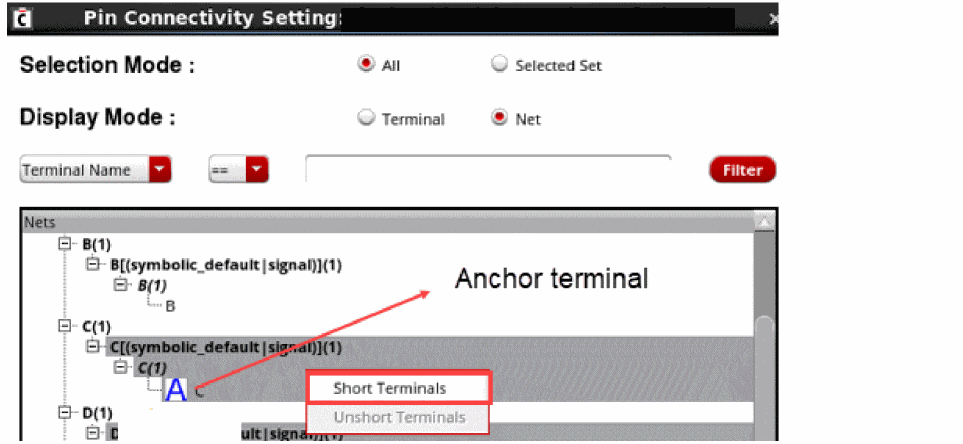
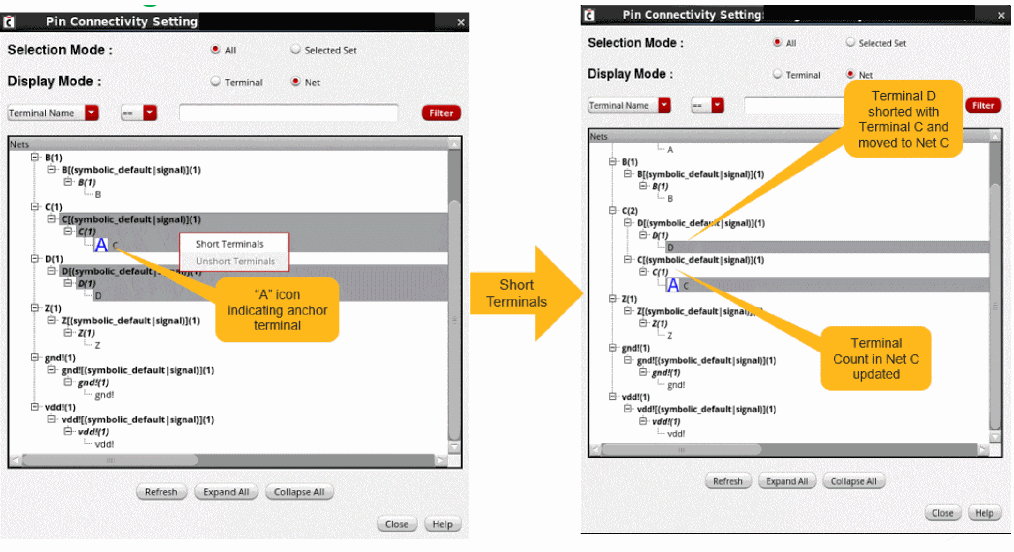
Select the terminal that you want to short. When multiple terminals are selected in the tree structure, an anchor icon is displayed on the terminal that was selected first. This anchor icon indicates the destination terminal.
To invoke the Short Terminals option, you must select terminals from two different nets. -
Right-click to display the shortcut menu and select Short Terminals.
- Click Close.
For example, when you select terminal C and further select other terminals, all the terminals would be shorted on terminal C. After shorting, terminal D moves to net C. The terminal count is now updated in net C and it displays two terminals.
Shorting Terminals by Editing the Net Name
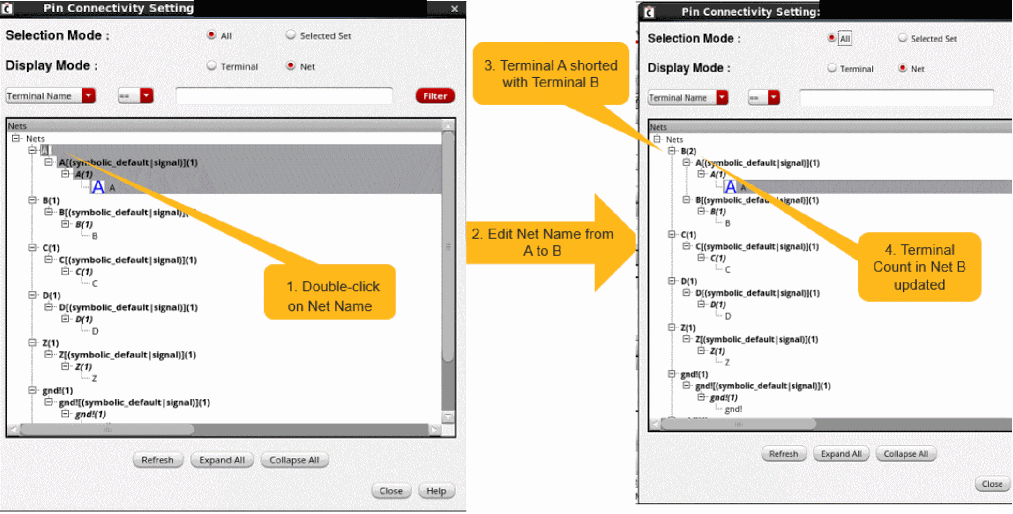
In this method, you edit the net name to short the terminals inside the net. If the modified net name is same as an existing net name, all the terminals, pins, and pin figures are moved from the target net to the destination net.
- Double-click a net name and edit it as per your requirements. In the following example, net A is renamed to B.
- Press Enter.
When the terminals from net A are shorted with terminal B, the terminal count in net B is updated, and net A becomes an internal net.
Related Topics
Unshorting Terminals in Pin Connectivity Form
Working With Pin Connectivity Models
Return to top