
Comparing Pin Group Guides
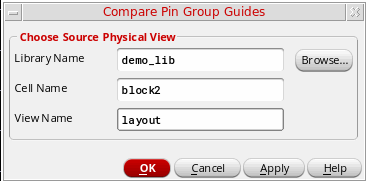
You can compare the pin group guides in two different cellviews using the Compare Pin Group Guides form.
To compare the pin group guides:
-
Select Floorplan – Pin Group Guides – Compare.
In Layout EXL and higher tiers, choose Plan – Pin Planning – Compare Pin Group Guides. -
The Compare Pin Group Guides form is displayed. Use this form to compare the pin group guides in two different cellviews.
-
Click Browse and select the cellview or type the
lib:cell:viewof the source cellview.
Related Topics
Return to top