
Copying to a New Library
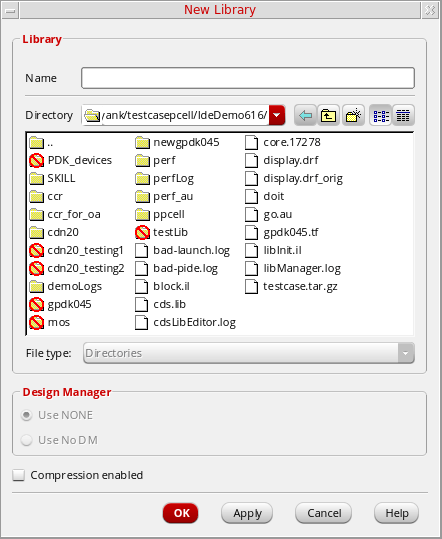
When you are copying to a new library and you click OK on the Copy Library form , the New Library form appears. To complete the copy operation to a new library, do the following:
-
On the New Library form, use the Directory navigation tools (list box and toolbar buttons) to specify the destination directory into which you want to copy the new library. You can also type a directory path in the Directory field.
-
In the Design Manager group box, specify a design management option.
If there is a design management system available to you and you choose Use No DM now, you can still decide to check it in later on. - Click OK.
Related Topics
Return to top