
Editing All Items in a Selected Set
To change all items a selected set, do the following:
-
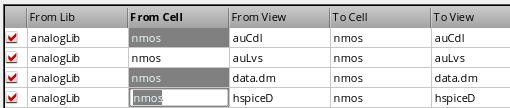
Select all the items you want to change.
-
Type your changes.
Only the last item added to the selection set reflects your changes. -
Press
Enter.
Alternatively, right-click and choose Apply Changes from the pop-up menu.
Your edits appear for all selected items.
Return to top