Cadence License Server Diagnostics Utilities are only provided on WINDOWS platforms.
Cadence License Server Diagnostics Utilities consists of three command line test utilities and a GUI wrapper.
ServerStatus.exe
Checks if the license server is currently running on a machine for the license file provided. It also provides information about other server instances currently running on the machine.
usage: ServerStatus.exe [-h] [-c LIC] [-l LOGFILE]
LicenseFileValidity.exe
Checks if a license file is good. Performs preliminary checks for license file validity and feature expiration dates. It will then start a server instance with the license file provided to check if the license file is correct and usable on the machine.
usage: LicenseFileValidity.exe [-h] [-c LIC] [-l LOGFILE]
FeatureValidity.exe
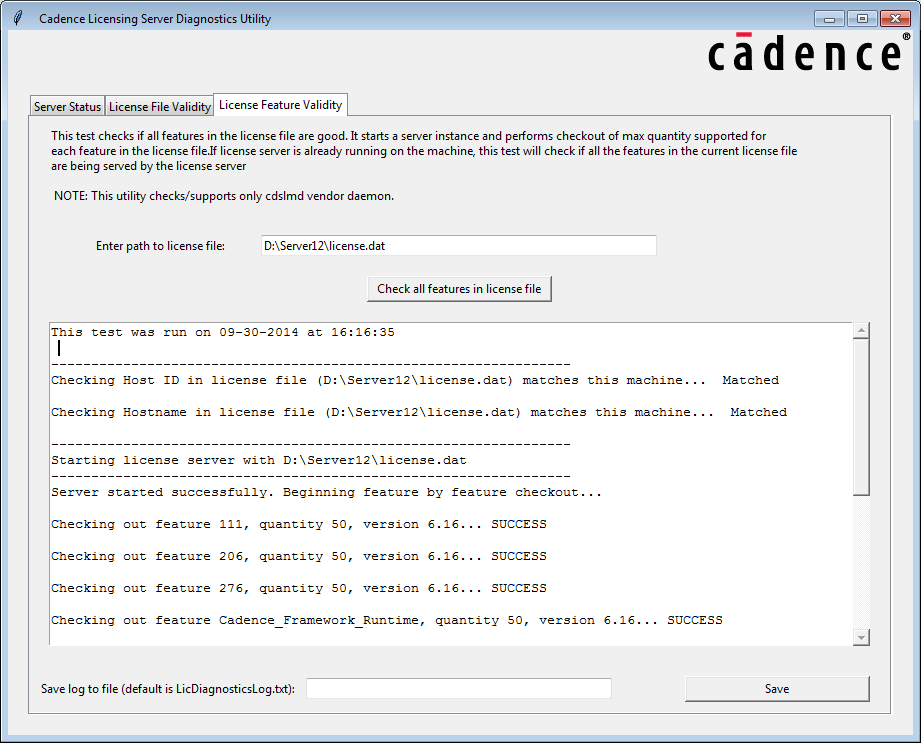
Checks if all features in the license file are good. It starts a server instance and performs checkout of max quantity supported for each feature in the license file. If the license server is already running on the machine, this test will check if all the features in the current license file are being served by the license server.
usage: FeatureValidity.exe [-h] [-c LIC] [-l LOGFILE]
All of the above tests can be run through a GUI as well.
Run the Tests through GUI
- Launch the utility as GUI by running
LicenseServerDiagnostics.exe. - Each of the three tests mentioned above are available on a separate tab in the GUI. Select the tab for the test you wish to run.
- Once on the page for the test you wish to run, enter the path to the license file you want to run the test for and click on the button to run the test.
- You can save the test results in a file with the Save Button provided at the bottom of the page. By default the log is saved to
LicDiagnosticsLog.txt.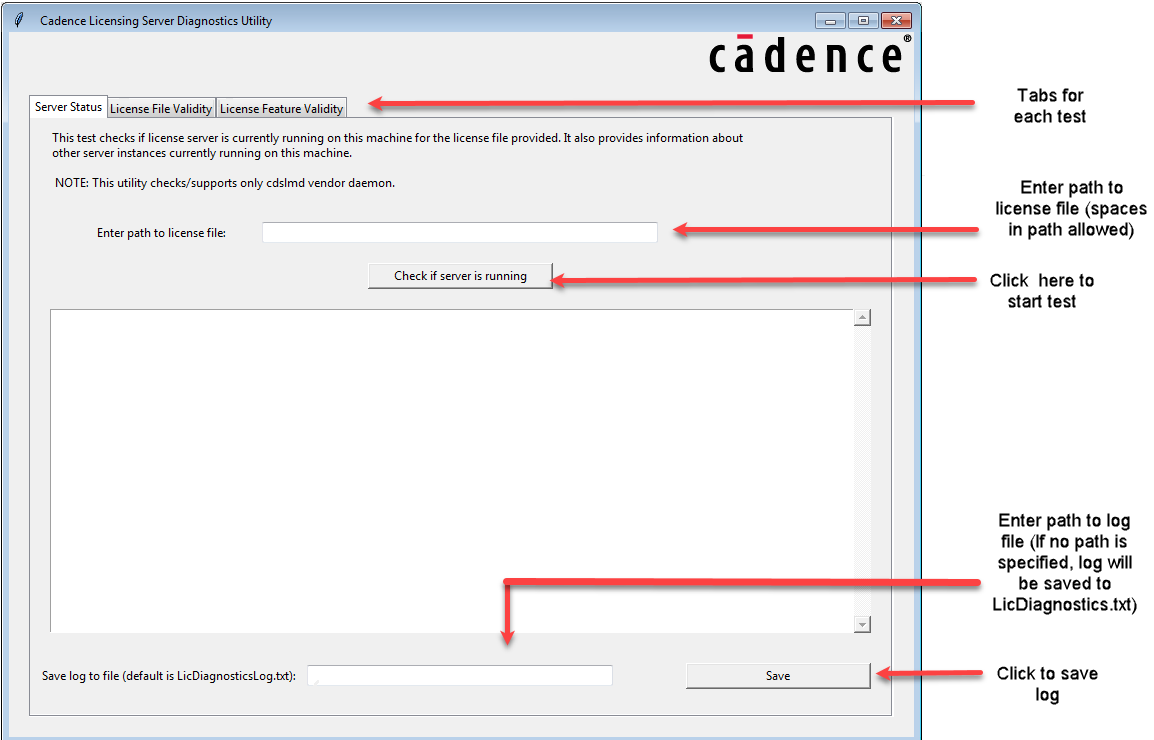
Sample License File Test Runs
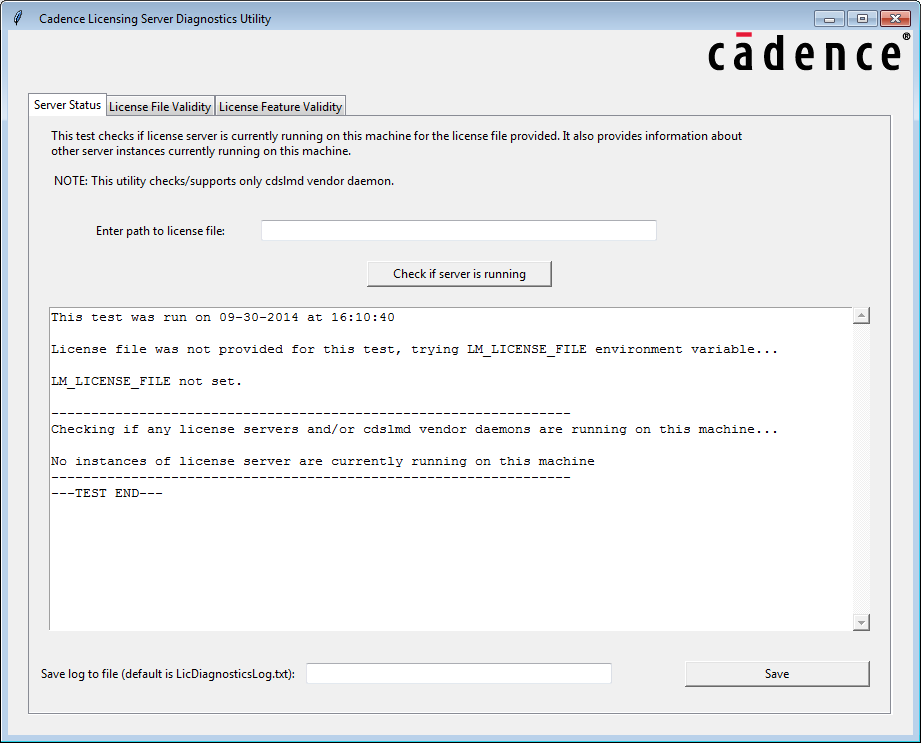
- Server Status test: Path to the license file is not provided and the license server was not found running on the machine.
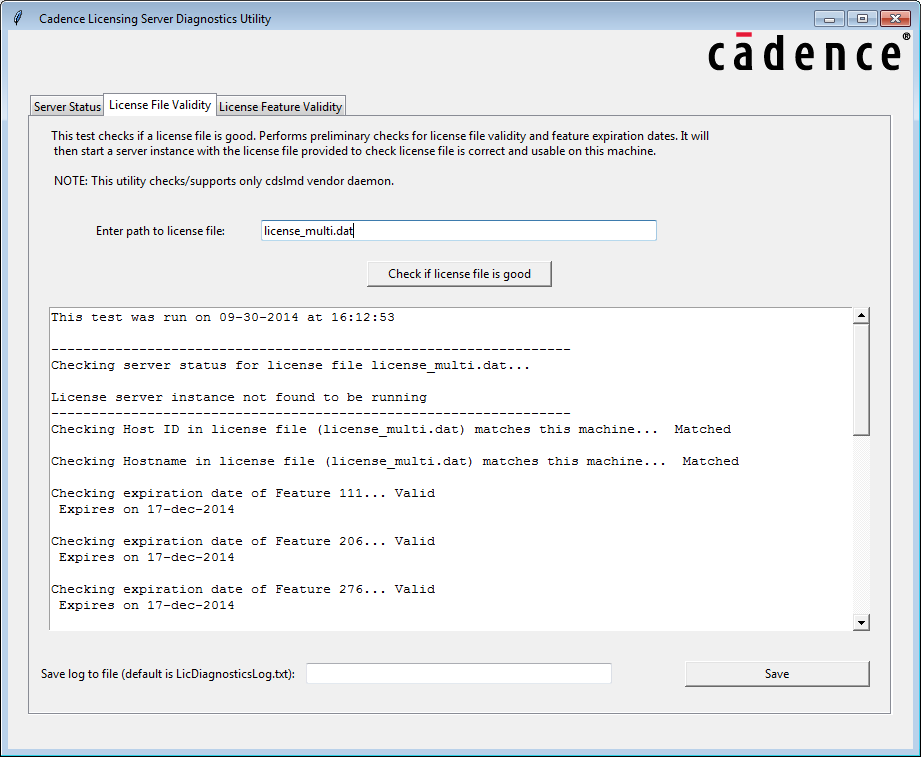
- License File Validity test: An instance of the license server was not running on the machine and the license file is valid.
- License Feature Validity test: The license server is already running on the machine, so Feature Exists test was run.