
Specifying Modgen Parameters
You can specify Modgen parameters, such as the number of rows and columns, the type of router, and the interdigitation pattern, in the Constraints Manager.
-
Select the required Modgen in the Constraint Manager.
The Modgen parameters are listed, as shown below.
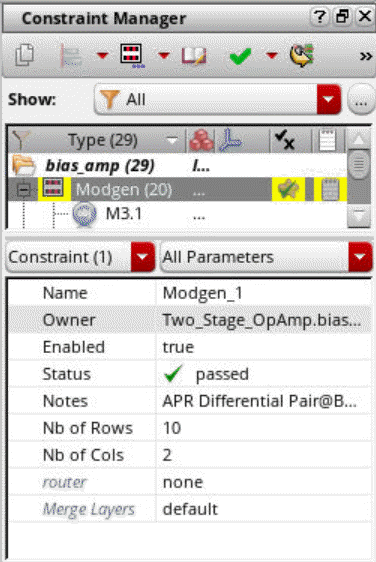
- Edit the required parameters: Name, Status, and Notes.
- Specify the number of rows for the array in the Nb of Rows field.
- Specify the number of columns for the array in the Nb of Cols field.
- Select a router to be used to route the Modgen.
-
Use the Merge Layers option to specify the layers to be merged in the Modgen.
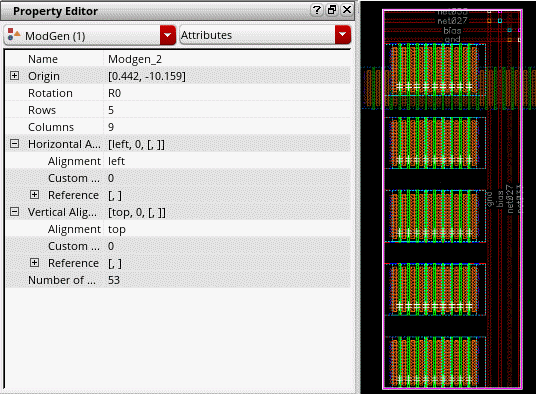
You can use the Property Editor assistant to interactively update the properties of individual Modgen instances and Modgen arrays containing stack-type members. Any changes you make to the instance properties are immediately applied to the Modgen in the layout canvas, as displayed in the figure below.
Related Topics
Adding and Deleting Dummies in the Modgen Editor
Adding and Removing Modgen Body Contacts
Return to top