
Support for Stacks in Modgens
(Virtuoso Advanced Node for Layout Only or Layout Standard) A stack of series-connected devices (stack) is a set of devices that are connected in sequence from the source to drain. The devices in a stack share a common gate connection, bulk connection (if the devices have a bulk terminal), and super-master. In addition, stacks have no external connections to any internal source or drain terminal. The following image depicts a stack in the schematic view.
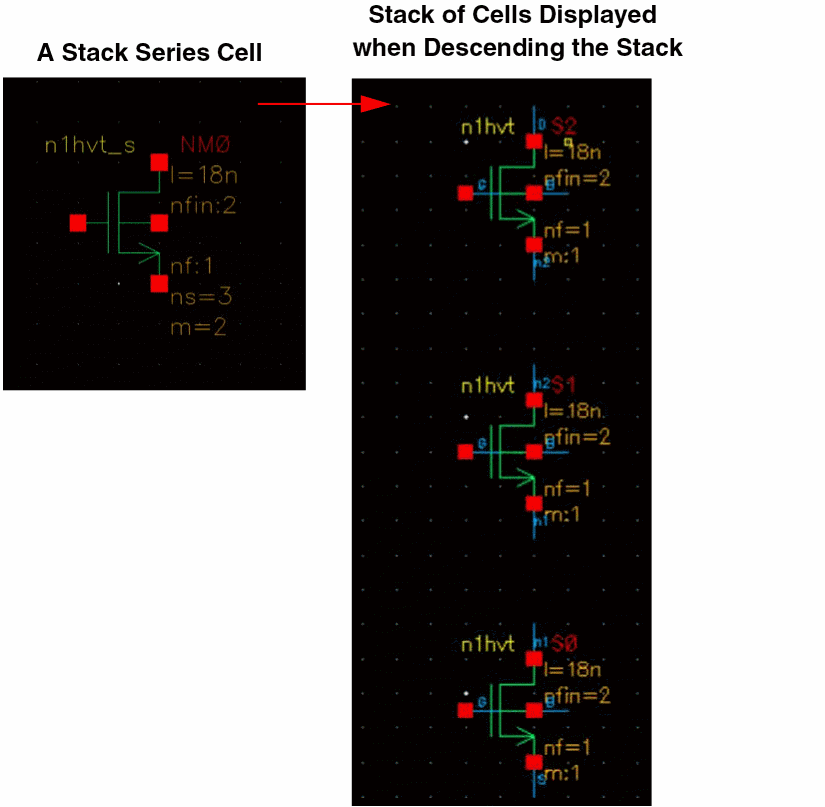
Stacking devices helps achieve circuit performance goals in advanced node PDKs, where the gate lengths for analog devices are more uniform and discrete. A properly arranged stack can be internally abutted to reduce the area of the layout.
When a new Modgen is created with the Array Assistant visible, all stacks within the Modgen are detected, rearranged according to connectivity (if necessary), and their members are abutted.
For existing Modgens, stacks are detected only if their devices are arranged and abutted properly.
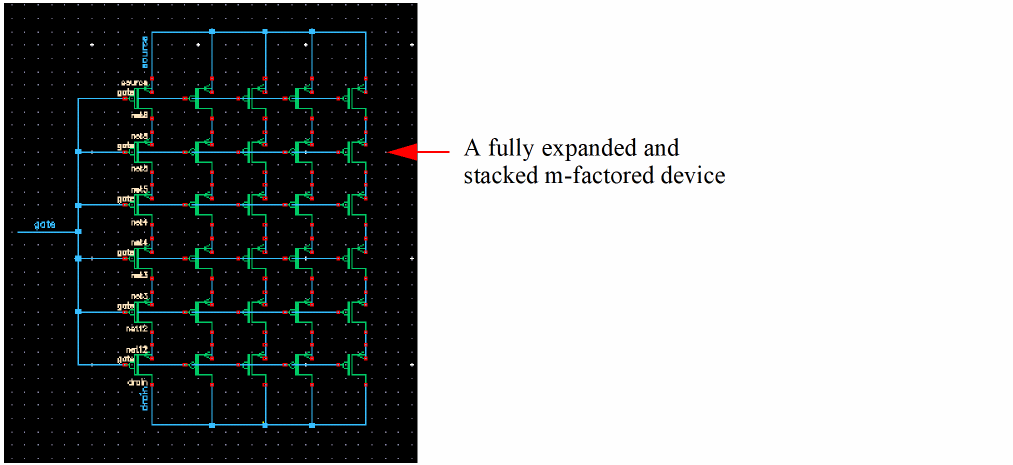
Each abutted stack is represented as a single symbol, as if it were a single device, in the Array Assistant. Stacks sets that are connected in parallel also share a common symbol.
The tool tips for these symbols provide information about the constituent stacked devices.
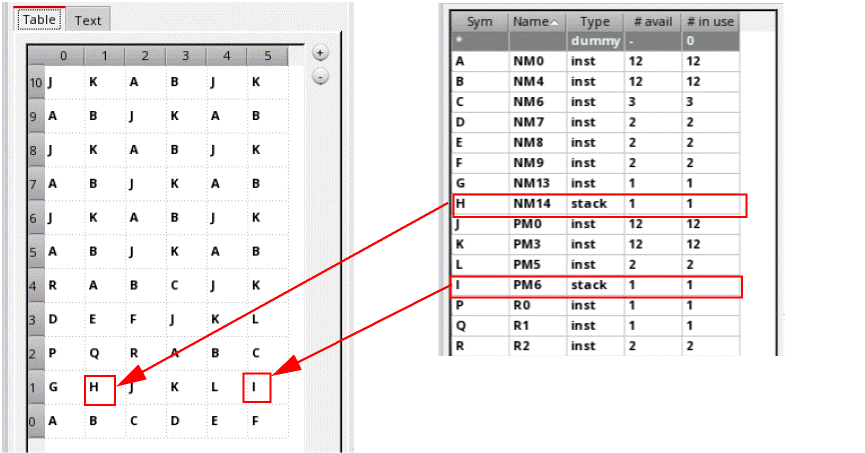
Series-connected, unabutted devices with shared gate connectivity are displayed in the Array Assistant as individual symbols.
Dummies that are adjacent to abutted stacks are also stacked and abutted.
The Property Editor assistant displays the abstract and compressed grid dimension (row and column) information for Modgen arrays containing stack-type members. This behavior is similar to the Array Assistant. For Modgens with stack-type members, the Property Editor assistant might include a Total field that is not consistent with the row and column information.
Related Topics
Stack Attributes Controlled by the Array Assistants
Automatic Generation of Modgens using the Array Assistant
Return to top