
Opening Array Assistant During Device Placement
(Layout EXL and Higher Tiers) You can open the Array Assistant from the Auto P&R assistant either in the constraint generation step or after running the placer. To invoke the Array Assistant during constraint generation:
-
Ensure that
aprCreateModgensis set tot(default setting). In this mode, grouped devices are generated as Modgens in the automated device placement and routing flow. - Initialize the layout.
- Generate the required device groups.
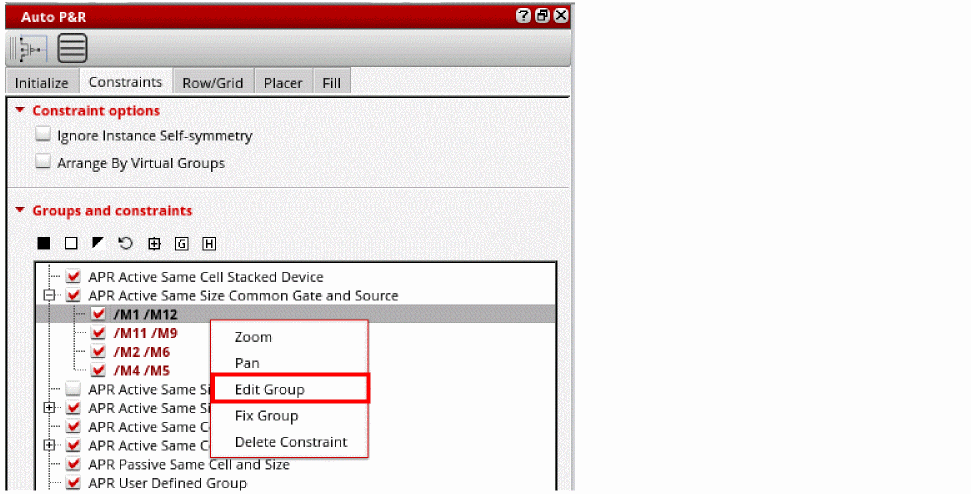
- Right-click the required device group in the View and Edit Constraints pane.
-
Choose Edit Group.
The Array Assistant is displayed.
Related Topics
Opening Array Assistant From the Constraint Manager
Opening the Array Assistant During Interactive Placement
Return to top